CHAPTER 5 SELF DIAGNOSIS
5-1
CHAPTER 5 SELF DIAGNOSIS
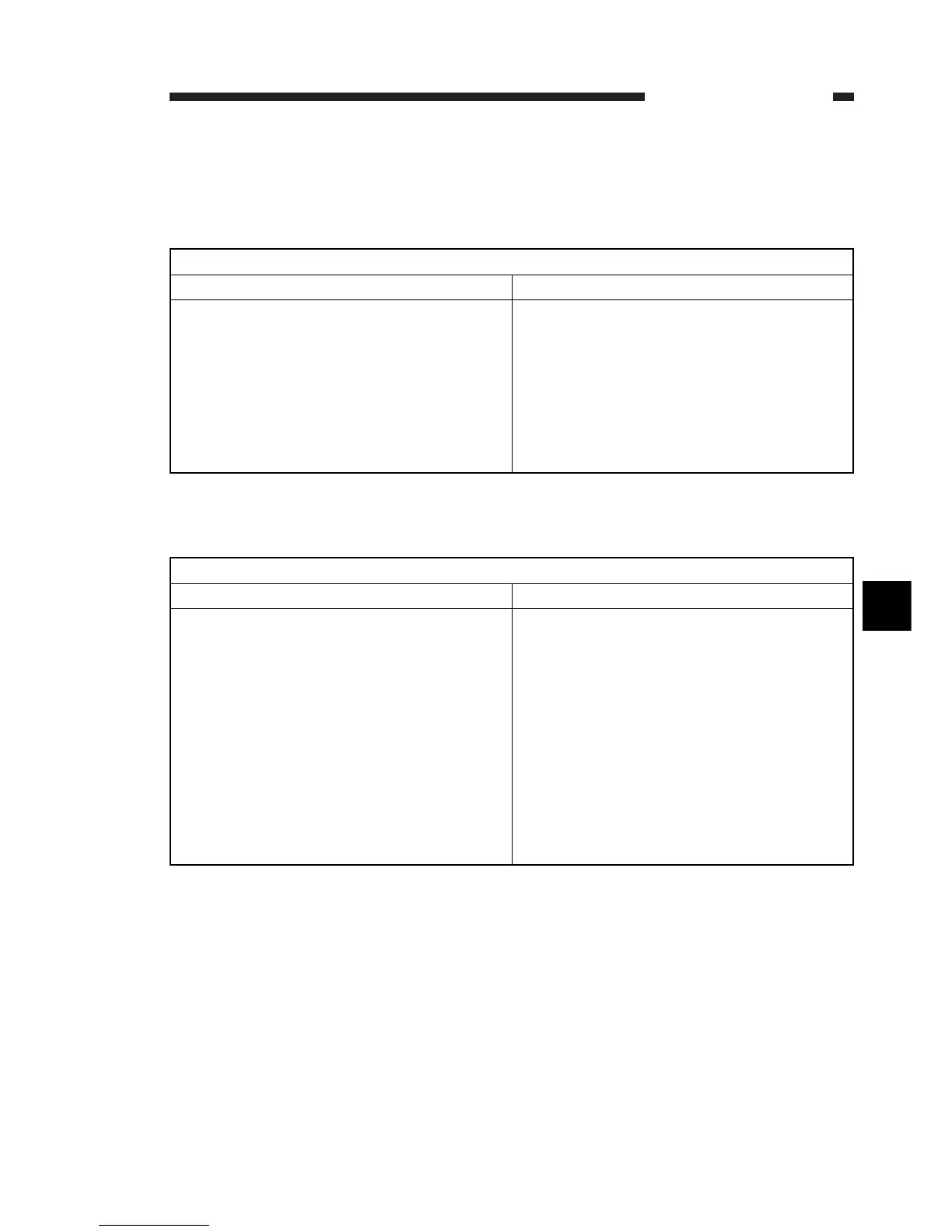
A. User errors
Cause
• Document became jammed.
• Document
’
s size or thickness is outside the
standards.
• Internal mechanism fault.
Countermeasure
• Remove the document and try sending
again.
(1) Send after making a copy by book scanning
or use book scanning transmission?
(2) Send thin documents by book scanning
transmission.
Refer to “Document jam detection” in the ADF
service manual.
#0001 [TX] Document jam
Cause
• 1 page document length is more than 1 m
or takes more than the prescribed time (32
minutes) to send/copy.
• Takes more than the prescribed time (32
minutes) to receive.
• Internal mechanism fault.
Countermeasure
(1) Make a copy by book scanning. Divide
the document and send/copy.
(2) Increase the page timer value using #1
SSSW-SW12 Bit 0 and Bit 1.
(1) Have the sender divide the document
and send in parts.
(2) Contact the sender and have the cause
investigated.
(3) Increase the page timer value using #1
SSSW-SW12 Bit 0 and Bit 1.
See “Document jam detection” in the ADF
service manual.
#0003 [TX/RX] 1 page copy/send receive time over
5


 To Next Page