2
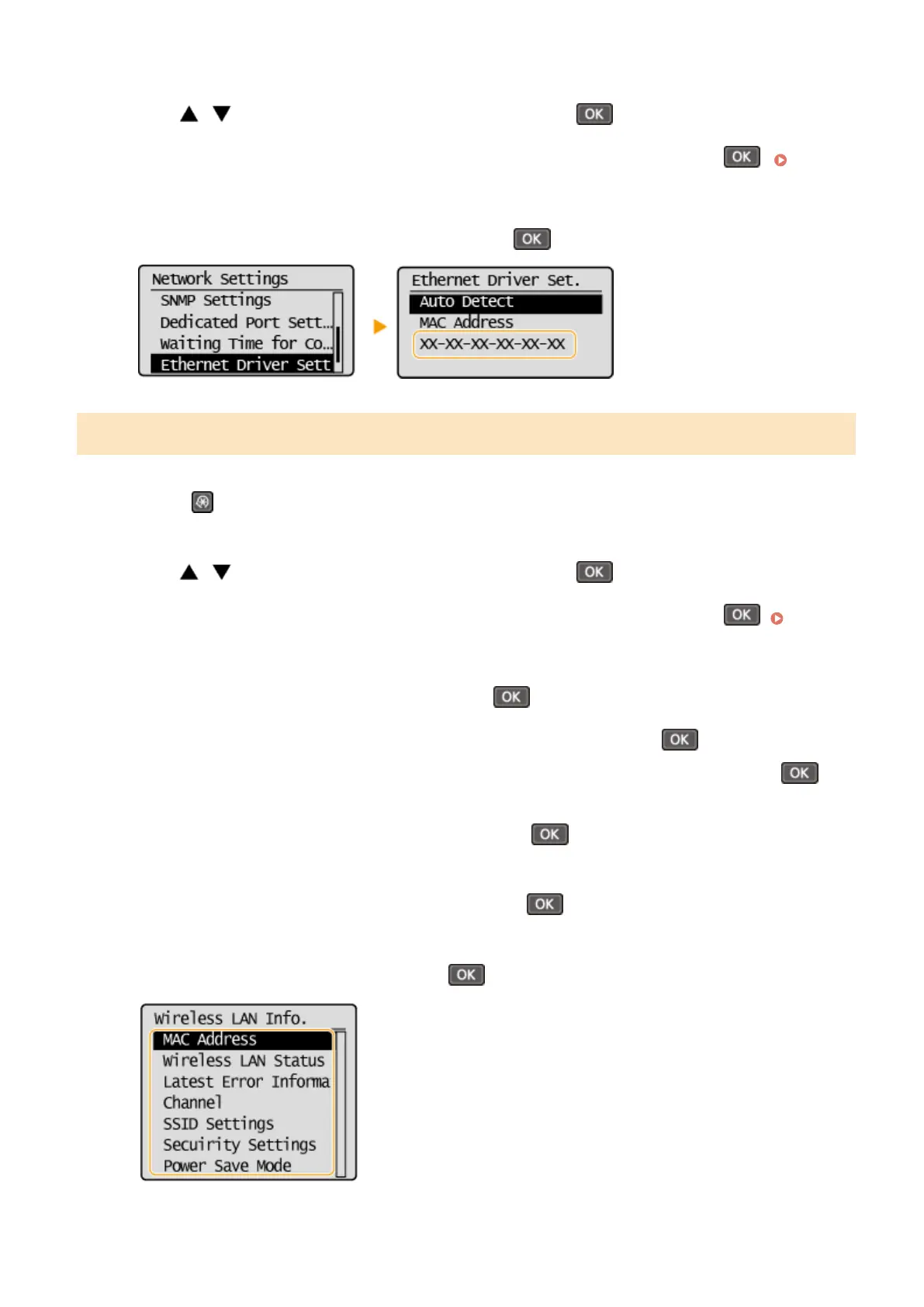
Use / to select <Network Settings>, and press .
● If a screen for entering a PIN is displayed, enter the PIN with the numeric keys and press . Setting
the System Manager PIN(P. 222)
3
Select <Ethernet Driver Settings>, and press .
Viewing the MAC Address and Information for Wireless LAN
1
Press .
2
Use / to select <Network Settings>, and press .
● If a screen for entering a PIN is displayed, enter the PIN with the numeric keys and press . Setting
the System Manager PIN(P. 222)
3
Select <Wireless LAN Settings>, and press .
● If the <Enable the wireless LAN?> message is displayed, select <Yes>, and press .
● If the <Direct Connection will be disabled. Is it OK?> message is displayed, select <Yes>, and press .
4
Read the message that is displayed, and press .
5
Select <Wireless LAN Information>, and press .
6
Select the setting to view, and press .
Network
188












 To Next Page