Adding a port
If the IP address of the machine has been changed, add a new port. Adding a port is also an effective solution
when an incorrect port type was selected in the Windows printer folder during the printer driver installation.
1
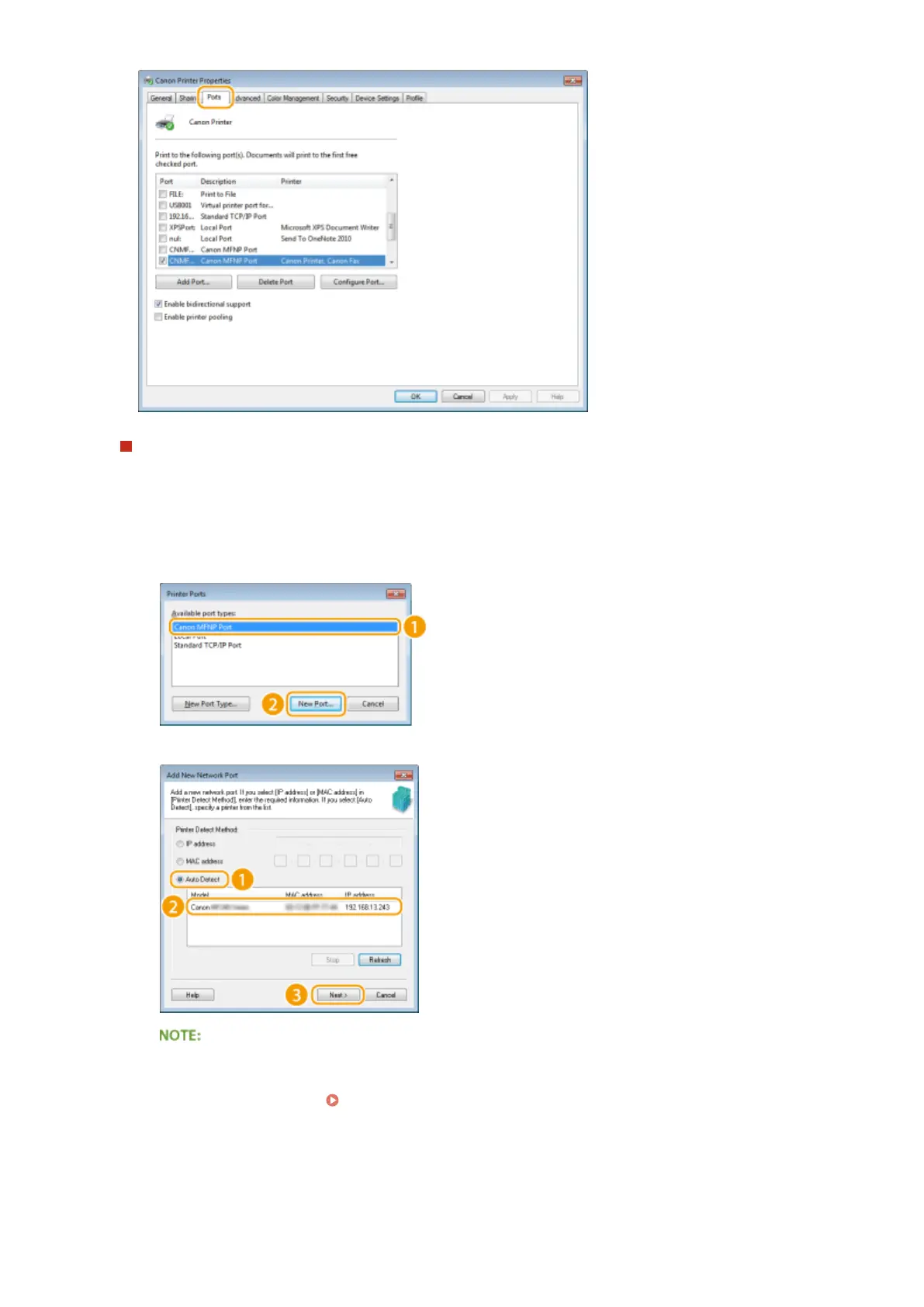
Click [Add Port].
2
Select [Canon MFNP Port] in [Available port types] and click [New Port].
3
Click [Auto Detect], select the machine when it is detected, and click [Next].
If the machine is not detected
Click [Refresh]. If the problem persists, click [IP address] or [MAC address], enter the IP address or MAC
address of the machine ( Viewing Network Settings(P. 187) ), and then click [Next].
Network
195












 To Next Page