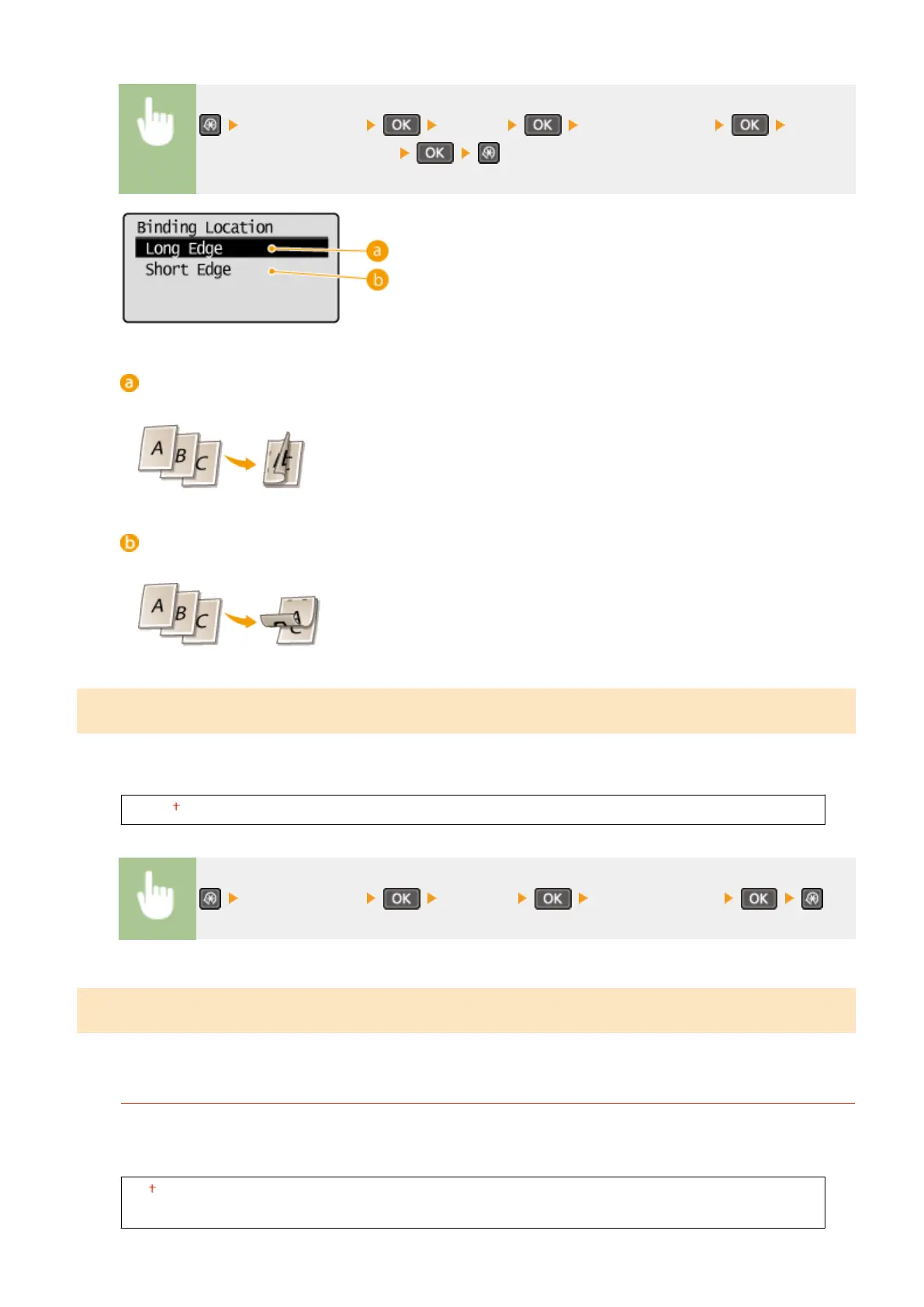
<Printer Settings> <Layout> <Binding Location> Select
<Long Edge> or <Short Edge>
<Long Edge>
Specify this to bind on the long edge of paper.
<Short Edge>
Specify this to bind on the short edge of paper.
Timeout
Set the time period after which the current print job is automatically canceled in the case of a print data reception
interruption.
5 to 15 to 300 (sec.)
<Printer Settings> <Timeout> Set the time period
PCL
Specify the PCL printing settings such as page layout and print quality.
Paper Save
Select whether to save paper by not outputting blank pages in documents. By selecting <On>, the machine will
not output blank pages. To output all your document data when printing, including any blank pages that you
have inserted in your document, select <Off>.
Off
On
Setting Menu List
311












 To Next Page