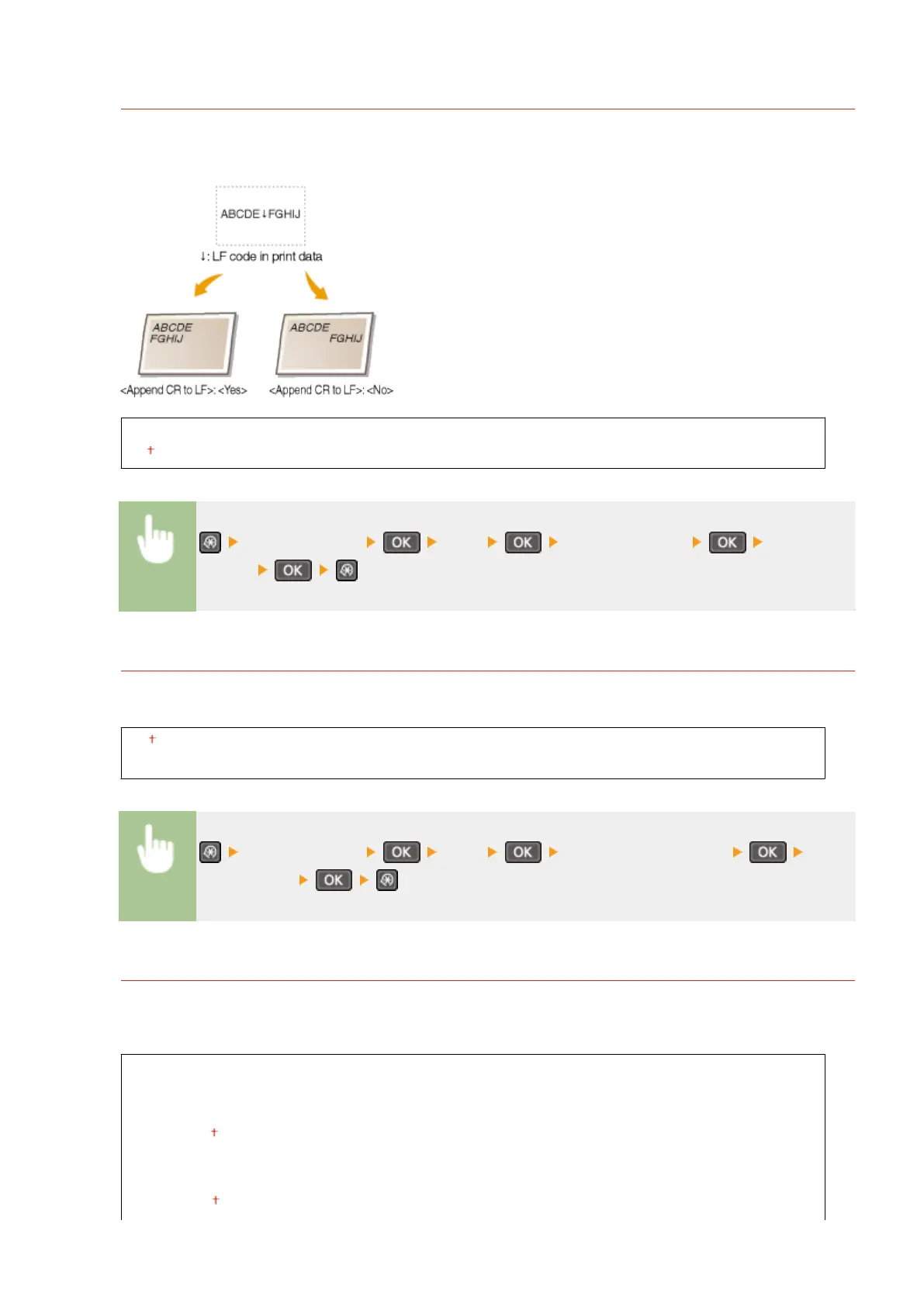
Append CR to LF
Select whether to append a carriage return (CR) when the machine receives a line feed code (LF). If <Yes> is
selected, the print position moves to the beginning of the next line when the machine receives an LF code. If
<No> is selected, the print position moves to the next line, just under the received LF code.
Yes
No
<Printer Settings> <PCL> <Append CR to LF> Select <Yes>
or <No>
Enlarge A4 Print Width
Select whether to expand the width of the printable area of A4 size paper in portrait orientation to that of LTR
size.
Off
On
<Printer Settings> <PCL> <Enlarge A4 Print Width> Select
<Off> or <On>
Halftones
You can select the printing method to reproduce halftones (the intermediate range between the lighter and
darker areas of an image) for optimal image quality. For each document, you can make settings by type of
image.
Text
Color Tone
Gradation
Resolution
Graphics
Color Tone
Setting Menu List
315












 To Next Page