Gradation
Resolution
Image
Color Tone
Gradation
Resolution
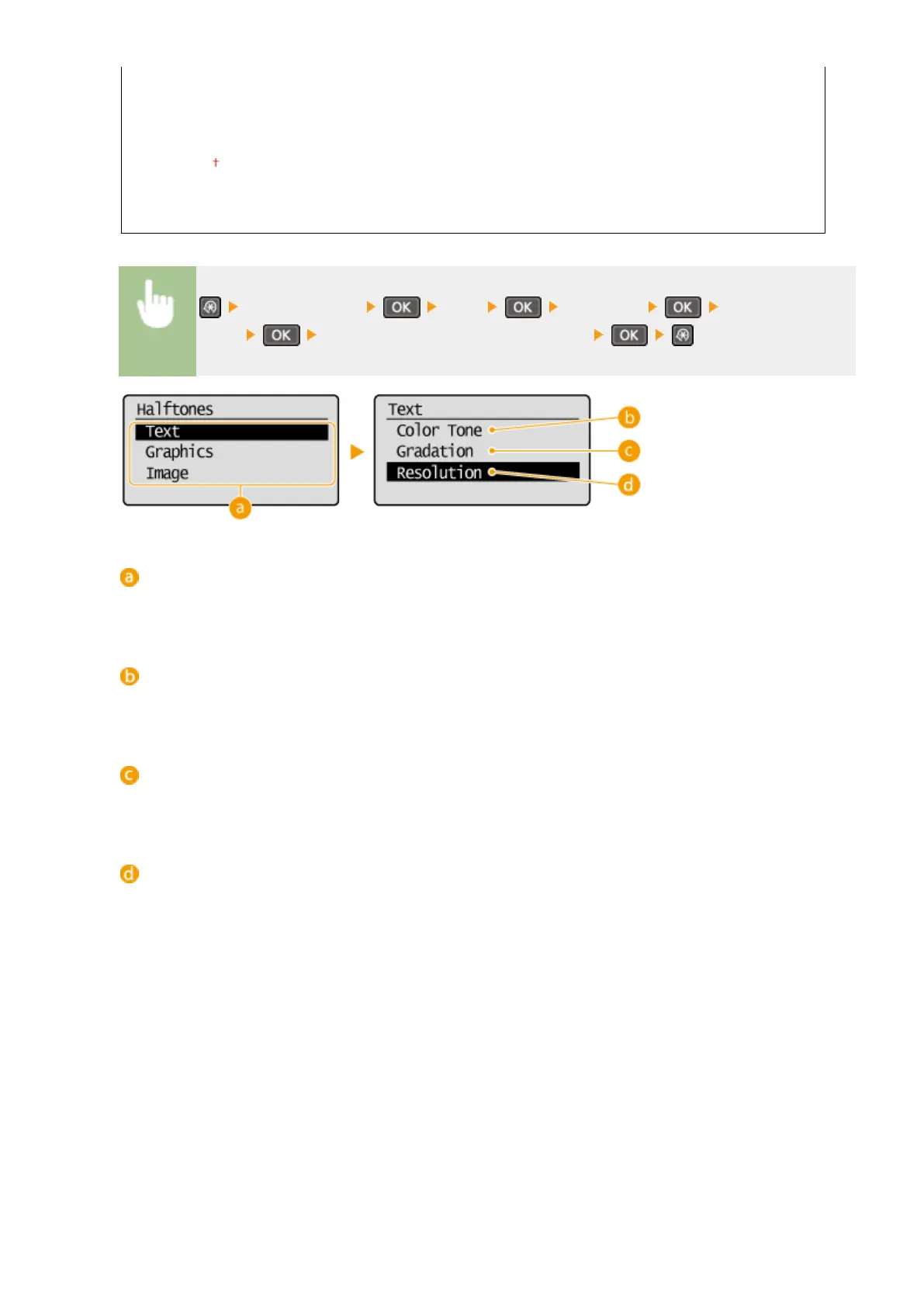
<Printer Settings> <PCL> <Halftones> Select the type of
image Select the halftone reproduction method
Type of image
Select the object for which to change the setting. <Text> represents letters and characters, <Graphics>
represents lines and gures, and <Image> represents photos and images.
<Color Tone>
Produces a sharp print with strong contrast of lightness and darkness. It is suitable for printing image data
such as photo image data.
<Gradation>
Produces a print with smooth gradation or smooth edges. It is suitable for printing gures or graphs
containing gradation areas.
<Resolution>
Produces a ne print with clear edges of text. It is suitable for printing characters and ne lines.
Setting Menu List
316












 To Next Page