10
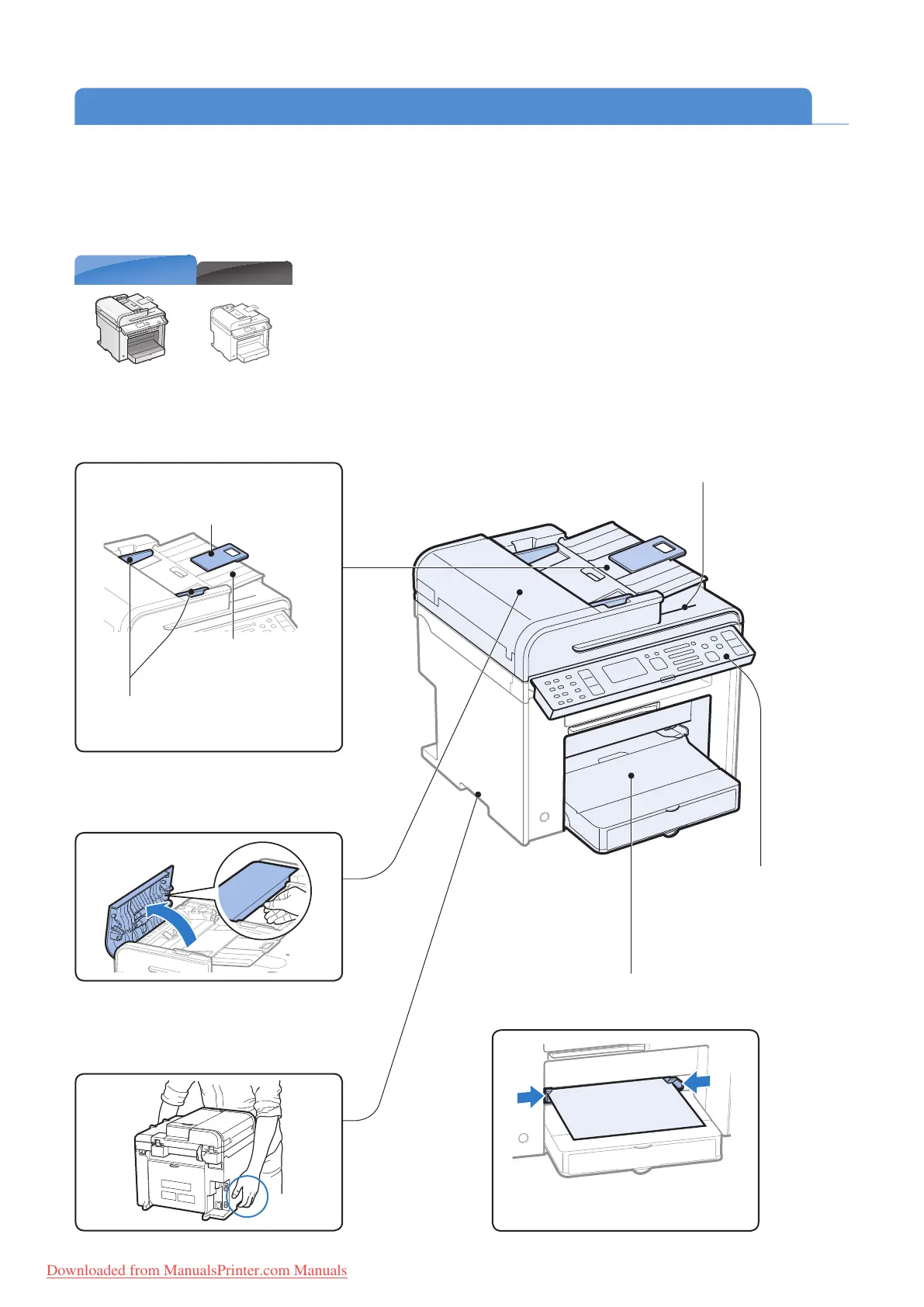
Document return tray
Returns documents after
scanning.
Operation panel
Use the panel to control
the machine (
→P.14 ).
Multi-purpose tray
Load paper one by one manually (→P. 2 4) .
Paper guides
Adjust these guides to t the paper.
MF4890dw
MF4880dw/MF4770n
Learn the Names and Functions of Each Part of the Machine
Front Side
Feeder cover
Open this cover to clear paper jams (→P. 95 ).
Lift handles (left, right)
Hold these handles to lift or transport
the machine.
Feeder
Automatically feeds documents into the
machine (
→P. 2 0 ) .
Tray extension
Pull out to load large size
doc
uments.
Document feeder tray
Place your documents in
this
tray.
Document guides
Adjust these guides to t the document.
Downloaded from ManualsPrinter.com Manuals












 To Next Page