86
Cleaning the Platen Glass and Feeder
If a scanned image has unexpected specks, clean the platen glass and feeder.
Cleaning the Platen Glass
1
Turn OFF the machine and disconnect all the cables from the machine.
2
Remove any documents from the platen glass.
3
Open the feeder.
4
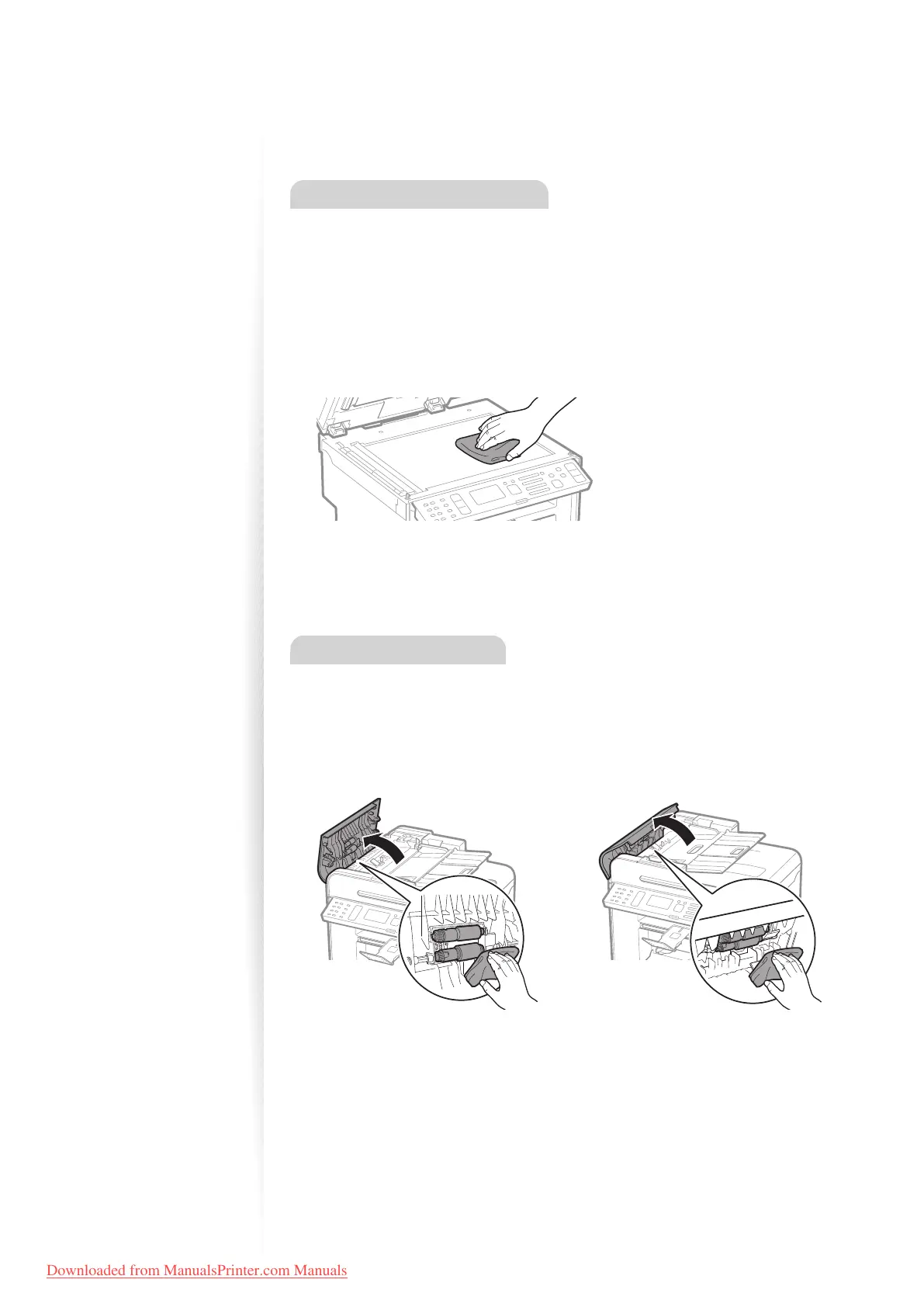
Clean the platen glass and the under surface of the feeder.
•
Clean the platen glass with a well wrung out cloth dampened with water and wipe it
with a soft, dry cloth.
5
Close the feeder.
6
Reconnect all the cables, and then turn ON the power.
Cleaning the Feeder
1
Turn OFF the machine and disconnect all the cables from the machine.
2
Remove any documents from the feeder.
3
Open the feeder cover, clean the rollers with a well wrung-out cloth
dampened with water, and then wipe them with a soft and dry cloth.
MF4890dw
MF4880dw/
MF4770n
4
Close the feeder cover.
5
Reconnect all the cables, and then turn ON the power.
Downloaded from ManualsPrinter.com Manuals












 To Next Page