24
5
Close the dust cover.
6
Specify the loaded paper size and type (→p.25).
Loading Paper in the Multi-Purpose Tray
1
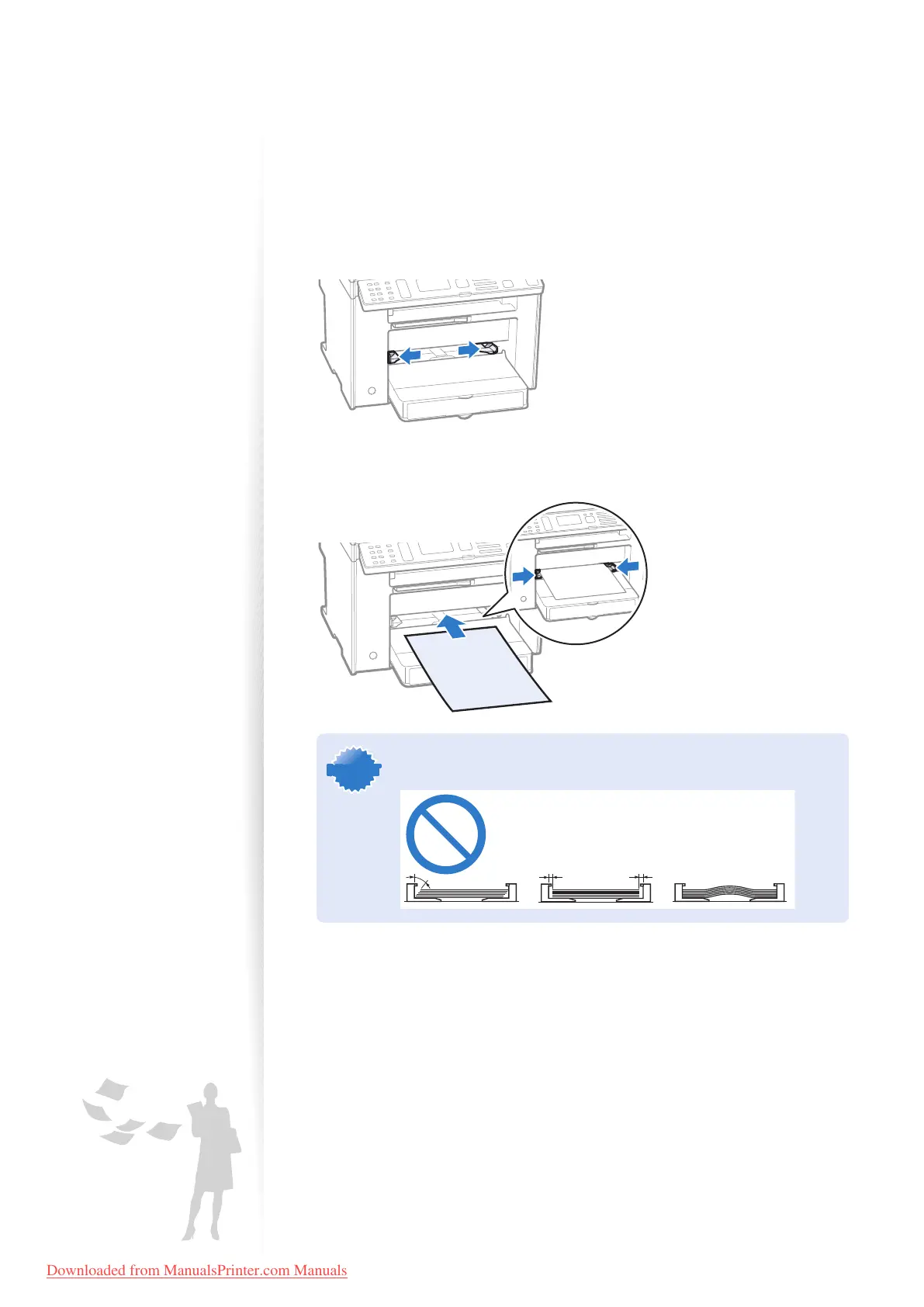
Spread the paper guides a little wider than the paper.
2
Gently load the paper into the paper cassette with the print side face up,
and adjust the paper guides tightly to the width of the paper.
IMPORTANTIMPORTANT
If the paper guides are too loose or too tight, this may result in misfeeds
or paper jams.
3
Specify the loaded paper size and type (→p.26).
Downloaded from ManualsPrinter.com Manuals












 To Next Page