14
Learn the Functions of the Operation Panel
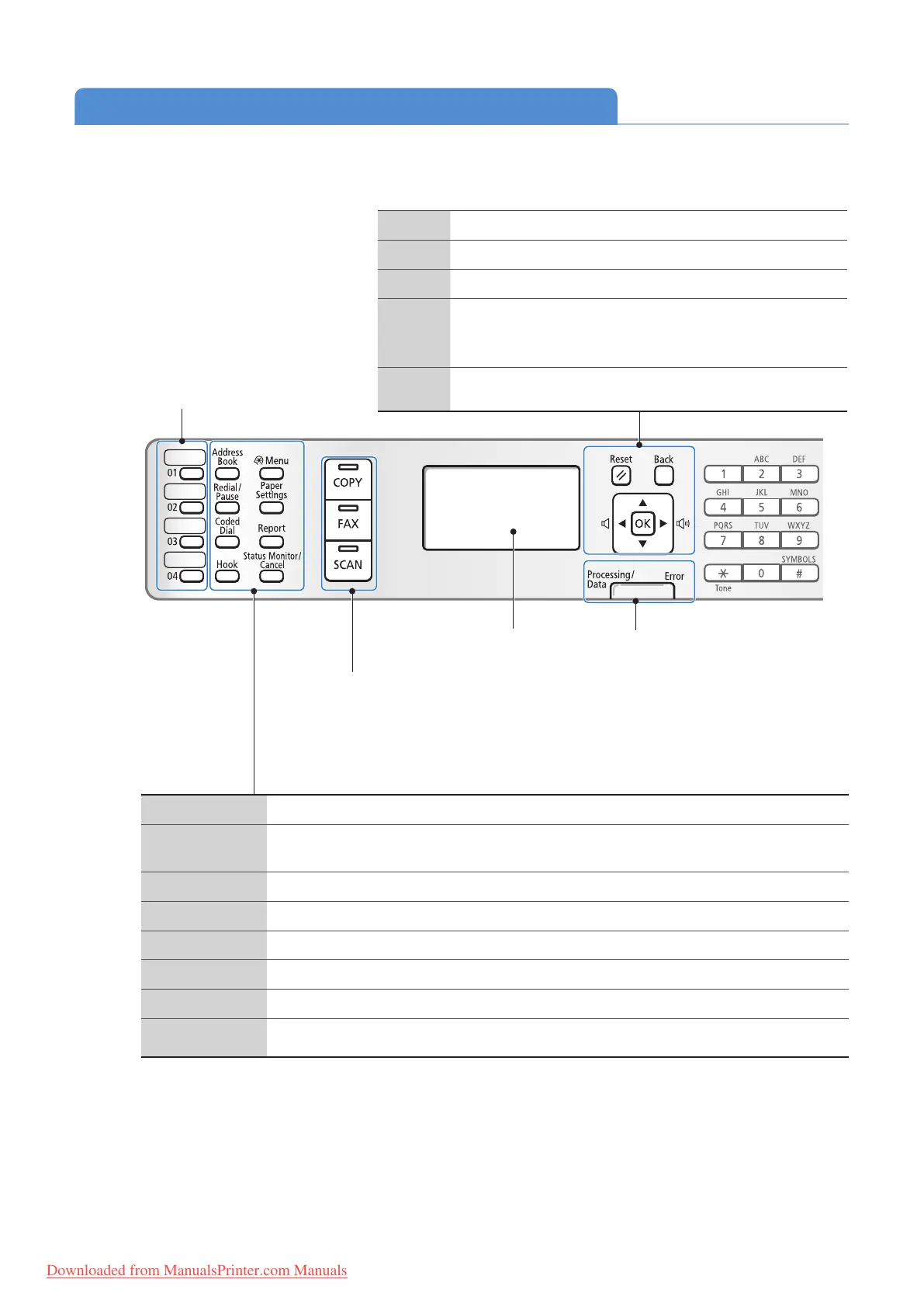
Display
Address Book Press to search for recipients registered in the address book (→p.57).
Redial/Pause
When faxing, press to redial the last three numbers called or insert a pause in a fax number
(
→p.57, p.58).
Coded Dial Press to enter a recipient’s code for coded speed dialing (
→p.56).
Hook Press to dial a number without using a telephone or handset.
Menu Press to access menu functions (see “Navigating the Menu” at the bottom of the next page).
Paper Settings Press to specify paper size and type for the paper cassette or multi-purpose tray (
→p.26).
Report Press to manually print reports and lists (
→p.91).
Status Monitor/
Cancel
P
ress to view or cancel jobs. You can also check the status of the machine (→p.37, p.46, p.66).
One-touch Speed Dial Keys
Press to specify recipients
re
gistered to one-touch keys
(→p.56).
Mode switching keys
Press to switch the mode to copy,
fa
x, or scan (→p.27).
Processing/Data Indicator
The indicator blinks while sending or
re
ceiving data and remains lit when jobs
are waiting in memory.
Error Indicator
The indicator blinks when an error occurs.
Navigate the menu or options.
(See “Navigating the Menu” on the next page.)
Reset Press to return to standby mode.
Back Press to return to the previous screen.
▲/▼ Press to scroll up and down, or to increase or decrease a value.
◄/►
•
Press to return to the previous screen, proceed to the next
screen, or move the cursor to the left or right.
• Press to decrease or increase the fax ring volume.
OK Press to con rm an action or setting.
Downloaded from ManualsPrinter.com Manuals












 To Next Page