13
Basic Operation
HAND
SET
EXT.
LINE
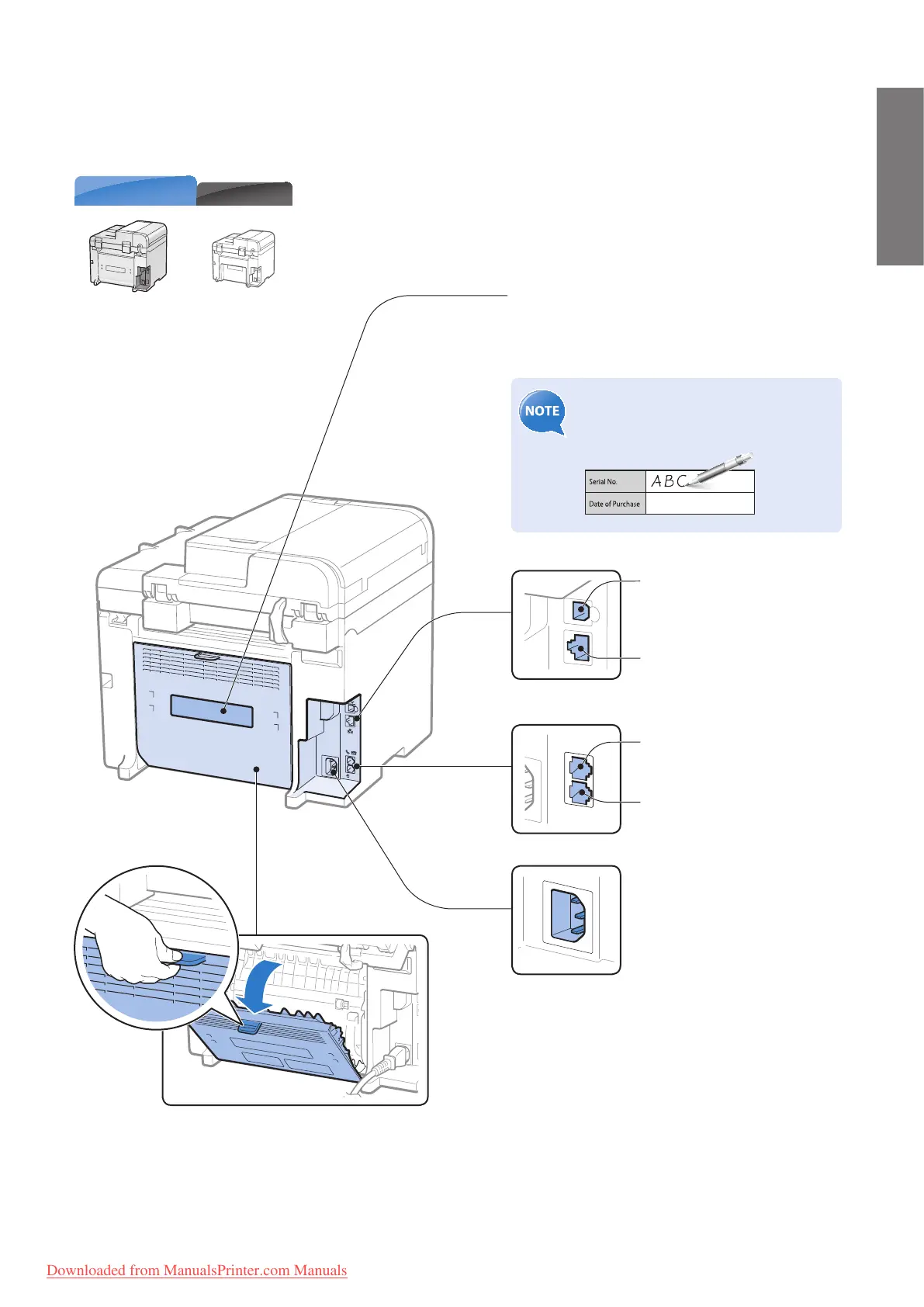
Back Side
Rear cover
(MF4890dw/MF4880dw only)
Open this cover to clear paper jams when using
the 2-sided copy function (
→P. 9 9) .
MF4770n
MF4890dw/MF4880dw
Rating label
The machine’s serial number (consists of three
letters and a 5-digit number) and the required
voltage and current are speci ed.
Write the serial number on the back
cover of this guide for reference when
contacting the Canon Customer Center.
Power socket
Connect the power cord.
USB port
Connect to a computer via a
USB cable.
LAN port
Connect to a network via a
LAN cable.
External device jack
Connect an external telephone.
Telephone line jack
Connect a telephone line.
Downloaded from ManualsPrinter.com Manuals












 To Next Page