99
Troubleshooting
3
Step
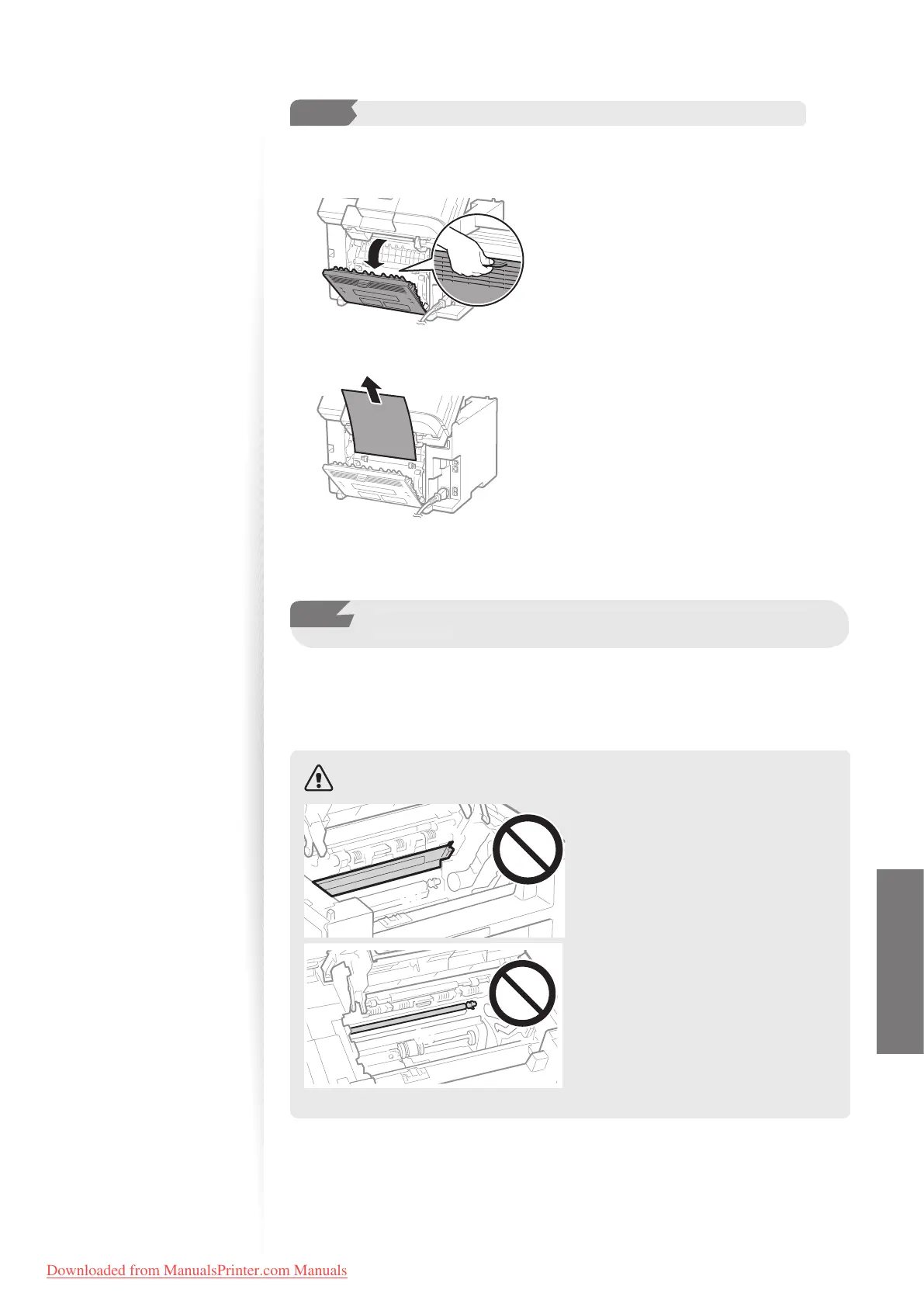
Check and remove the jammed paper in the rear cover.
(MF4890dw/MF4880dw only)
1
Open the rear cover.
2
Remove any jammed paper by pulling it gently.
3
Close the rear cover.
4
Step
Lower the scanning platform and restore to a printable
condition.
1
Insert the toner cartridge.
2
Close the toner cover and lower the scanning platform.
CAUTION
(A)(A)
(A)(B)
Do not touch the xing unit (A).
Touching the xing unit (A) may cause
burn
s as it becomes very hot during
use.
Do not touch the transfer roller (B).
Touching the transfer roller may
damage the machine.
Downloaded from ManualsPrinter.com Manuals












 To Next Page