56
Using the One-Touch Keys
You can easily send faxes to a destination registered to a one-touch key. You can send faxes
to multiple destinations at once, if a group is registered to the one-touch key.
1
Place your documents (→p.19).
2
Switch to the Fax mode (→p.16).
3
Adjust the image quality of the documents as needed (→p.52).
4
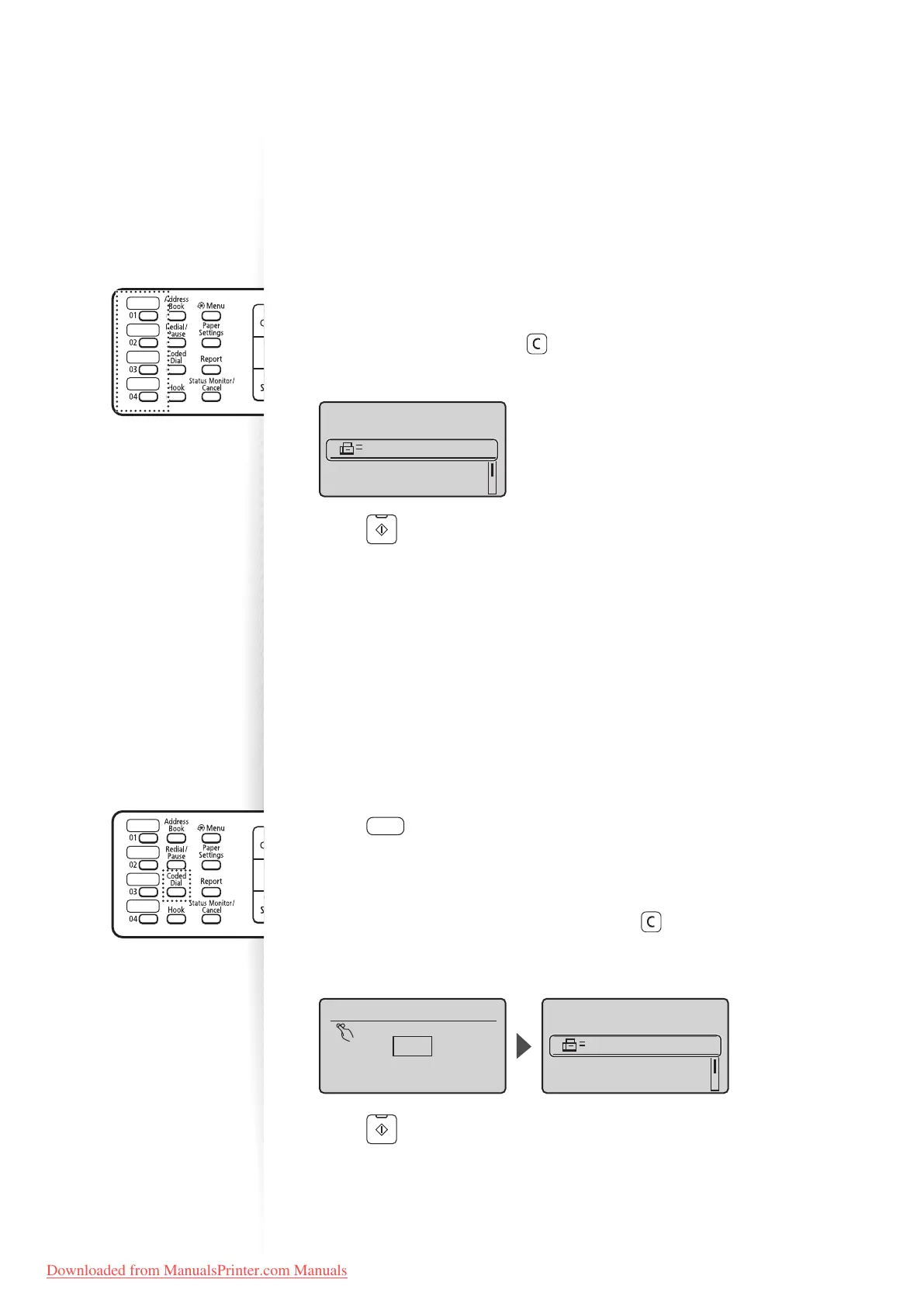
Press the one-touch key of the desired destination.
•
The number registered to the one-touch key is displayed. If you accidentally select
an incorrect destination, press [ ] (Clear) and then press another one-touch key.
• When speci ed by one-touch keys or coded dialing codes, a screen for con rming
the destination may appear. After con rmation, press [OK] to start sending a fax.
Send: Press Start
Destinations: 001
RX Mode: Auto
Resolution: 200 X 1
...
User01 01234567
5
Press [ ] (Start).
Using the Coded Dialing Codes
You can easily send faxes to a destination registered to a coded dialing code. You can send
faxes to multiple destinations at once, if a group is registered to a coded dialing code.
1
Place your documents (→p.19).
2
Switch to the Fax mode (→p.16).
3
Adjust the image quality of the documents as needed (→p.52).
4
Press [ ] (Coded Dial).
5
Enter the three-digit registration number (001 to 100) with the
alphanumeric keys.
•
The destination number registered to the coded dialing code is displayed. If you
accidentally select an incorrect destination, press [ ] (Clear) and then enter
another dial code.
• When speci ed by one-touch keys or coded dialing codes, a screen for con rming
the destination may appear. After con rmation, press [OK] to start sending a fax.
Enter coded dial no.
*001
*
Canon 0123456789
Send: Press Start
Destinations: 001
RX Mode: Auto
Resolution: 200 X 1
...
6
Press [ ] (Start).
Downloaded from ManualsPrinter.com Manuals












 To Next Page