96
MF4880dw/MF4770n
1
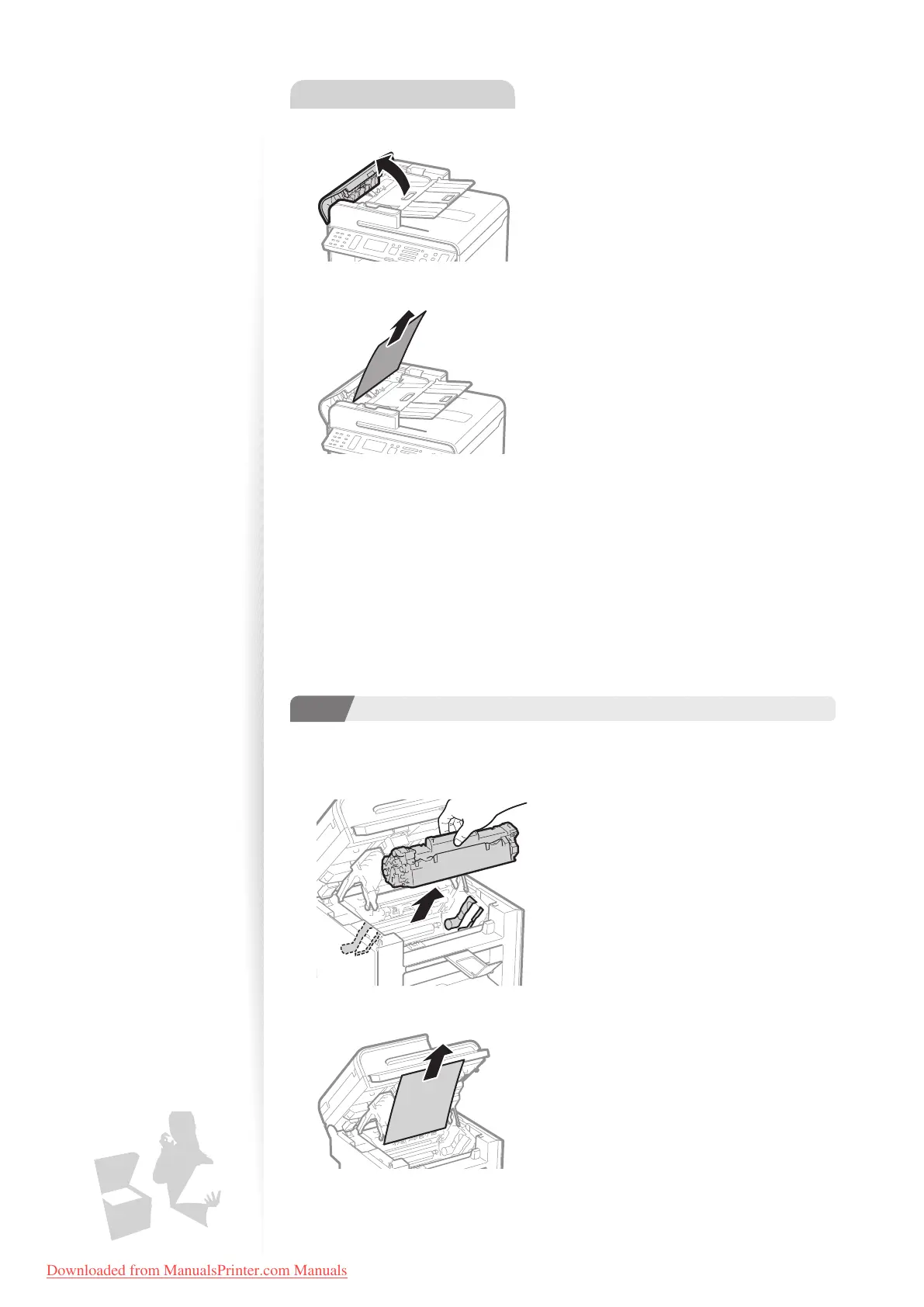
Open the feeder cover.
2
Remove any jammed document by pulling it gently.
3
Close the feeder cover.
4
Place documents in the feeder.
Clearing Paper Jams Inside the Machine
Follow the procedure below to remove jammed paper.
1
StepStep
Check and remove the jammed paper inside the machine.
1
Lift the scanning platform, and then open the toner cover.
2
Remove the toner cartridge.
3
Remove any jammed paper by pulling it gently.
Downloaded from ManualsPrinter.com Manuals












 To Next Page