97
Troubleshooting
4
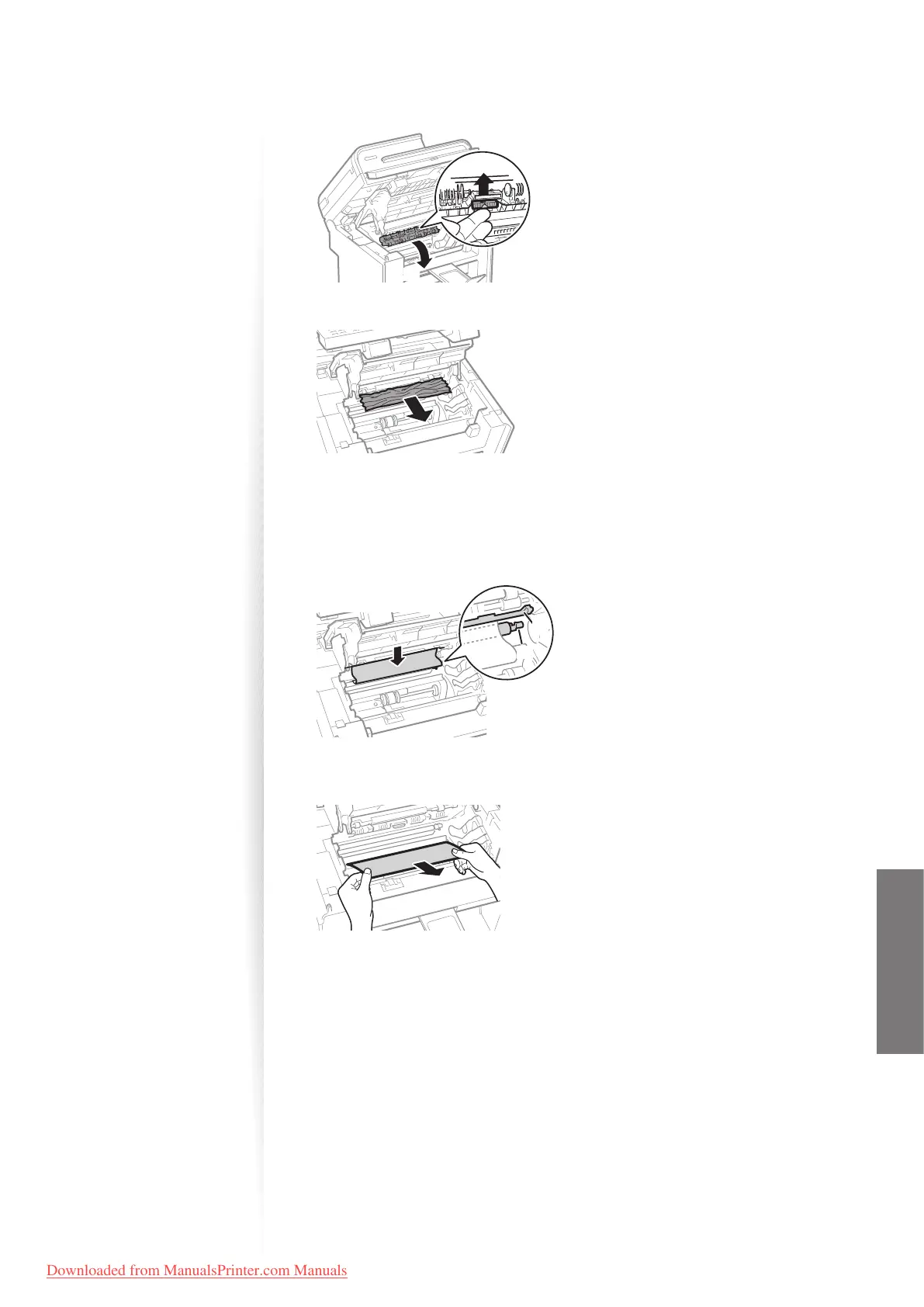
Push up the green colored part (A), and then pull the paper exit guide (B)
to open.
(B)
(A)
5
Remove any jammed paper by pulling it gently.
6
Lift the paper exit guide, and then rmly close it.
•
Ensure that each end of the paper exit guide is closed.
7
Gently pull any jammed paper downward from between the xing unit
(A) and roller (B) until the leading edge emerges from the machine.
(B)
(A)
8
When the leading edge emerges, hold both sides of the jammed paper
and carefully pull it out.
Downloaded from ManualsPrinter.com Manuals












 To Next Page