95
Troubleshooting
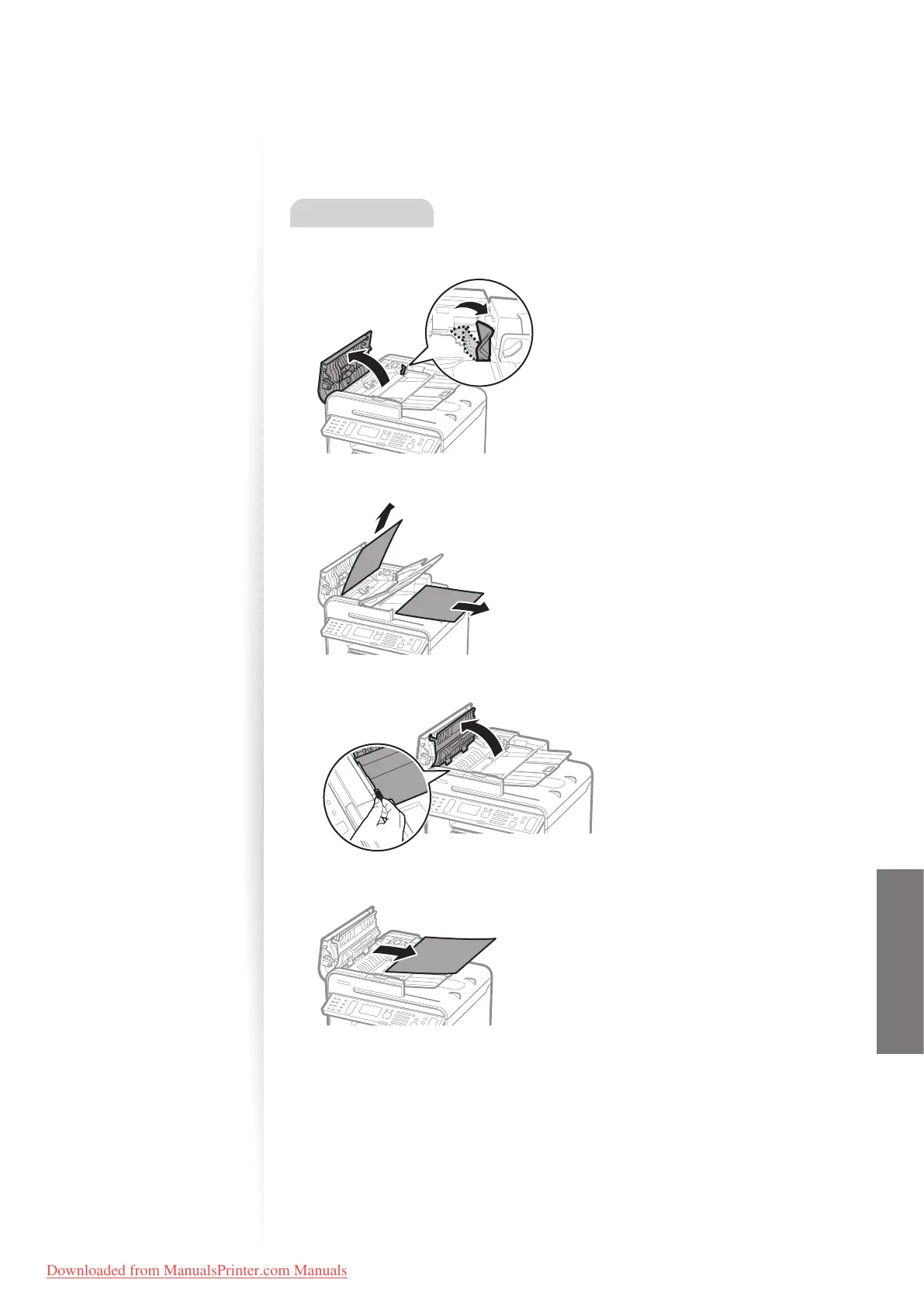
Clearing Document Jams in the Feeder
After removing any documents placed in the feeder, follow the procedure below to remove
jammed documents.
MF4890dw
1
Open the feeder cover and lift the lock release lever.
2
Remove any jammed document by pulling it gently.
3
Hold the green grip, and then open the inner cover.
4
Remove any jammed document by pulling it gently.
5
Close the inner cover.
6
Replace the release lever and close the feeder cover.
7
Place documents in the feeder.
Downloaded from ManualsPrinter.com Manuals












 To Next Page