60
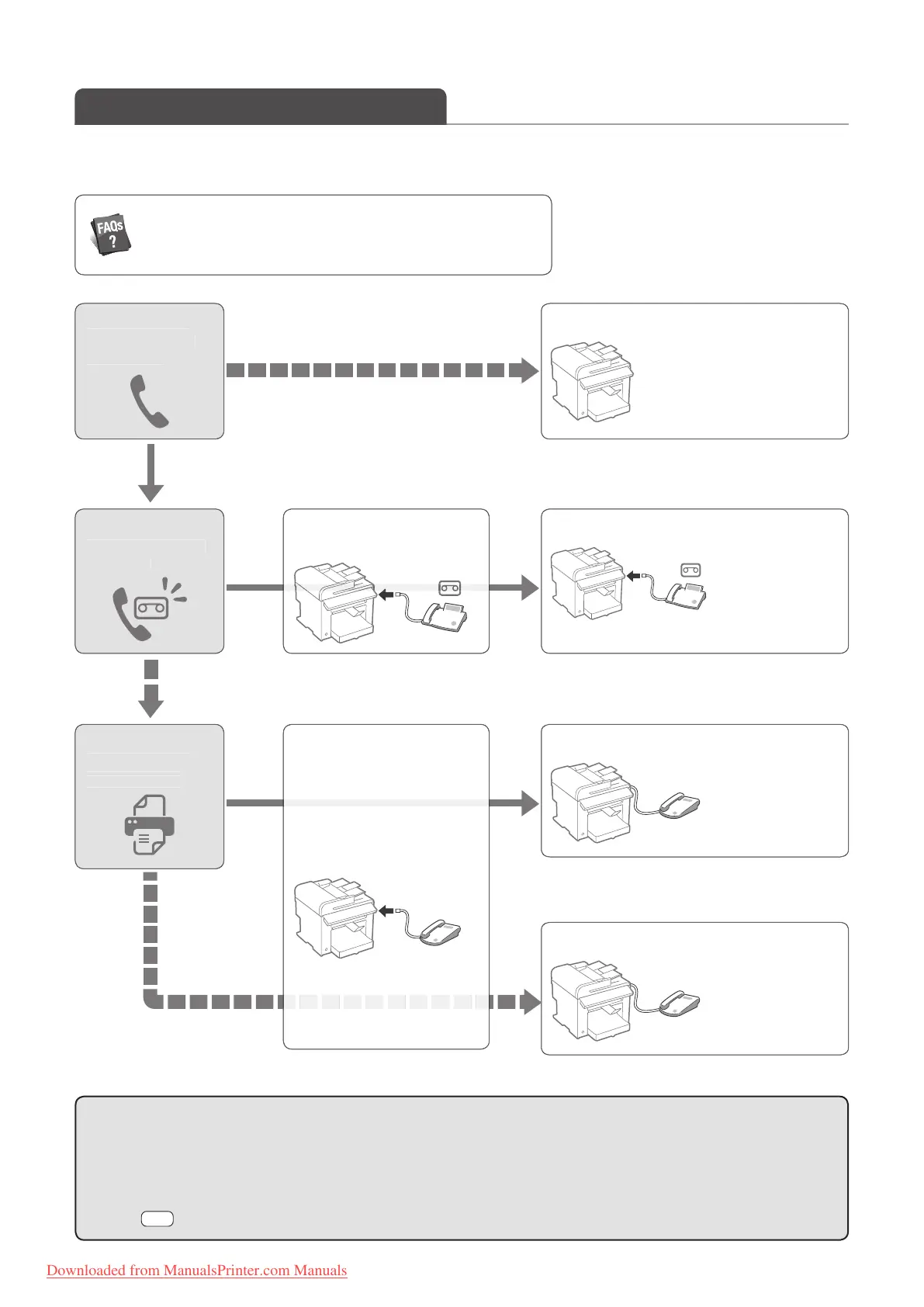
Receive a Fax (Receive Mode)
Your machine provides multiple methods for automatically or manually receiving faxes. Select the receive mode that best suits
your needs.
Do
ou want to
use a tele
hone
voice call
o you want to
use an answer
ng
mac
ine
o you want to
automatica
y
receive
axes?
<Auto> mo
See “Usin
the Machine
or Fax
On
”
.61
.
No
No
Yes
No
Yes
Yes
(→ p.105)
You can see frequantely asked questions about the receive mode.
<Answerin
Machine> mod
See “Usin
the
nswerin
Machine“
.62)
<FAX
TEL Auto Switch> mod
See “Using t
e
Machine
or Faxing
an
P
oning”
.61
.
<M
n
l> m
See “Using t
e
Machine Primarily
or
P
oning“
.62
.
onnect an answerin
chine t
the m
chine
onnect an externa
e
ep
one to t
e mac
ine.
• For details about each mode, see [RX Mode] in the e-Manual.
• Depending on the connected telephone, you may not normally receive a fax. If you are using an external telephone
that has fax functions, disable the external telephone’s auto receive functions.
• If <RX Mode> is set to <Auto> or <FAX/TEL Auto Switch>, you can specify whether or not the external
telephone rings when receiving an incoming call. Also, you can specify the number of rings.
Press [ ] (Menu) <Fax RX Settings> <RX Function Settings> <Incoming Ring>.
Downloaded from ManualsPrinter.com Manuals












 To Next Page