92
Con gure Settings Using the Remote UI
If the machine is connected to a network, you can monitor and con gure the machine from
the computer using the Remote UI.
1
Con gure the network settings for the machine (See the Starter Guide)
•
Set the machine used on a TCP/IP network, and then connect the machine and a
computer to a network router or hub.
2
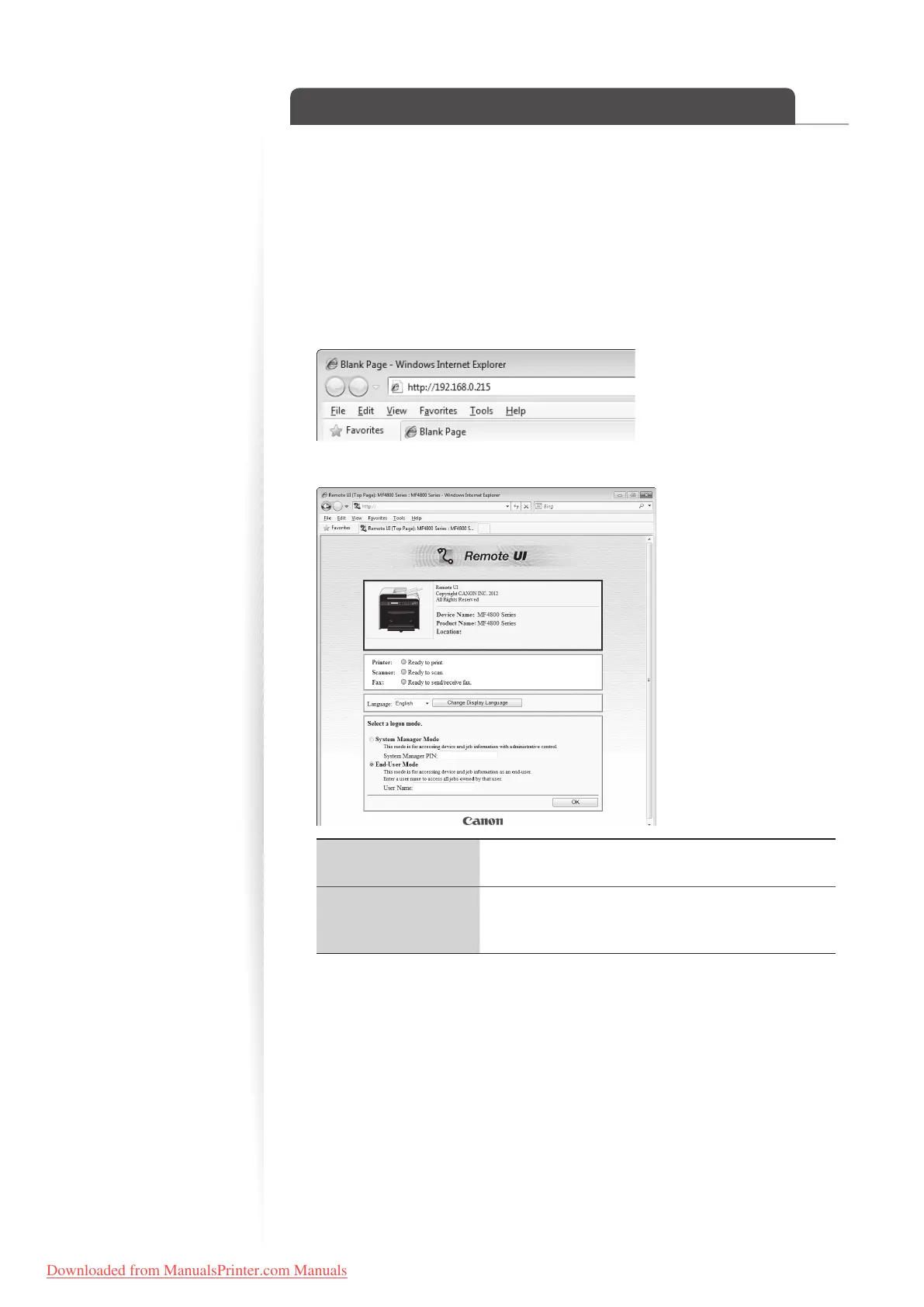
Start the web browser, enter “http://<the IP address of the machine>/” in
the address led, and then press [Enter] key on your keyboard.
•
Input Example: http://192.168.0.215/
3
Log on to the Remote UI.
[System Manager
Mode]
You can use and con gure all features and settings of
the Remote UI.
[End-User Mode]
You can check device status, con rm settings, and view
jobs. Y
ou can also enter a user name to handle jobs with
a matching user name.
4
When the setting screen is displayed, select the desired menu.
•
For more details, see [Setting and Managing from Computer] in the e-Manual.
Downloaded from ManualsPrinter.com Manuals












 To Next Page