16
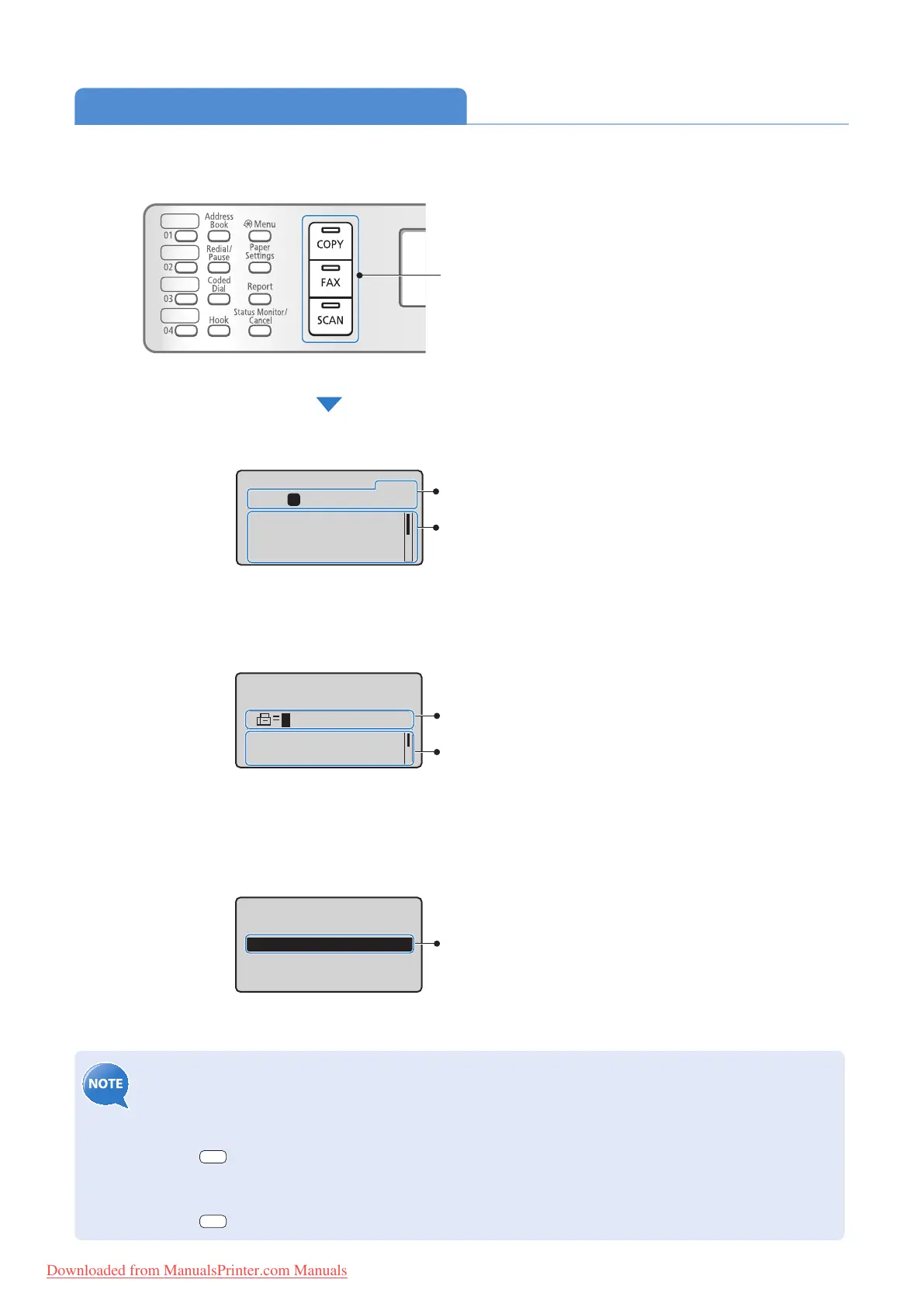
Switch to Copy/Fax/Scan Mode
Switch to Copy, Fax, or Scan mode rst to use each mode.
• If you use the Fax mode for the rst time:
Fax setup guide will appear on the display. Refer to the on-screen instructions and Starter Guide to con gure
the s
ettings.
• To set a frequently used mode to the standby mode:
Press [
] (Menu) <Preferences> <Display Settings> <Select Default Screen> Select the
screen [OK].
• To specify how long the machine waits before returning to standby mode:
Press [
] (Menu) <Timer Settings> <Auto Reset Time> Specify the time [OK].
Specify destination.
01/01/2012 12:52AM
RX Mode: Auto
Resolution: 200 x 1
...
Select the scan type.
Computer
Remote Scanner
Fax Mode
Scan Mode
Displays the recipient’s number.
To change the settings:
1. Press [
▲] or [
▼
] to highlight an item, and
then press [OK].
2. Press [
▲], [
▼
], [
◄
] or [
►
] to specify the
values, and then press [OK].
To select the scan method:
Press [
▲] or [
▼
] to highlight an item, and
then press [OK].
Copy: Press Start
100% LTR
Density: 0
Original Type: Text
...
2-Sided: Off
1
+
-
01
Copy Mode
Displays the copy ratio, paper source,
paper size, and number of copies.
To change the settings:
1. Press [
▲] or [
▼
] to highlight an item, and
then press [OK].
2. Press [
▲], [
▼
], [
◄
] or [
►
] to specify the
values, and then press [OK].
If you do not operate the machine for a while, the machine
returns to the Copy mode (standby mode) automatically.
Press the desired mode key.
Downloaded from ManualsPrinter.com Manuals












 To Next Page