61
Fax
Using the Machine for Fax Only
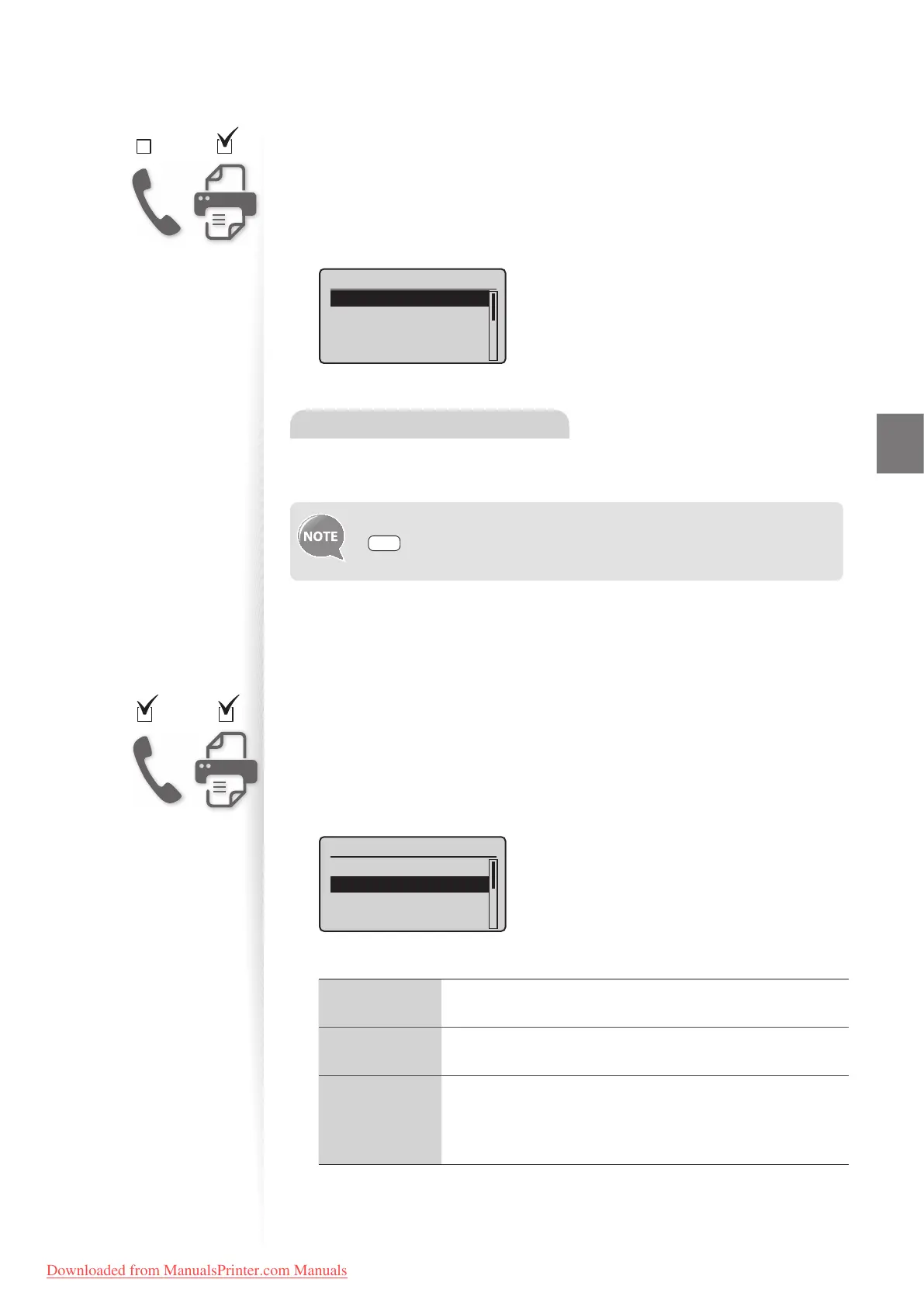
Set the fax receive mode to <Auto>.
1
Switch to the Fax mode (→p.16).
2
Press [▲] or [
▼
] to highlight <RX Mode>, and then press [OK].
3
Press [▲] or [
▼
] to highlight <Auto>, and then press [OK].
RX Mode
Auto
Fax/Tel Auto Switch
Manual
Answering Machine
When a Fax or Call Comes In
When a fax comes in, the machine automatically begins receiving the fax after two rings.
If a voice call comes in, the caller will hear a fax tone.
To change the number of rings before the machine receives a fax, press
[ ] (Menu) <Fax RX Settings> <RX Function Settings>
<Incoming Ring> <On>, and then specify the number of rings.
Using the Machine for Faxing and Phoning
Set the fax receive mode to <Fax/Tel Auto Switch>.
1
Switch to the Fax mode (→p.16).
2
Press [▲] or [▼] to highlight <RX Mode>, and then press [OK].
3
Press [▲] or [▼] to highlight <Fax/Tel Auto Switch>, and then press [OK].
RX Mode
Auto
Fax/Tel Auto Switch
Manual
Answering Machine
4
Specify ring settings.
<Ring Start
Time>
Specify how long the machine will attempt to detect a fax tone
before the machine starts ringing (4-30 seconds).
<Incoming
Rin
g Time>
Specify how long the machine will ring during an incoming call
(15-300 seconds).
<After Ring>
Specify how the machine should behave when an incoming call
is
not answered:
• <End>: Disconnects the call.
• <RX>: Receives a fax.
5
After you have speci ed the setting, press [▲] or [
▼
] to highlight
<Apply>, and then press [OK].
Downloaded from ManualsPrinter.com Manuals












 To Next Page