11
Basic Operation
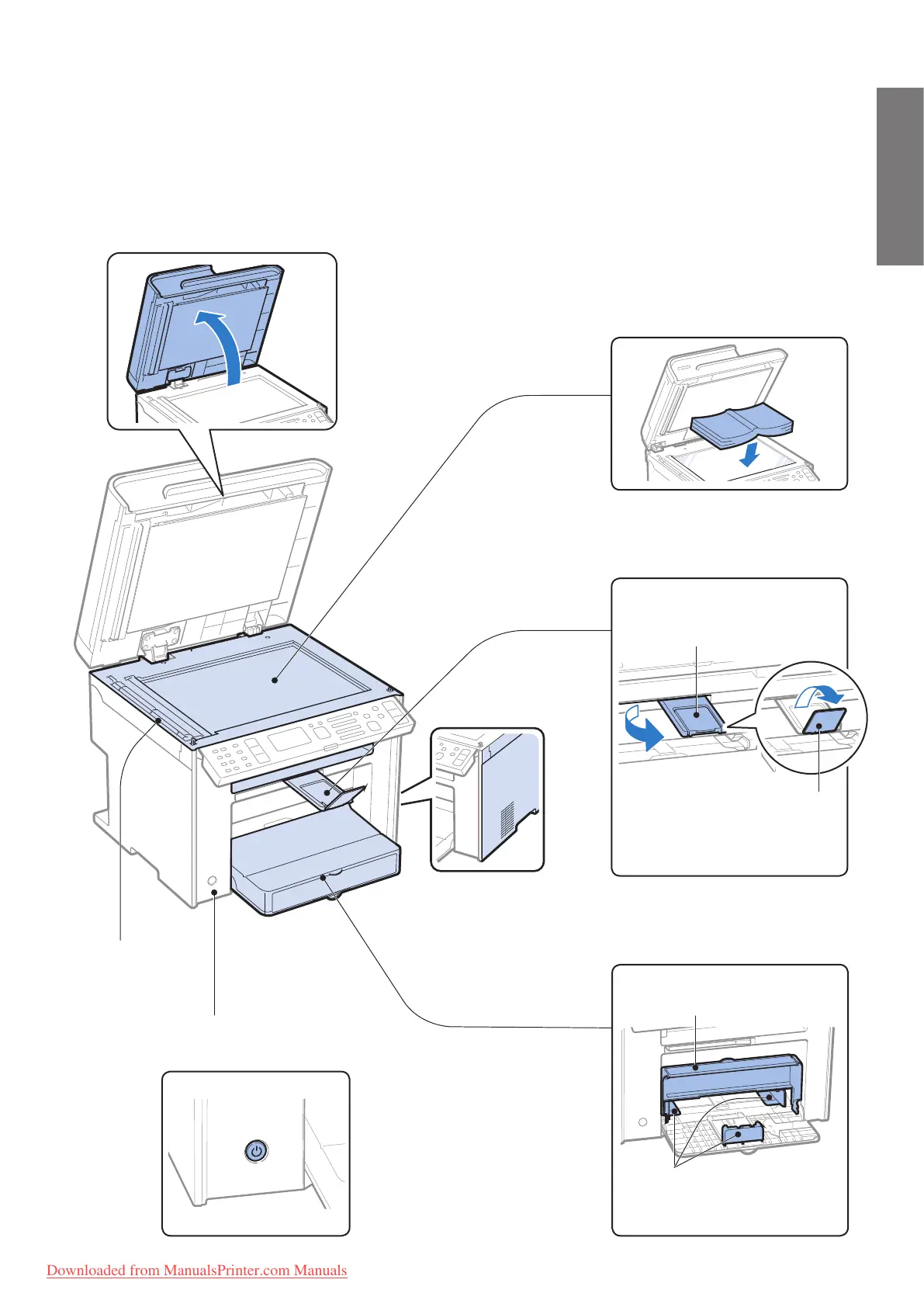
Scanning area
Scans documents
from the feeder.
Platen glass
Used to scan non-standard size paper
or books, as well as standard size
paper (
→P. 2 0 ) .
Ventilation slots
(MF4890dw/
MF4880dw only)
Allows heat to escape
from inside of the
machine. Leave more
than 4” (10 cm) of space
around the machine.
Output tray
Printed documents are output here
Output tray extension
Pull out the tray extension when
us
ing paper larger than LTR.
Paper stopper
Use the paper stopper to
prev
ent paper from falling out
of the output tray.
Paper cassette (Auto)
Load paper here (→P. 2 3 ).
Dust cover
Close after loading the paper.
Paper guides
Adjust these guides to t the paper.
Power button
Turn the power ON or OFF.
Downloaded from ManualsPrinter.com Manuals












 To Next Page