17
Basic Operation
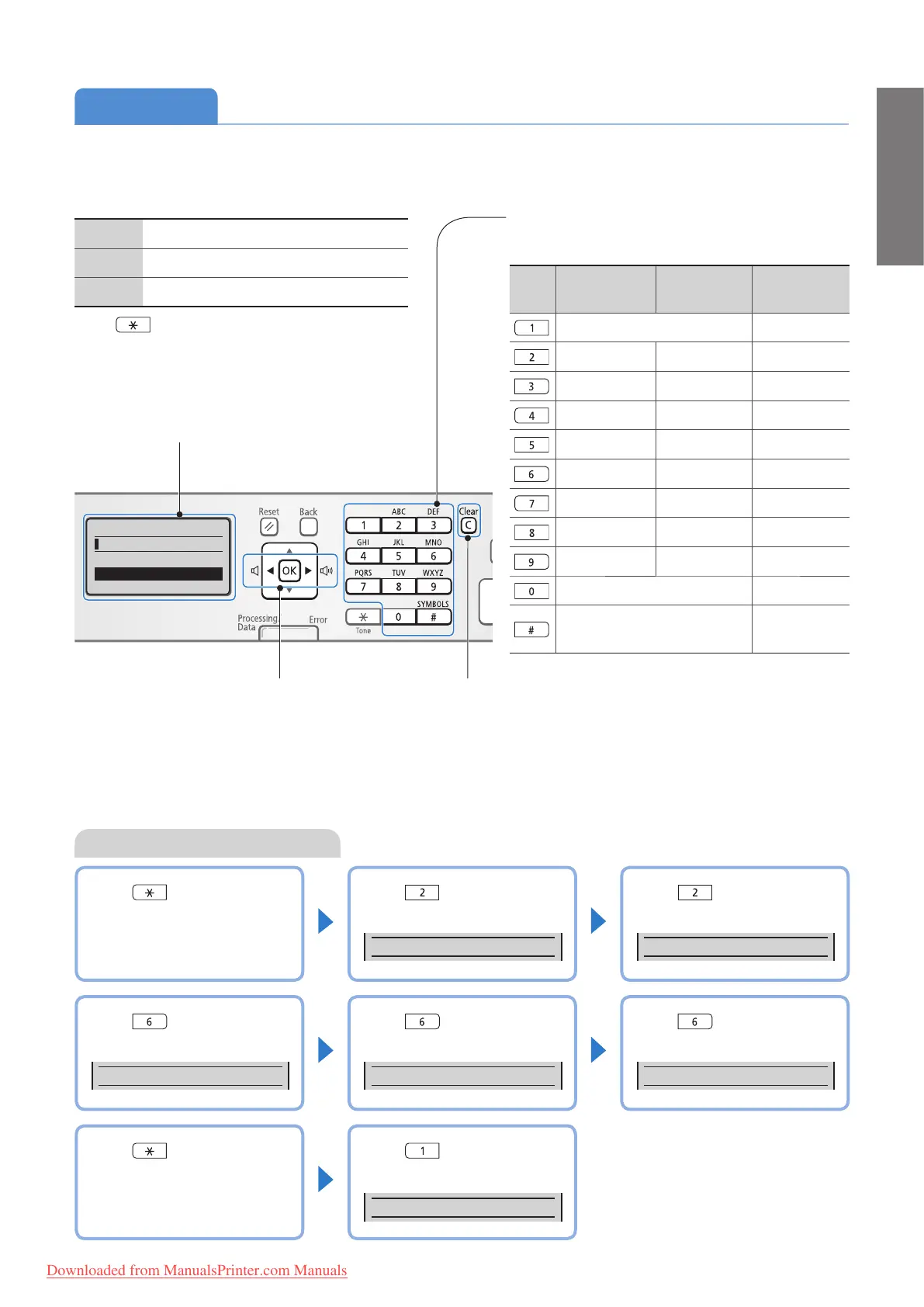
To switch entry modes:
<A> Uppercase alphabetic letters and symbols
<a> Lowercase alphabetic letters and symbols
<12> Numbers
Pr
ess [
] (Tone) repeatedly.
or
1. Press [
▲] or [
▼
] to highlight <Entry Mode>,
and then press [OK].
2. Press [
▲] or [
▼
] to highlight the desired
mode, and then press [OK].
Key
Entry mode:
<A>
Entry mode:
<a>
Entry mode:
<12>
@.-_/ 1
ABC abc 2
DEF def 3
GHI ghi 4
JKL jkl 5
MNO mno 6
PQRS pqrs 7
TUV tuv 8
WXYZ wxyz 9
(Not available) 0
- .
*
# ! " , ; : ^ ` _ = / | ´ ? $ @
% & + \ ( ) [ ] { } < >
(Not available)
To enter text, symbols, and numbers:
Press a key several times until the desired character is
di
sp
layed.
• Press to delete the last character.
• Press and hold to delete all text.
• Press to move the cursor.
• To enter a space, move the cursor to the
end of the text, and then press [
►
].
Enter Text
Enter characters with the alphanumeric keys.
Example: Enter “CANON1”
Press [ ] to switch the
entry mode to <A>.
Press [ ] until the letter “C”
appears on the screen.
C
▌
Press [ ] until the letter “A”
appears on the screen.
CA
▌
Press [ ] until the letter “N”
appears on the screen.
CAN
▌
Press [ ] until the letter “O”
appears on the screen.
CANO
▌
Press [ ] until the letter “N”
appears on the screen.
CANON
▌
Press [ ] to switch the
entry mode to <12>.
Press [ ] to enter “1.”
CANON1
▌
Register Unit Name
<Apply>
Entry Mode: A
Downloaded from ManualsPrinter.com Manuals












 To Next Page