43
Print
Print a Booklet
(MF4890dw/MF4880dw Only)
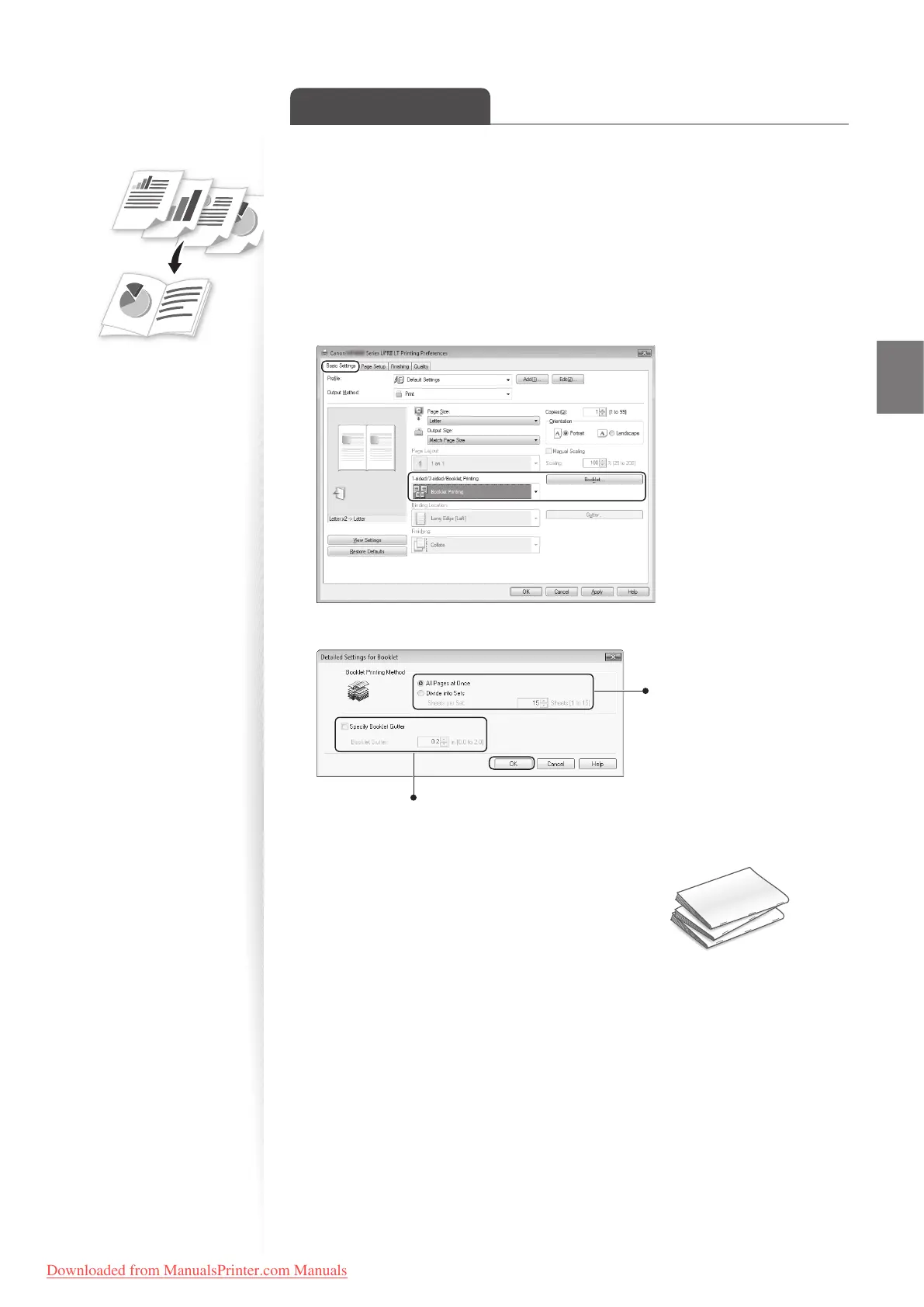
You can print pages side-by-side, and then fold them to create a booklet.
1
Open a document from an application, and then open the Print window.
2
Select your printer driver, click [Preferences] (or [Properties]), and display
the Printing Preferences window.
3
Click the [Basic Settings] tab, select [Booklet Printing], and then click
[Booklet].
4
Specify the settings for the booklet, and then click [OK].
You can choose to print all
pages at once or print sets
of pages according to the
speci ed number of pages.
To specify the margin for binding, select the
check box, and then enter the value.
5
Click [OK] to return to the Print window.
6
Click [OK] to start printing.
7
Make a booklet by folding the printouts in half.
Downloaded from ManualsPrinter.com Manuals












 To Next Page