107
Troubleshooting
Q
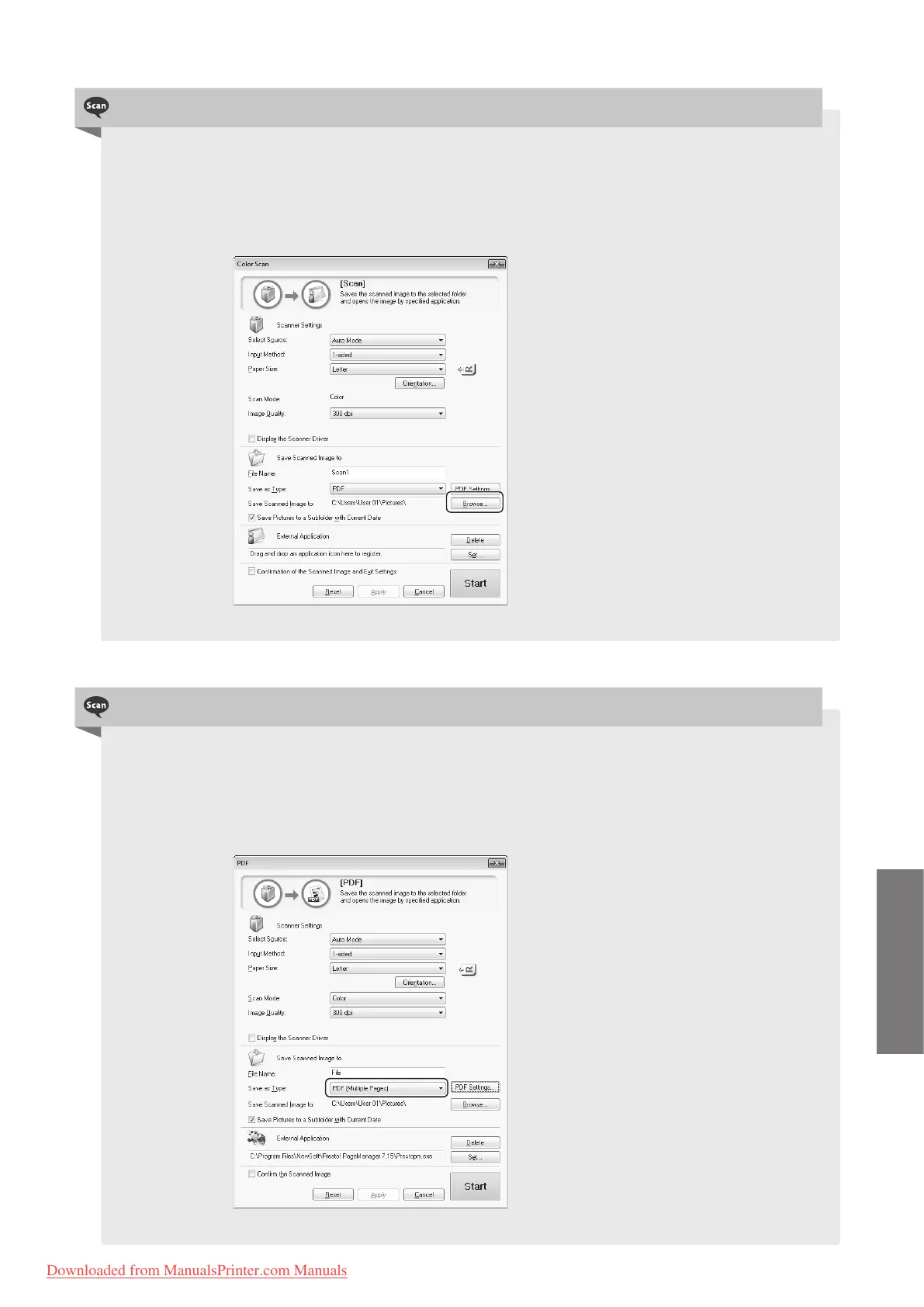
Can I change the folder that the scanned images are saved to?
└ A
Yes, you can change the folder to save the scanned images when scanning with the
MF Toolbox.
To change,
1. F
rom the MF Toolbox screen, click [Browse].
2. Locate a folder to save the scanned images, and then click [OK].
Q
Can I scan multiple images and save as a single PDF le?
└ A
Yes, you can save multiple images as a single PDF le when scanning with the MF
Toolbox.
To make a single PDF le of multiple pages,
1. F
rom the PDF mode screen of MF Toolbox, select [PDF (Multiple Pages)] in [Save as Type].
2. Scan the documents.
h
Downloaded from ManualsPrinter.com Manuals












 To Next Page