51
Fax
5
Press [▲] or [
▼
] to highlight <Group>, and then press [OK].
Destination Type
Fax
Group
6
If you selected <One-Touch> in step 4, press [▲] or [▼] to highlight an
empty one-touch key (01 to 04), and then press [OK].
•
If you selected <Coded Dial> in step 4, proceed to step 7.
7
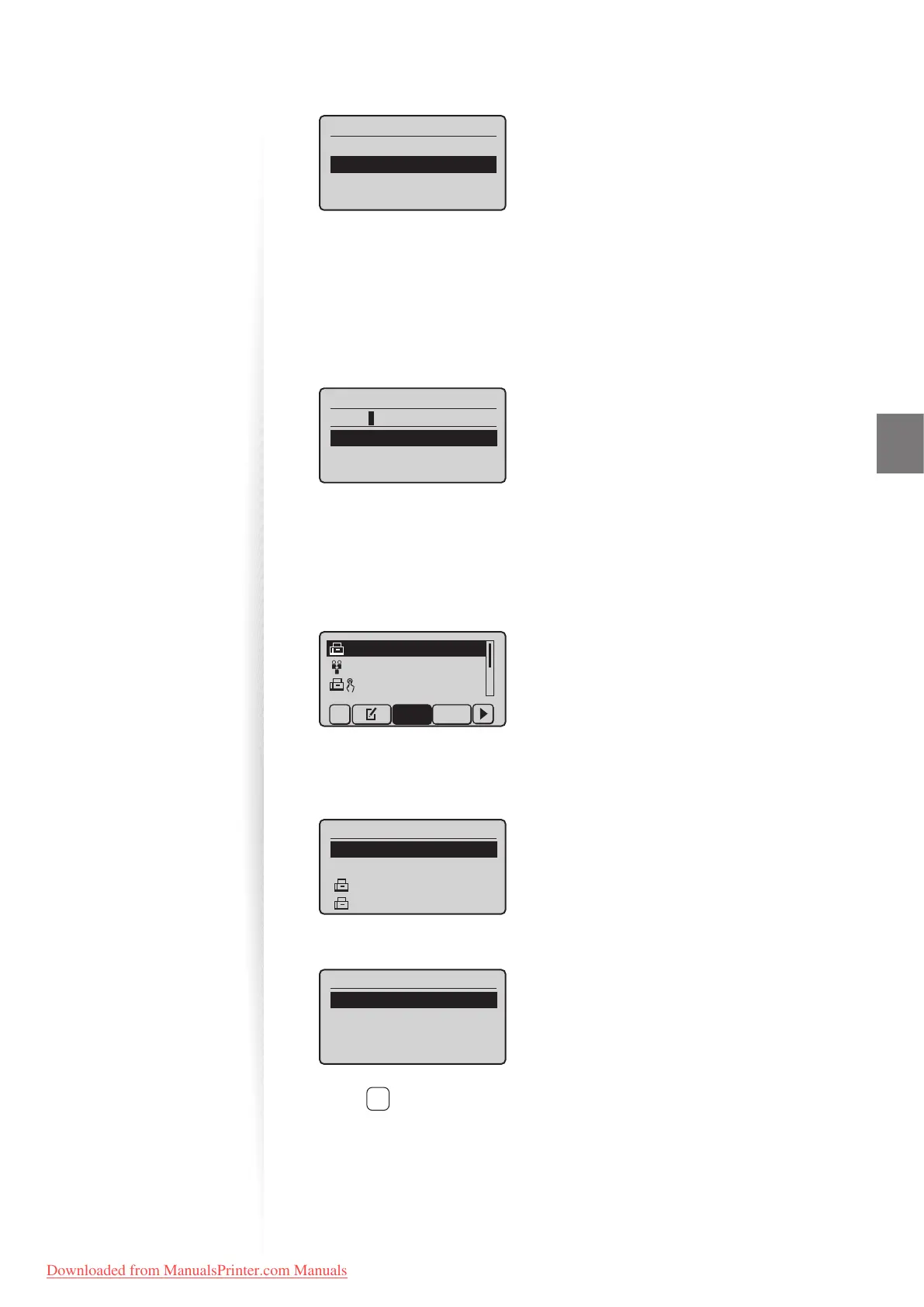
Press [▲] or [▼] to highlight <Name>, and then press [OK].
8
Enter a name for the destination, press [▲] or [▼] to highlight <Apply>,
and then press [OK].
Name (Max 16 char.)
CANON
<Apply>
Entry Mode: A
9
Press [▲] or [▼] to highlight <Destinations>, and then press [OK].
10
Press [▲] or [▼] to highlight <Add>, and then press [OK].
11
Press [▲] or [▼] to highlight the destination you want to add, and then
press [OK].
CANON 0123456789
GroupA 2 Destin
...
User01 01234567
...
All A-Z
12
Repeat steps 10 and 11 to add more destinations as needed.
13
Press [▲] or [▼] to highlight <Apply>, and then press [OK].
Destination
<Apply>
<Add>
CANON01 0123456789
CANON02 9876543210
14
Press [▲] or [▼] to highlight <Apply>, and then press [OK].
Group
<Apply>
Name: GROUP
Destinations: 003
One-Touch: 03
15
Press [ ] (Back) to close the screen.
Downloaded from ManualsPrinter.com Manuals












 To Next Page