Printing from a Network Computer using a Shared Printer
3-49
Setting Up the Printing Environment
3
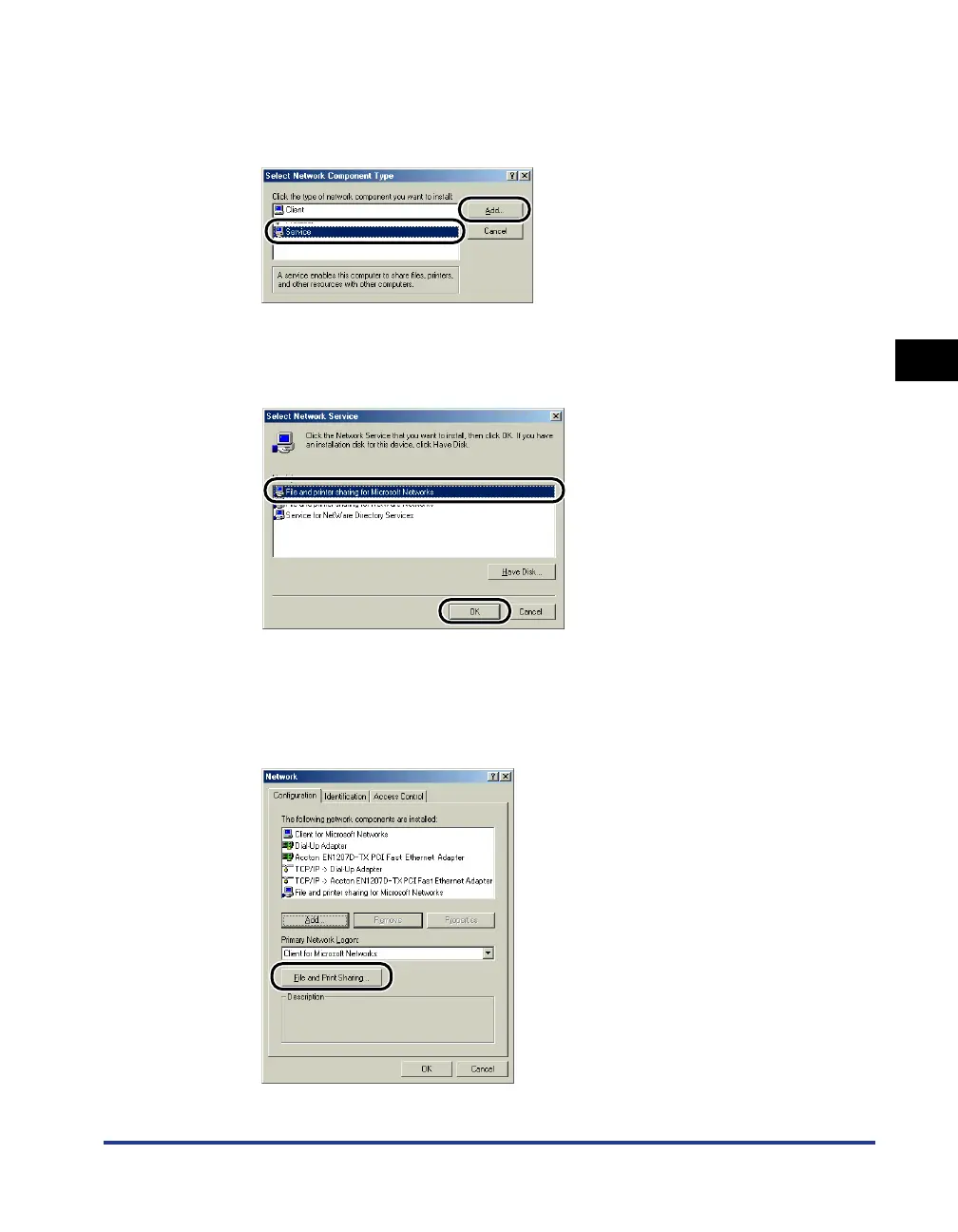
The [Select Network Component Type] dialog box is displayed.
3
Click the [Service] icon, then click [Add].
4
Select [File and printer sharing for Microsoft Networks], then
click [OK].
The [Select Network Component Type] dialog box appears first, then the
[Network] dialog box reappears.
5
Click [File and Print Sharing].











 To Next Page