Printing from a Network Computer using a Shared Printer
3-50
Setting Up the Printing Environment
3
6
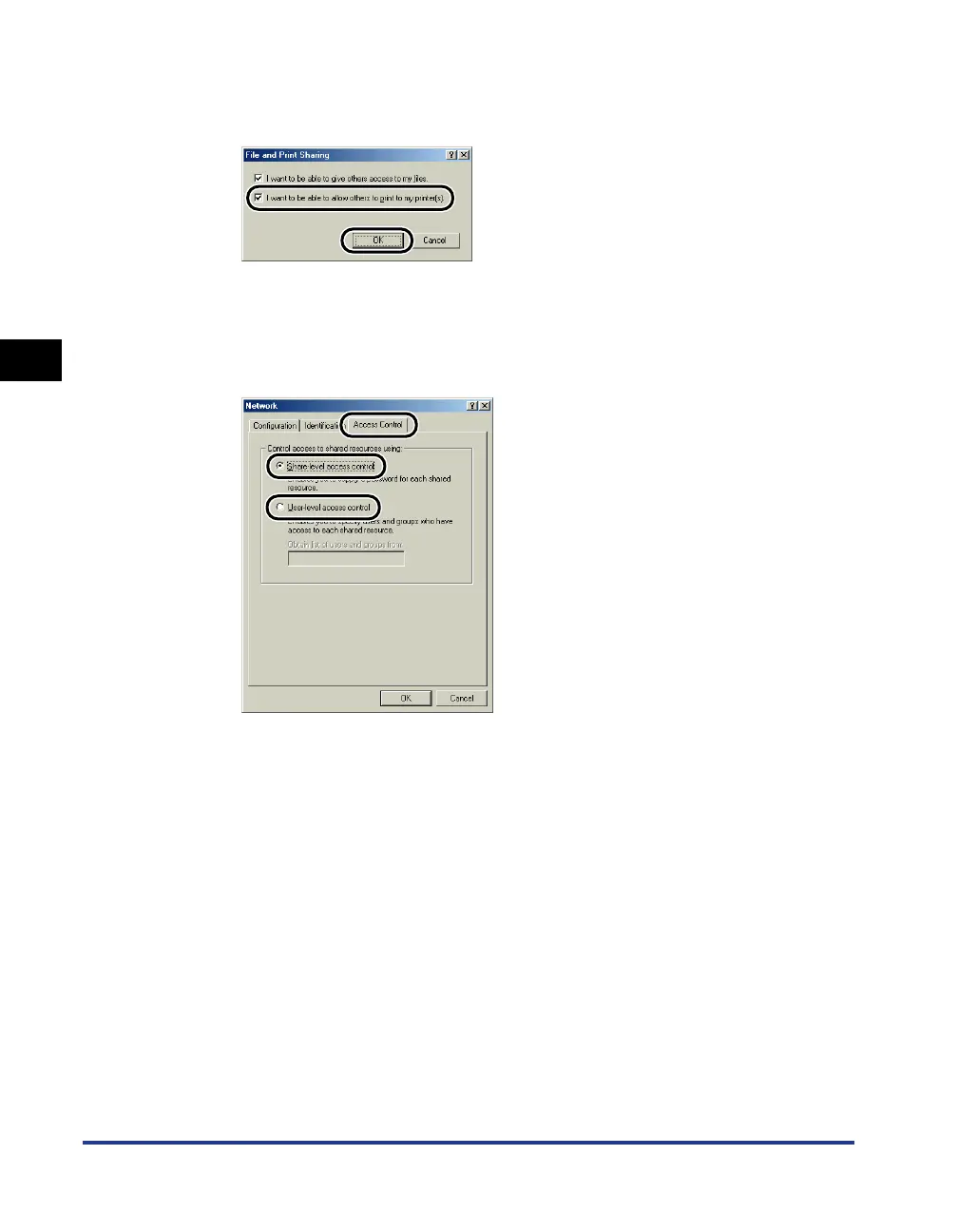
Make sure that [I want to be able to allow others to print to my
printer(s).] is selected, then click [OK].
7
Go to the [Access Control] sheet and select either
[Share-level access control] or [User-level access control].
If you want to specify the users that can print, select [User-level access control].
8
Click [OK], then restart Windows.
■ Printer Sharing Settings
1
From the [Start] menu, select [Settings] ➞ [Printers].
The [Printers] folder is displayed.











 To Next Page