Using the Printing Functions
4-39
Printing a Document
4
2
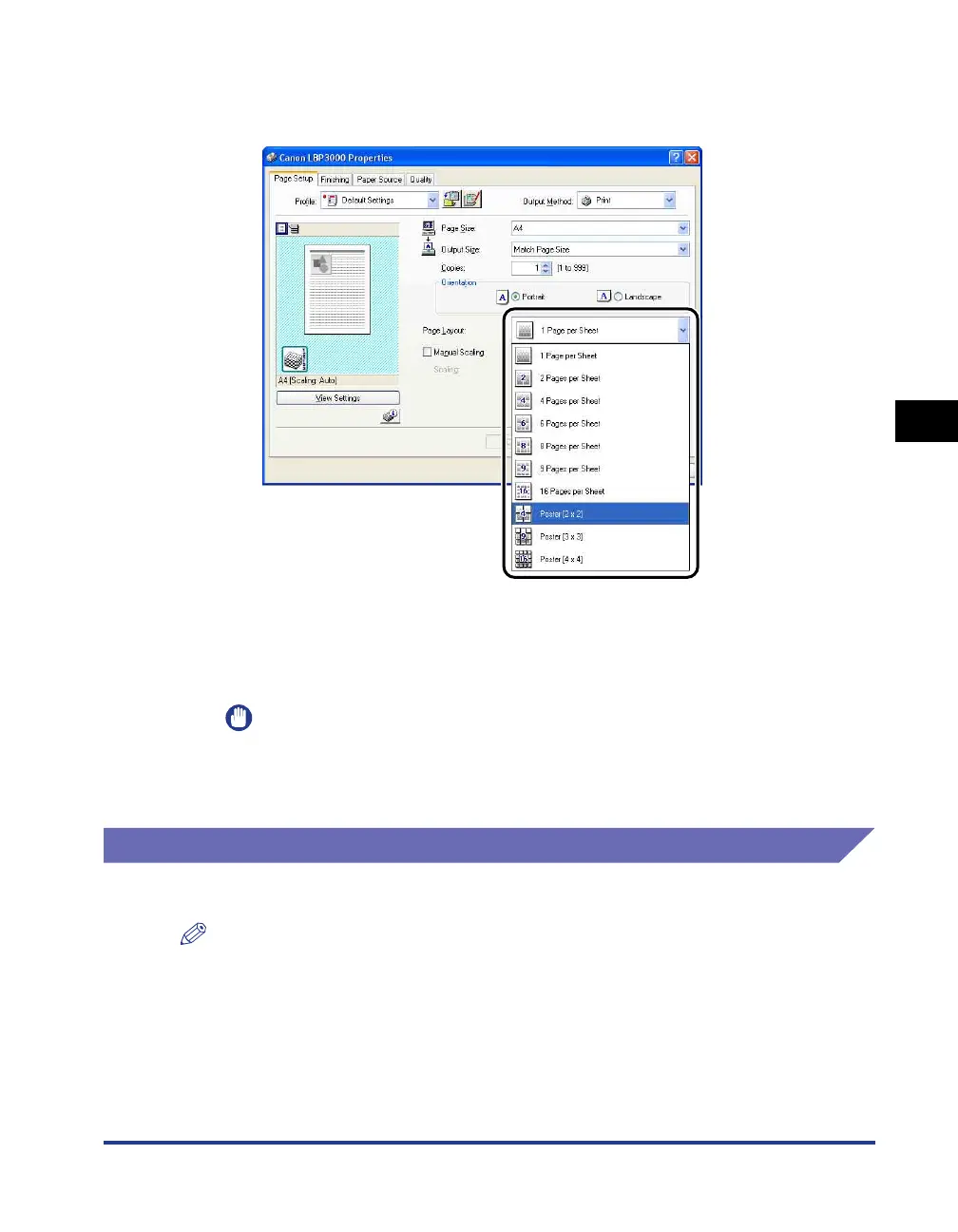
Display the [Page Setup] sheet and select [Poster (N x N)] (N =
2, 3, 4) from [Page Layout].
A layout image of the printout appears in the Preview panel.
3
Confirm the settings, then click [OK].
IMPORTANT
•
The printing order of each sheet (after being divided into multiple pages) becomes
"Upper Left to Right".
•
When you perform poster printing, the [Page Order] setting is disabled.
Specifying a Custom Paper Size (Non-Standard Paper)
It is possible to configure custom paper sizes.
NOTE
To specify a custom paper size, you need to open the dialog box shown below.
-For Windows 2000/XP/Server 2003/Vista
Open the [Document Properties] dialog box from the [Printers and Faxes] folder (the
[Printers] folder for Windows 2000/Vista).
-For Windows 98/Me
Open the [Printer Properties] dialog box from the [Printers] folder.











 To Next Page