Service Call
6-19
Troubleshooting
6
When a Fixing Unit Error Appears
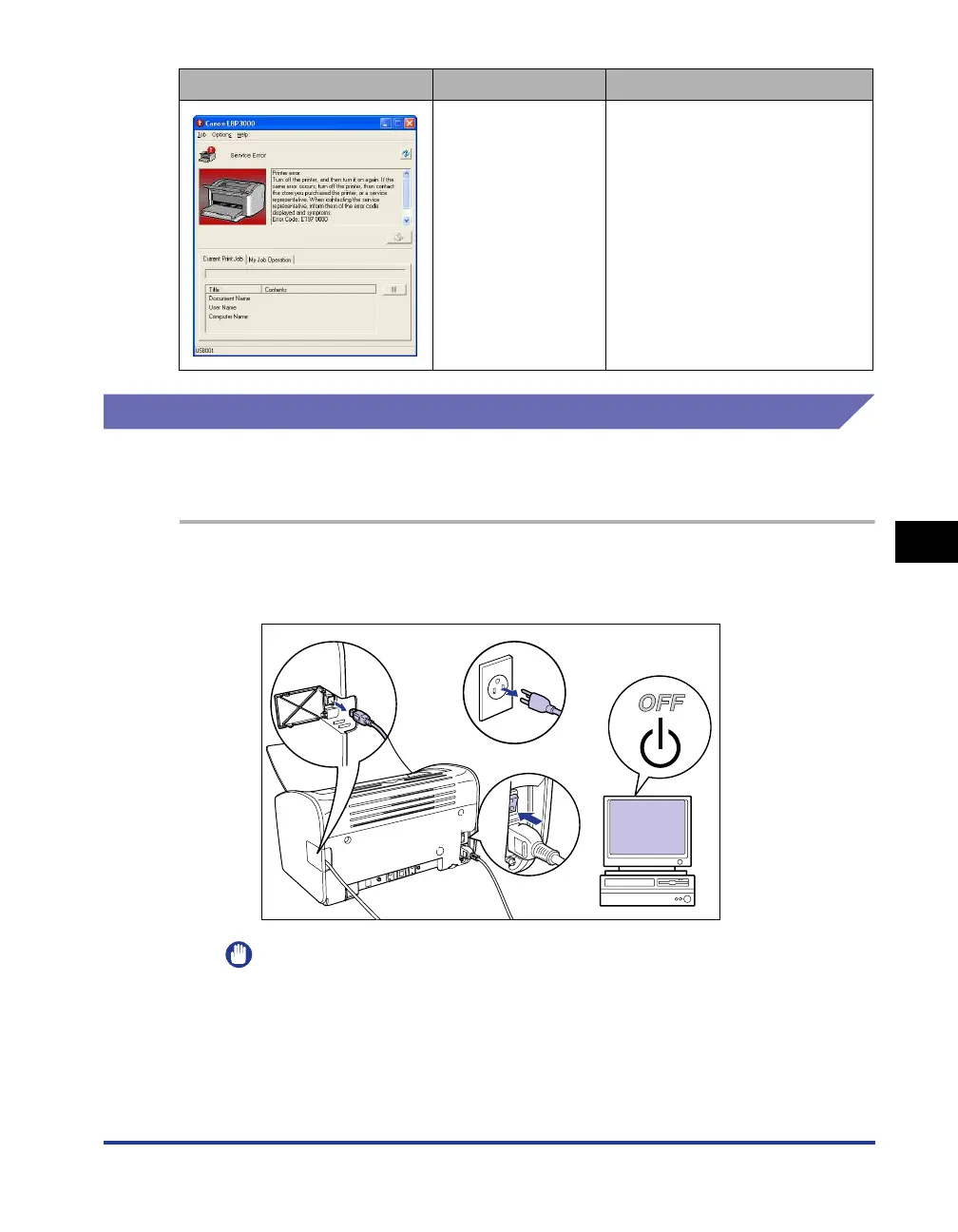
If a fixing unit error is displayed, follow the procedure below then contact the store
where you purchased the printer.
1
Turn the printer and computer off aa
aa
, remove the USB cable bb
bb
,
and disconnect the power plug from the power outlet
cc
cc
.
IMPORTANT
If a fixing unit error appears, do not turn the printer on again after you have turned
it off.
2
Contact your local authorized Canon dealer.
Describe the problems you are experiencing when you contact the dealer.
The printer is
malfunctioning.
Follow the procedure (see "When
a Scanner Error or Service Error
Appears," on p. 6-20), then turn
the power off and on.
Service Call Cause Resolution
a
c
a











 To Next Page