Using the Printing Functions
4-25
Printing a Document
4
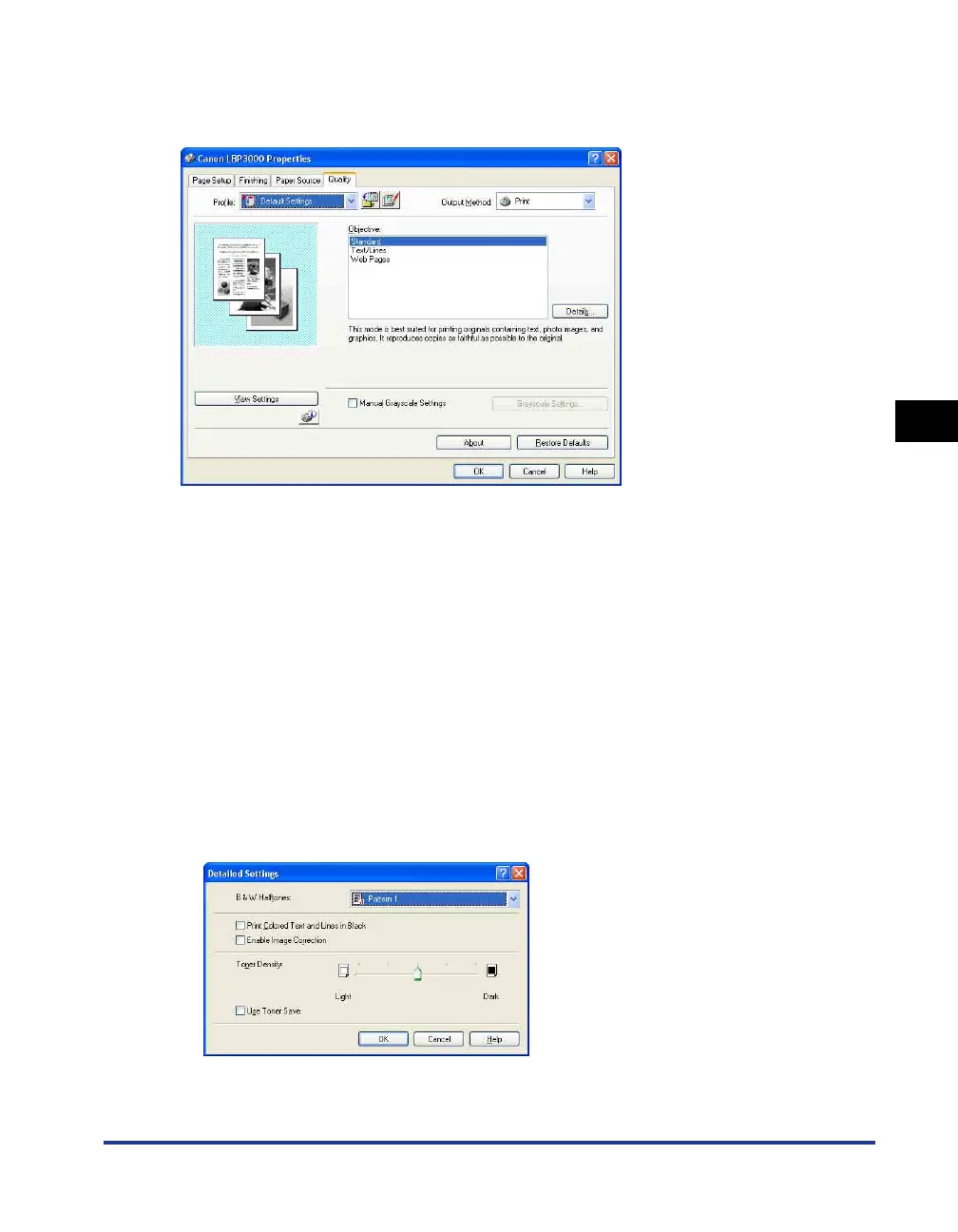
[Quality] Sheet
The [Quality] sheet allows you to specify the following printing preferences:
■ [Objective] (See p. 4-44)
Selecting the appropriate objective for the contents of the job allows you to perform
optimum printing.
• Standard: This mode is best suited to printing documents containing a mixture of text,
photographs, and graphics. It produces printouts that match what you see on the screen.
• Text/Lines: This mode is best suited to printing color text and fine color lines. Color text
and fine color lines are printed in solid black.
• Web Pages: This mode is best suited to printing the images, etc. of a web page.
Low-resolution images that would normally print out coarsely or jagged in regular
printing modes are printed clearly.
■ [Details] (See p. 4-45)
Click [Details] to open the dialog box shown below.
This dialog box allows you to change the printing settings according to your preferences.











 To Next Page