Printer Status Window
4-63
Printing a Document
4
Displaying the Printer Status Window
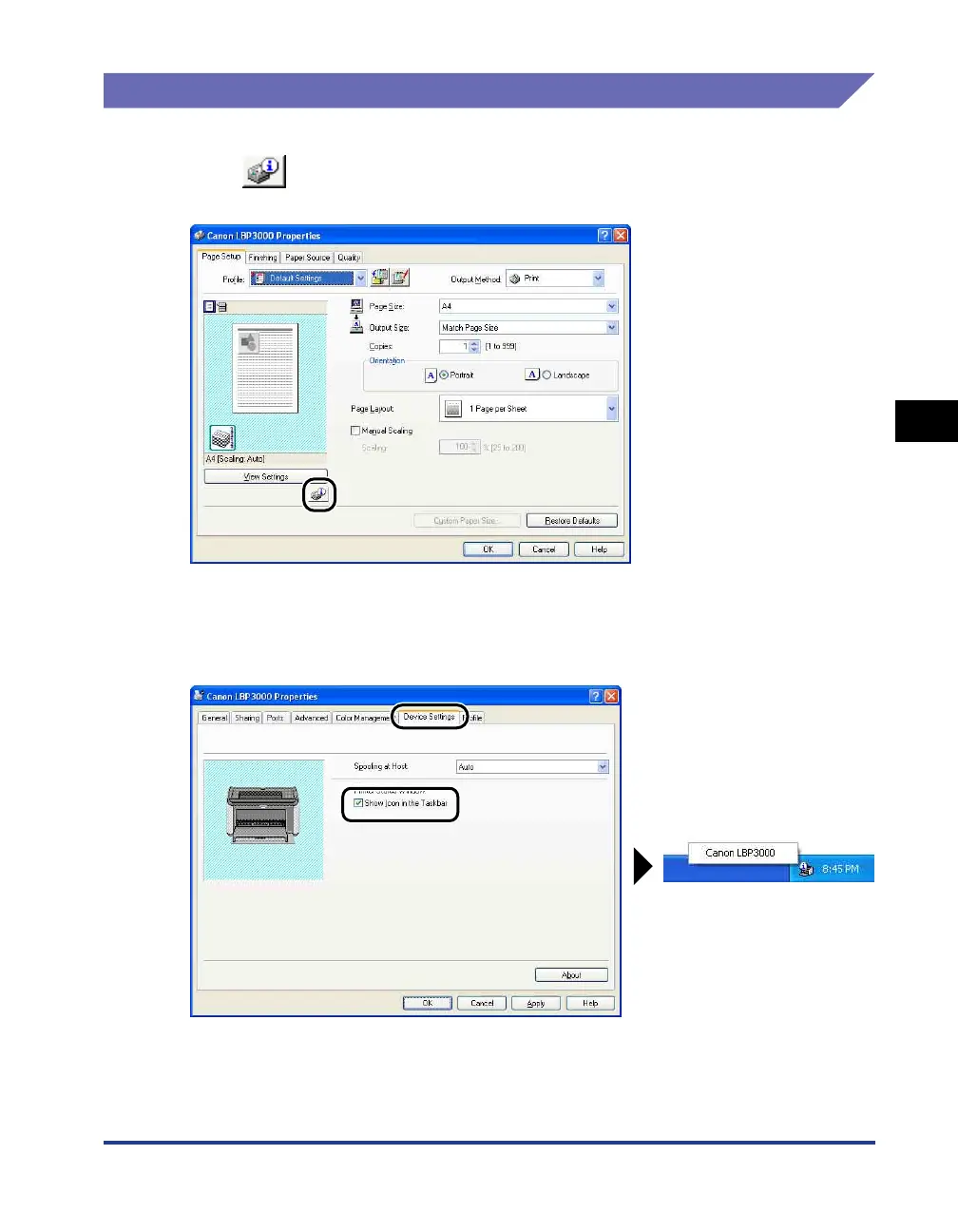
The Printer Status Window can be opened in the following two ways.
• Click [ ] (Display Printer Status Window) in locations such as the [Page
Setup] sheet in the [Printer Properties] dialog box.
• Check the [Show Icon in the Taskbar] box in the [Configuration]/[Device Settings]
sheet in the [Printer Properties] dialog box. A Printer Status Window icon is then
shown in the Windows Taskbar, and you can click on this icon, then click [Canon
LBP3000] to open the window.











 To Next Page