Using the Printing Functions
4-33
Printing a Document
4
■ [Allow Profile Selection]
Allows you to select a Profile from within the [Document Properties] dialog box.
■ [Allow Setting Edition]
Allows you to add new Profiles that are different from the Profiles previously registered in
the [Document Properties] dialog box.
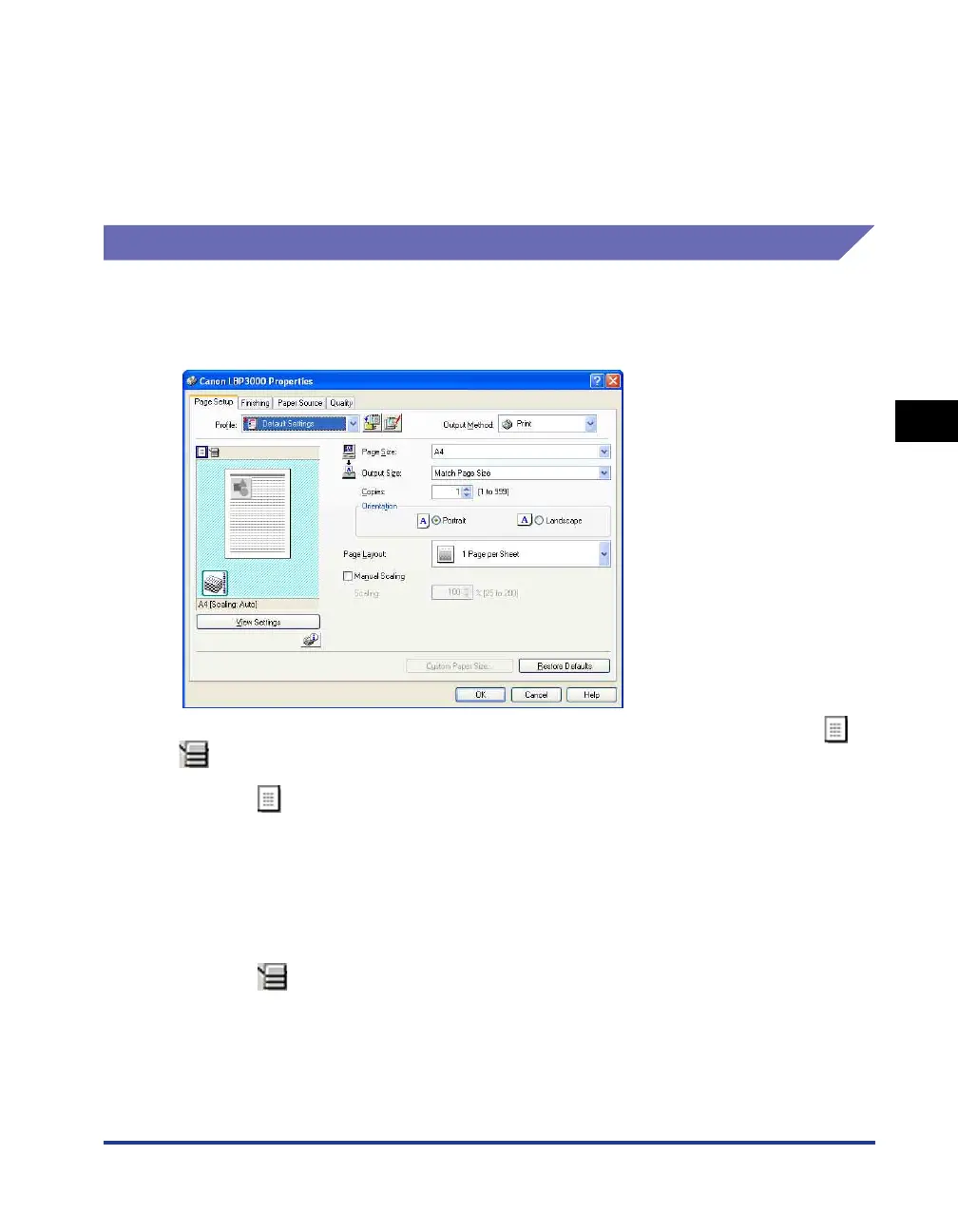
Preview
The preview panel on the [Page Setup], [Paper Source], and [Finishing] sheets
shows the current printer settings. You can change [Page Layout] and [Finishing]
settings by right-clicking on the Preview panel.
The Preview panel functions differently depending on which icon is selected ( or
) at the upper left of the Preview panel.
■ When is selected
You can adjust the [Page Layout] setting.
The [Page Layout] setting changes cyclically between [1 Page per Sheet], [2 Pages per
Sheet], and [4 Pages per Sheet] each time you left-click within the document image.
If you right-click within the Preview panel, you can choose between [1 Page per Sheet], [2
Pages per Sheet], and [4 Pages per Sheet].
■ When is selected
You can adjust the [Finishing] settings.
If you right-click within the Preview panel, you can choose between [Off] and [Collate].











 To Next Page