Canceling, Pausing and Resuming Printing
4-17
Printing a Document
4
Canceling, Pausing and Resuming Printing
You can use the Printer Status Window to cancel, pause, or resume print jobs.
1
Start printing.
The Printer Status Window appears.
NOTE
The Printer Status Window may not appear depending on the [Display Printer
Status Window] setting in the [Preferences] menu. (See "Setting Preferences," on
p. 4-64)
2
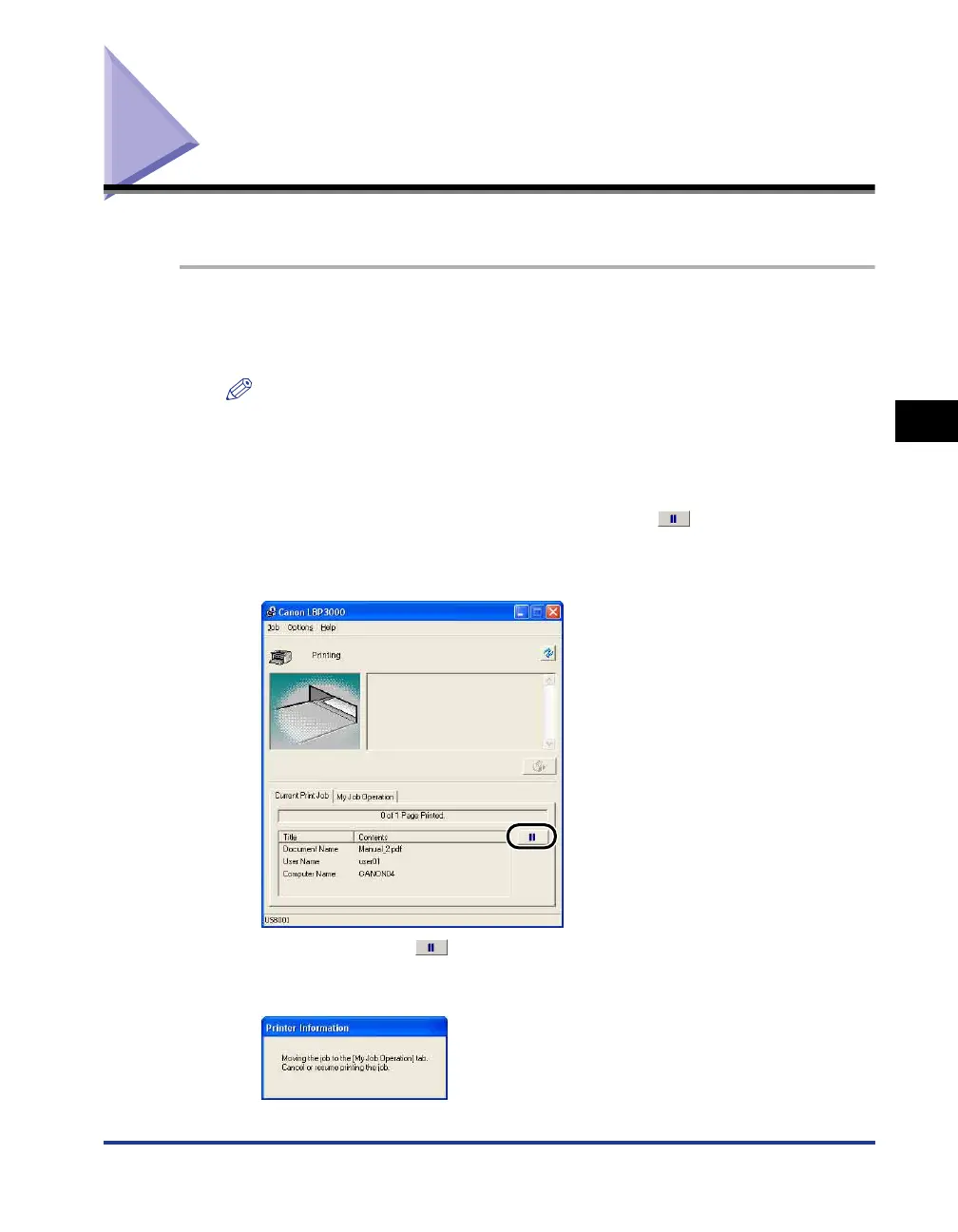
To delete or pause a print job, click the [ ] (Pause Job)
button in the [Current Print Job] tab or [My Job Operation]
tab.
When you click the [ ] (Pause Job) button in the [Current Print Job] tab, the
following message is displayed and the screen switches to the [My Job
Operation] tab.











 To Next Page