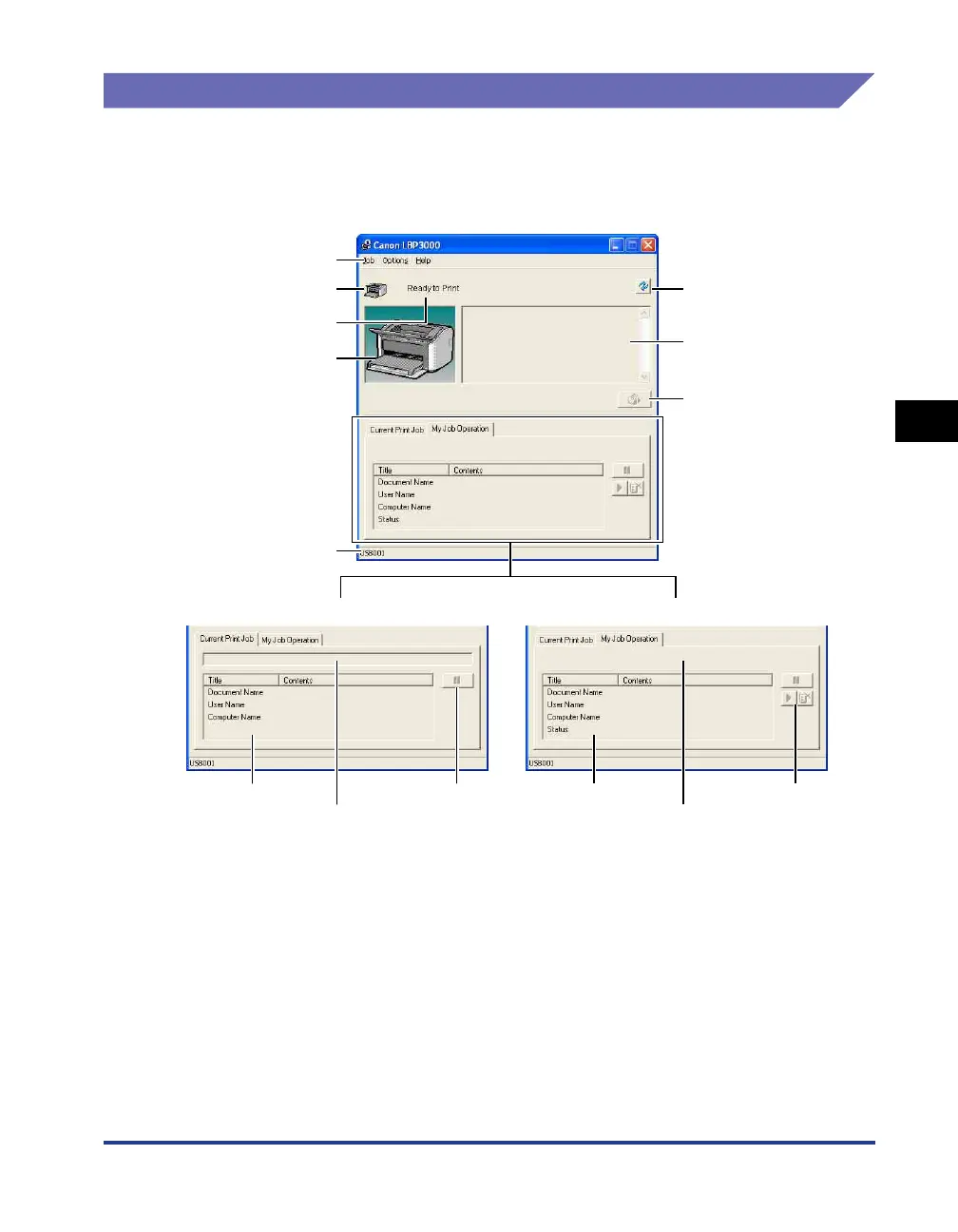
Printer Status Window
4-61
Printing a Document
4
Using the Printer Status Window
The functionality of the Printer Status Window is the same on both Windows 98/Me
and Windows 2000/XP/Server 2003/Vista.
Refer to the online help for more details on using the Printer Status Window.
■ Menu Bar
[Job] Menu Used to pause, resume and cancel print jobs. If a job is paused for
some reason, you can resume the job by selecting [Resolve Error].
The buttons appears grayed out if you do not have access
permissions to the current print job.
[Options] Menu Allows you to change the preferences for the Printer Status Window,
and clean the fixing rollers on the printer.
[Help] Menu Displays the online help.
Menu Bar
Icon
Message Area
Animation Area
Status Bar
■ [Current Print Job] Tab ■ [My Job Operation] Tab
Refresh Button
Message Area (Auxiliary)
Resolve Error Button
Job Information Area [Pause Job] Button Job Information Area Job Operation Buttons
Progress Bar Job Status Message Area











 To Next Page