Printing from a Network Computer using a Shared Printer
3-51
Setting Up the Printing Environment
3
2
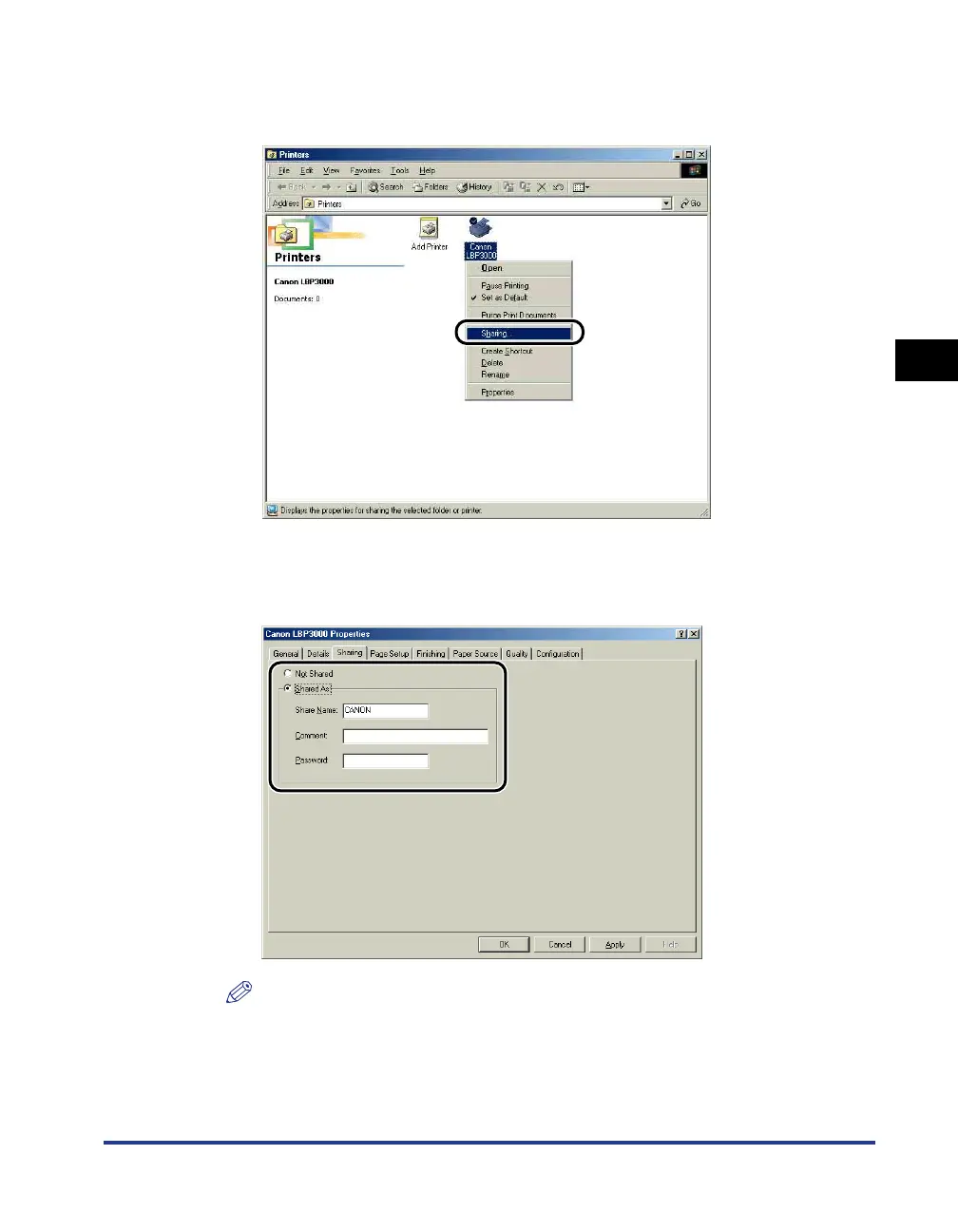
Right-click the icon for your printer, then select [Sharing] from
the pop-up menu.
3
Select [Shared As]. Change the [Share Name] and enter a
[Comment] and [Password] as needed.
NOTE
•
If you selected [User-level access control] in Step 7 of the "Network Settings"
procedure (See p. 3-50), click [Add] and select the users that can use the printer.
•
Do not enter blank or special characters in [Shared As].
•
If you enter a password, it is possible that the client computer will not be able to
create the printer port.











 To Next Page