Installing the CAPT Software
3-17
Setting Up the Printing Environment
3
6
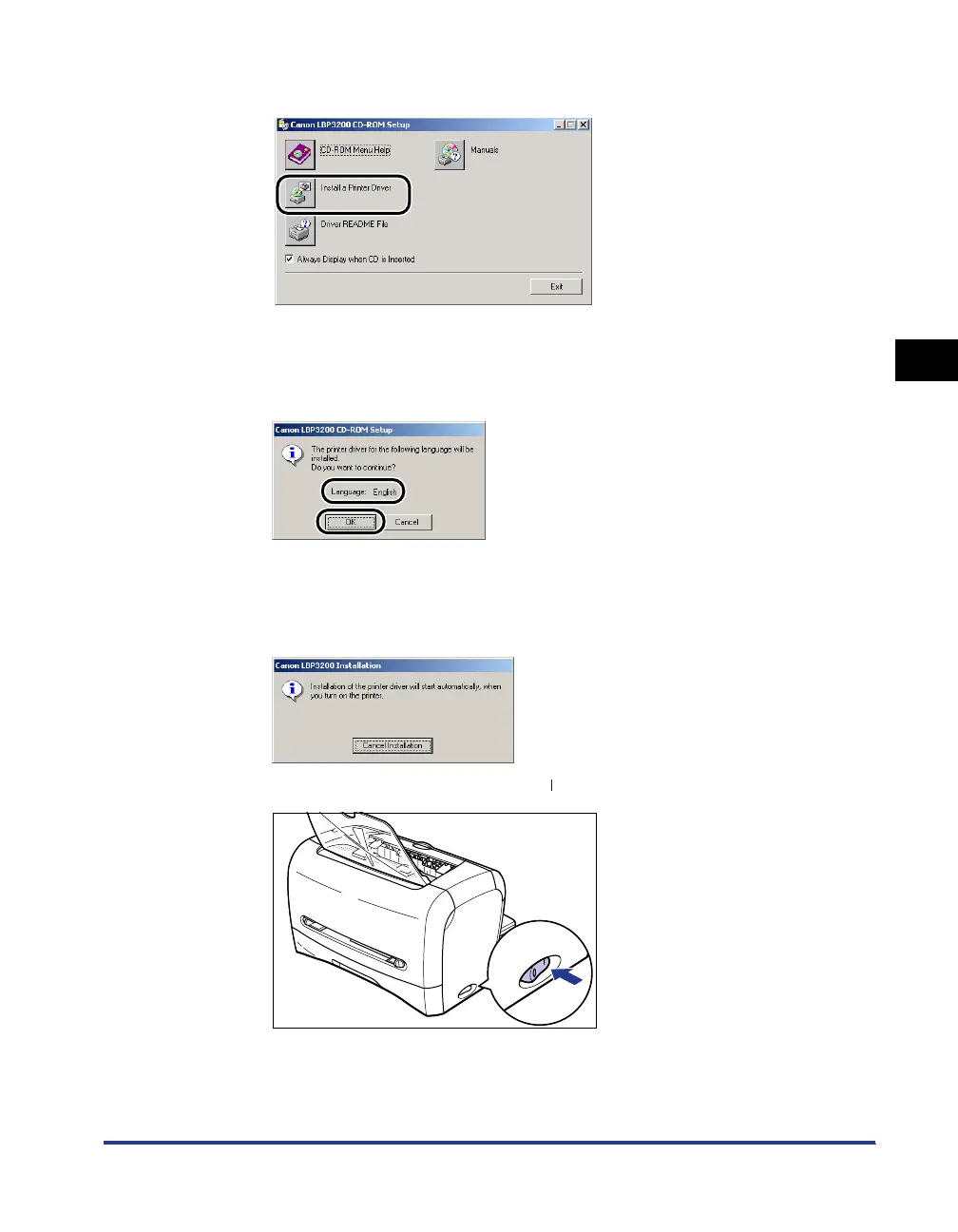
Click [Install a Printer Driver].
The dialog box for confirming the language will appear.
7
Confirm the language and click [OK].
The preparation for installation will start.
8
When the screen shown below appears, turn ON the printer.
In order to turn ON the printer, press " " of the power switch.
The installation of the printer driver and the USB class driver will start
automatically.












 To Next Page