Using the Printing Functions
4-43
Printing a Document
4
Specifying the Image Refinement
The printer detects and smoothes jagged characters or graphics automatically.
1
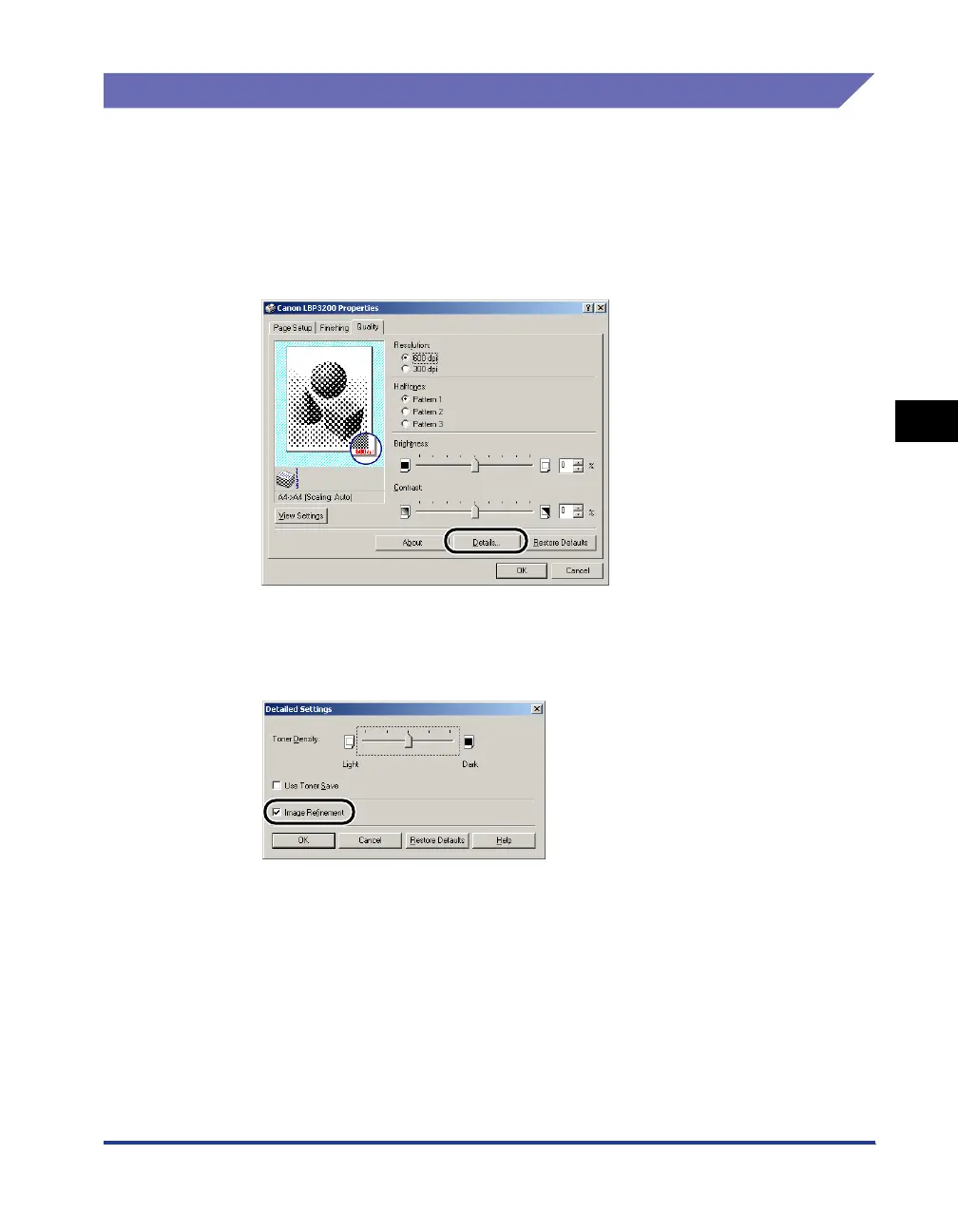
Display the [Quality] sheet.
2
Click [Details].
The [Detailed Settings] dialog box will appear.
3
Place a checkmark for [Image Refinement].
4
Confirm the settings, then click [OK].












 To Next Page