Printing on Envelope
2-37
Loading and Delivering Paper
2
Setting Printer Driver and Printing
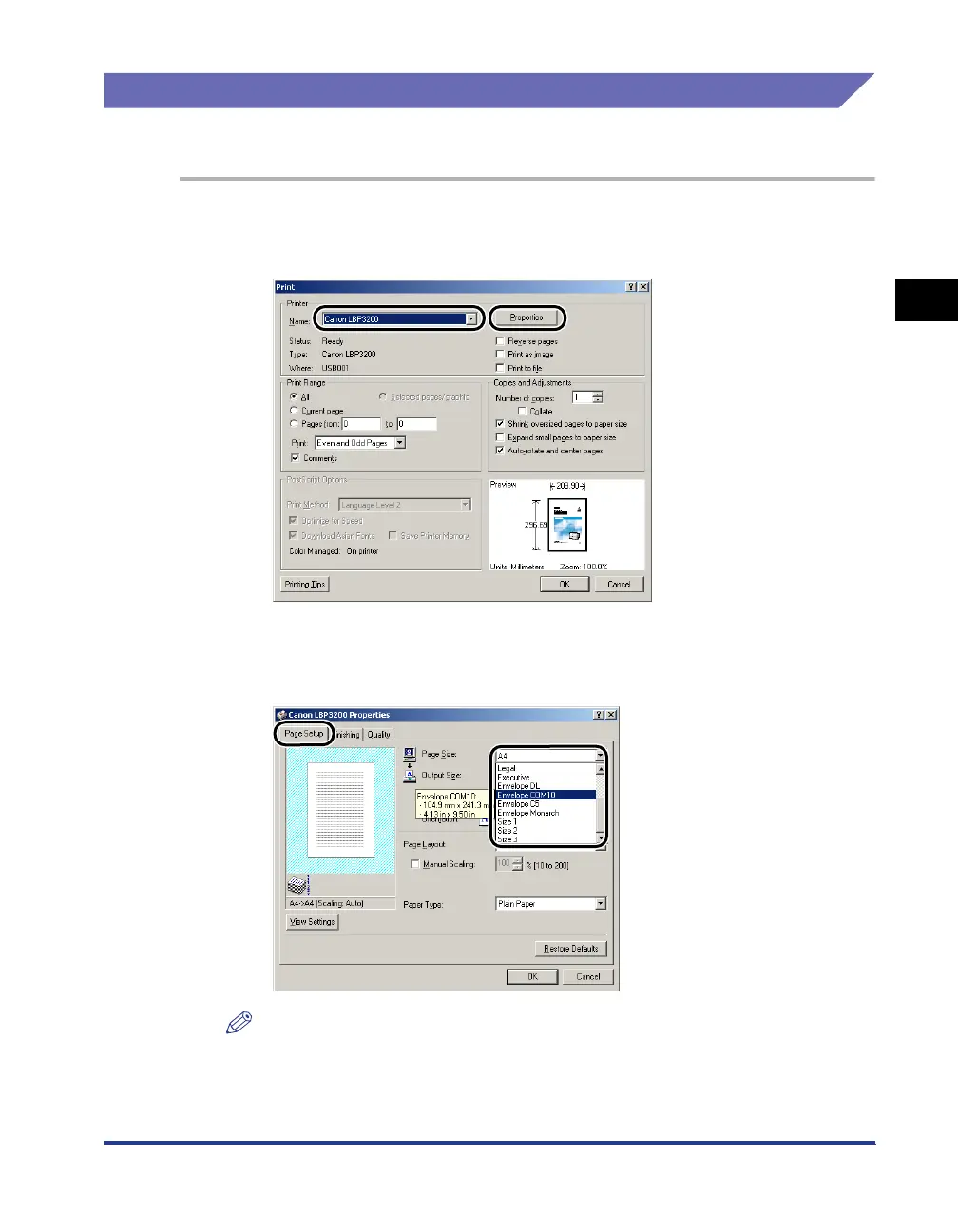
Follow the procedure below to set the printer driver.
1
Select [Print] in the application. Select this printer for [Name]
and click [Properties].
2
Display the [Page Setup] sheet, then from [Page Size], select
the size of a document that you created in the application.
NOTE
If you select any of [Envelope C5], [Envelope COM10], [Envelope DL], [Envelope
Monarch] for [Page Size], the appropriate paper type is automatically set as long as
[Match Page Size] is selected for [Output Size]. So, you do not have to set [Paper
Type].












 To Next Page