Printing on Envelope
2-36
Loading and Delivering Paper
2
2
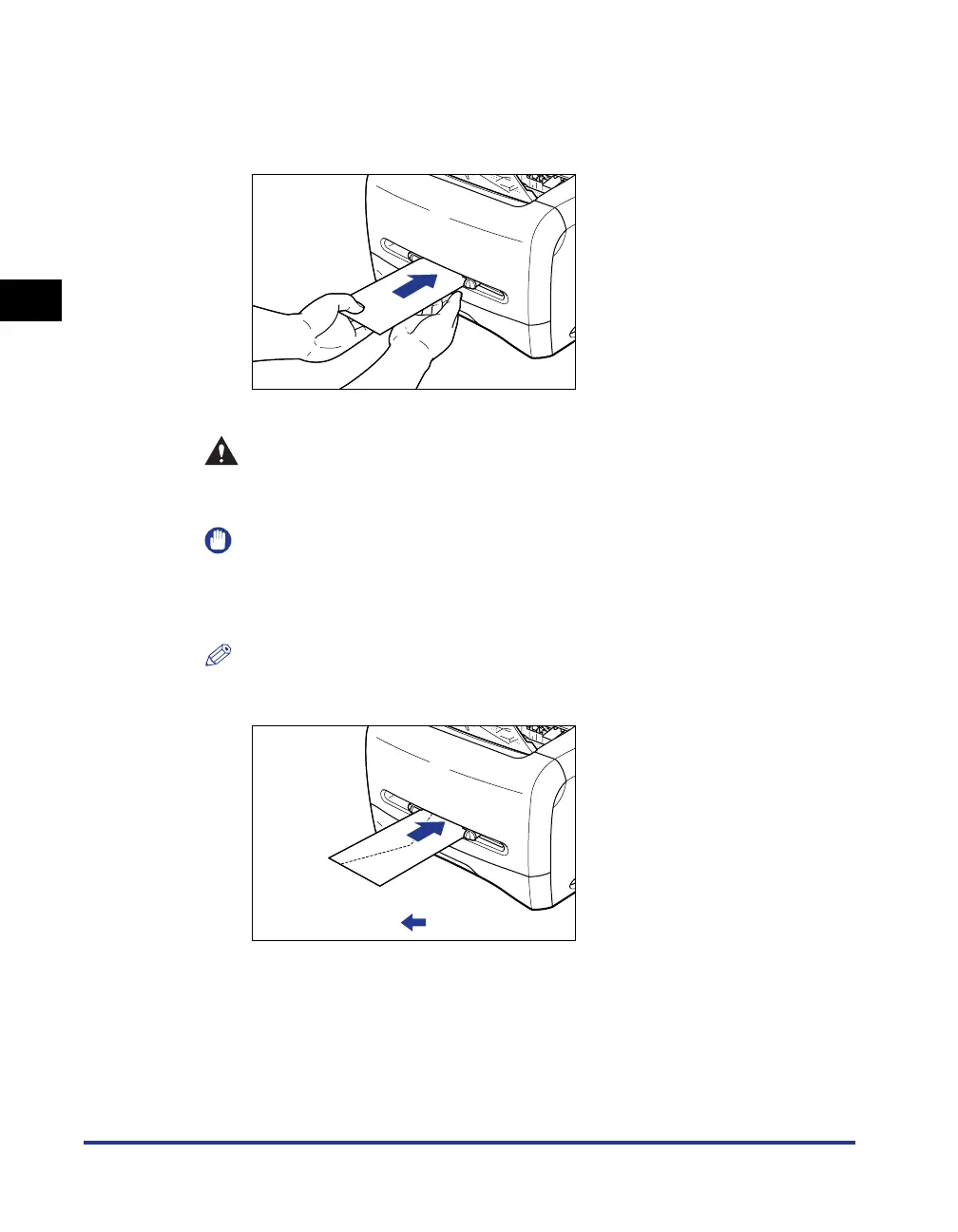
While holding the envelope with your hands as shown in the
figure, slowly insert the envelope with the printing surface
face up until it hits on the back.
After the envelope is set, it is fed slightly.
CAUTION
When setting the envelope, be careful not to cut your hands with the edges
of the envelope.
IMPORTANT
•
Set envelops straight.
•
If the envelopes are curled or folded at corners, flatten them before setting.
•
The back of an envelope cannot be printed on.
NOTE
To print on an envelop, set the envelope so that the printing surface faces up and
the flap comes toward the left of the manual feed slot.
:Feeding direction












 To Next Page