Specifying the Printing Preferences
4-14
Printing a Document
4
Displaying the [Printer Properties] Dialog Box from the [Printers]
Folder
1
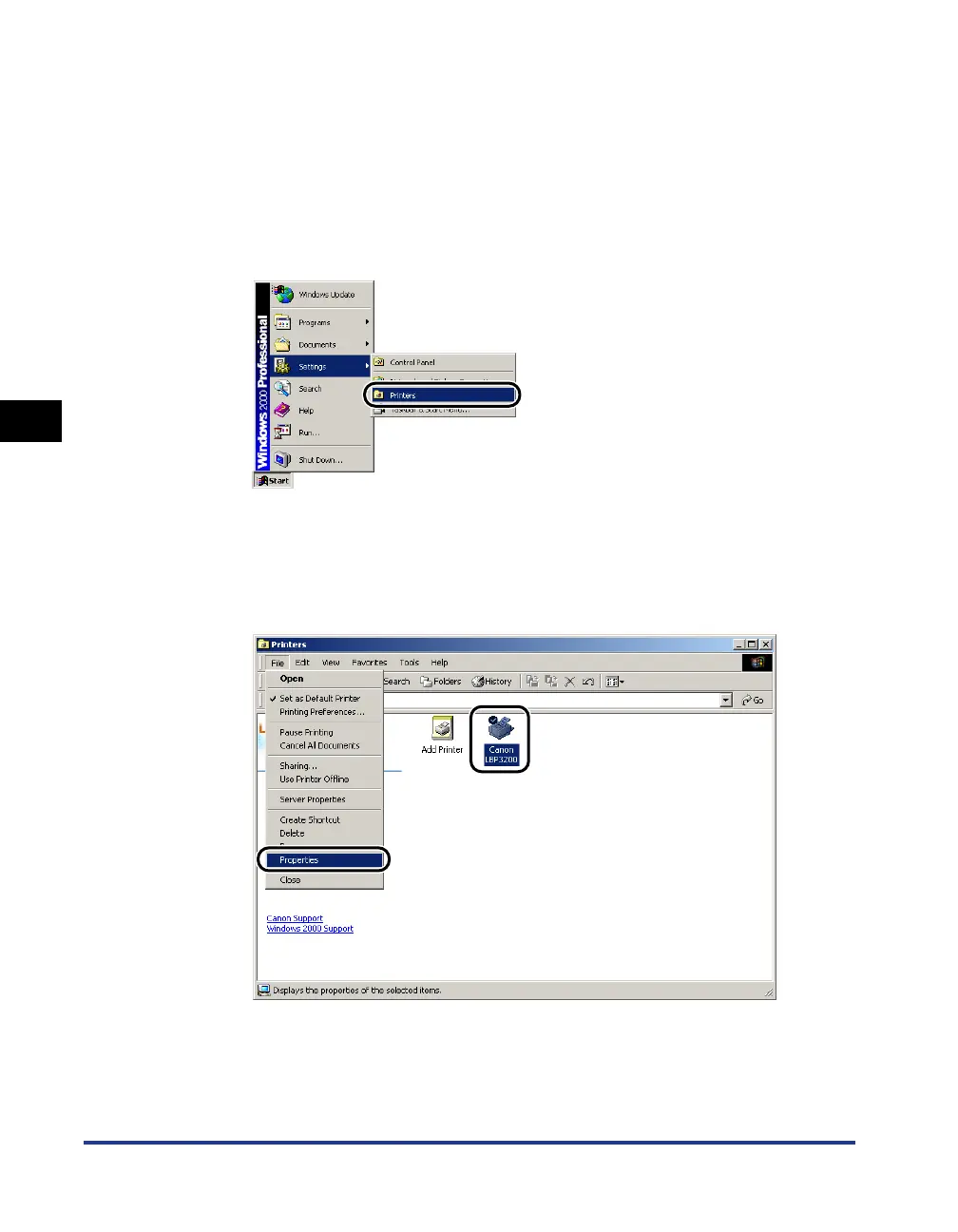
From the [Start] menu, select [Settings] ➞ [Printers].
For Windows XP Professional: Click the [Start] menu ➞ [Printers and Faxes].
For Windows XP Home Edition: Click the [Start] menu ➞ [Control Panel] ➞
[Printers and Other Hardware] ➞ [Printers and Faxes].
The [Printers] folder will appear.
2
Select the [Canon LBP3200] icon, then select [Properties] from
the [File] menu.












 To Next Page