Parts and Their Functions
1-6
Before You Start Using This Printer
1
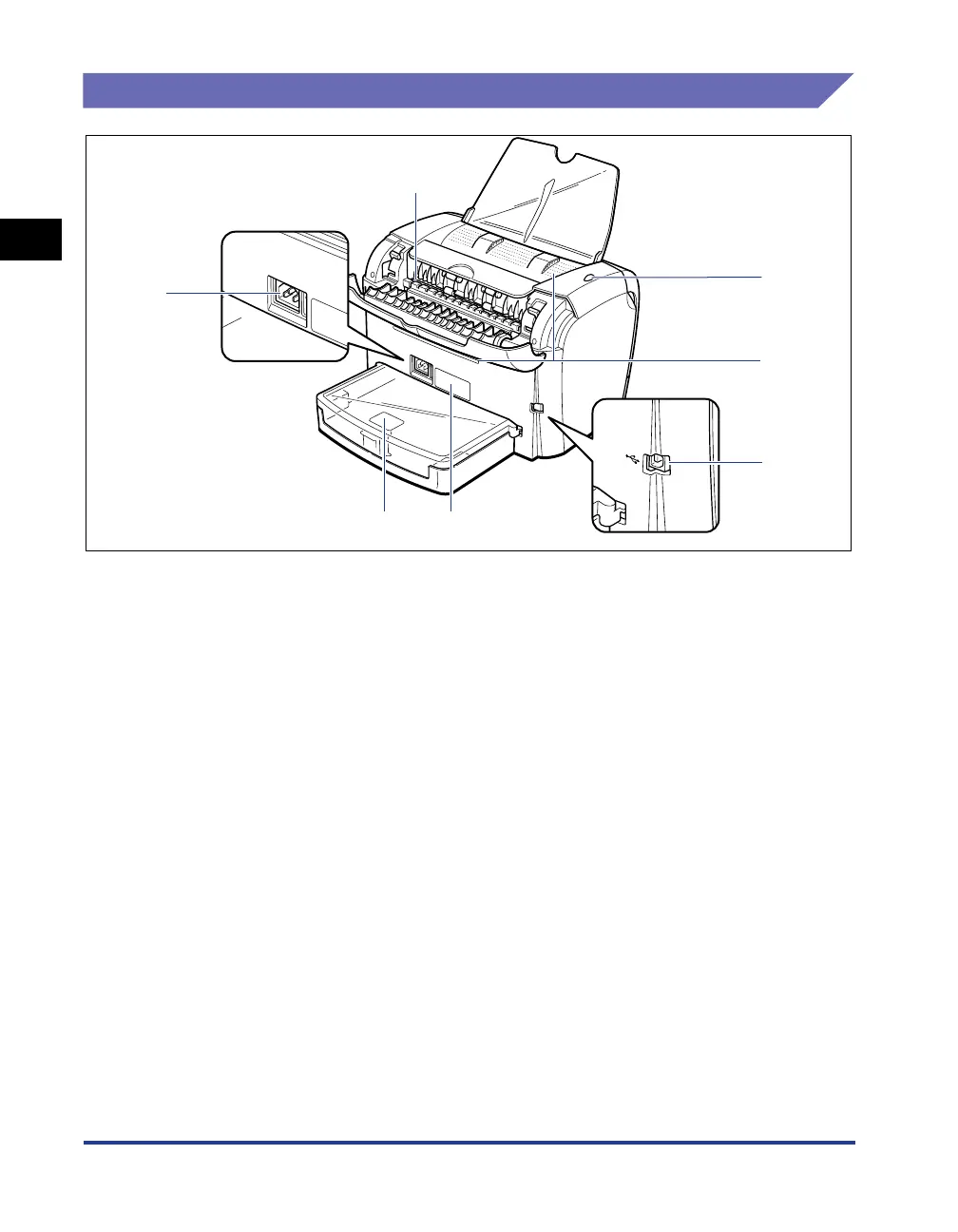
Rear View
aa
aa
Power Socket
Connected to the supplied power cord. (See p. 1-8.)
bb
bb
Face-up Delivery Slot
Delivers paper with the printing surface face up.
(See p. 2-12.)
cc
cc
Power Indicator
Lights up when the printer is ON.
dd
dd
Ventilation Slot
Cools the insides of the printer. Do not block the
ventilation slot.
ee
ee
USB Connector
Connected to the USB cable. The USB cable is
connected to the USB port on the computer.
(See p. 1-14.)
ff
ff
Rating Label
The serial number for printer identification is
indicated on this label. The number is required for
receiving service or repairs. The current value
indicated in this rating label shows the average
power current consumption.
gg
gg
Cassette Protective Cover
Prevents dirt and dust from entering into the
cassette.
a
b
c
d
e
fg












 To Next Page