Using the Printing Functions
4-17
Printing a Document
4
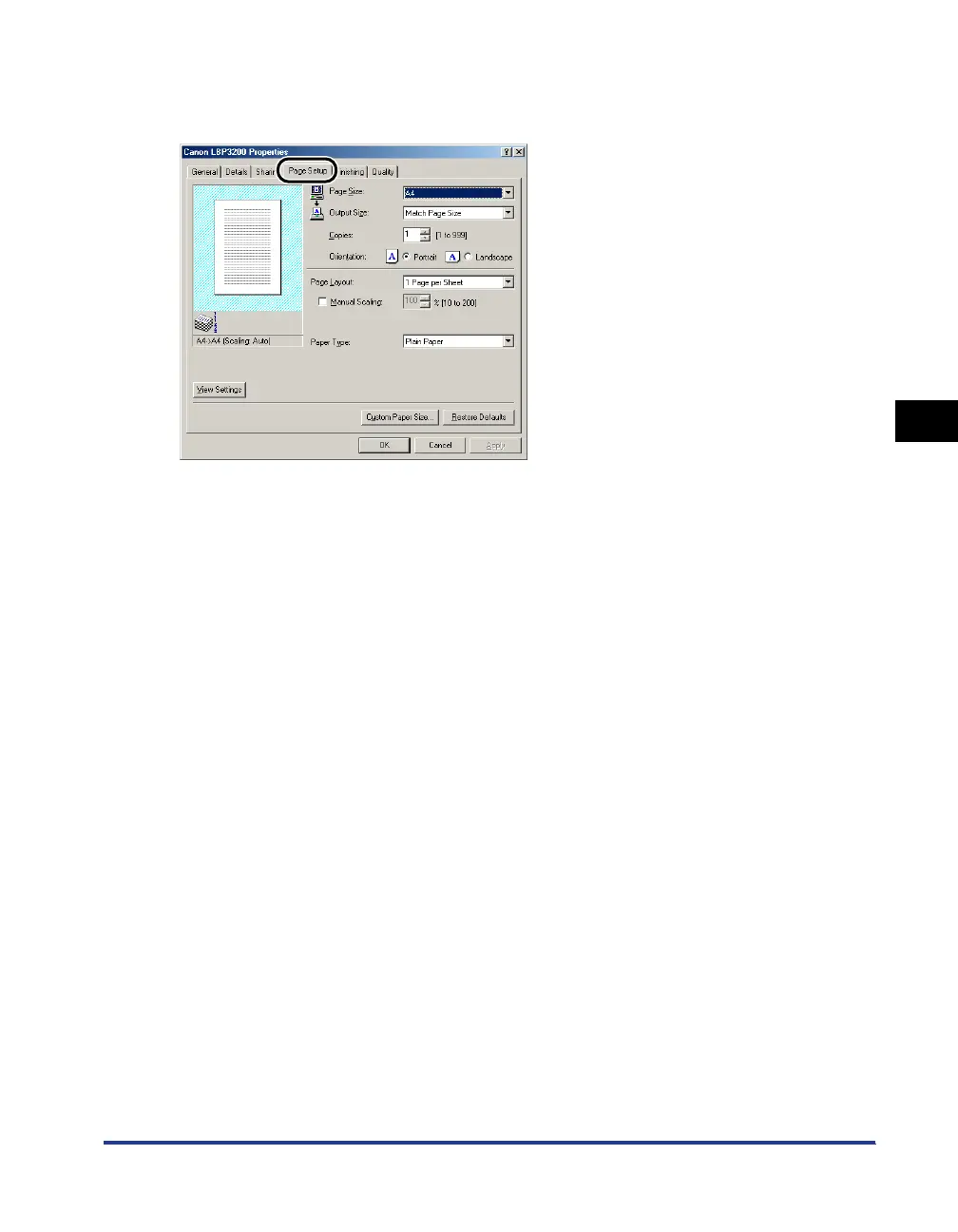
[Page Setup] Sheet
The [Page Setup] sheet allows you to specify the following printing preferences.
■ Page Size
Display the [Page Size] pull-down menu, then select a desired page size.
The page sizes that can be selected are as follows:
• A3 (297.0 mm x 420.0 mm, 11.69 inch x 16.54 inch)
• B4 (257.0 mm x 364.0 mm, 10.12 inch x 14.33 inch)
• A4 (210.0 mm x 297.0 mm, 8.27 inch x 11.69 inch)
• B5 (182.0 mm x 257.0 mm, 7.17 inch x 10.12 inch)
• A5 (148.0 mm x 210.0 mm, 5.83 inch x 8.27 inch)
• Letter (215.9 mm x 279.4 mm, 8.50 inch x 11.00 inch)
• Legal (215.9 mm x 355.6 mm, 8.50 inch x 14.00 inch)
• Executive (184.1 mm x 266.7 mm, 7.25 inch x 10.50 inch)
• Envelope DL (110.0 mm x 220.0 mm, 4.33 inch x 8.66 inch)
• Envelope COM10 (104.9 mm x 241.3 mm, 4.13 inch x 9.50 inch)
• Envelope C5 (162.0 mm x 229.0 mm, 6.38 inch x 9.02 inch)
• Envelope Monarch (98.5 mm x 190.5 mm, 3.88 inch x 7.50 inch)
• Size 1 (Custom paper, name changeable) (See p. 4-36.)
• Size 2 (Custom paper, name changeable) (See p. 4-36.)
• Size 3 (Custom paper, name changeable) (See p. 4-36.)












 To Next Page