Installation Problems
6-22
Troubleshooting
6
Installation Problems
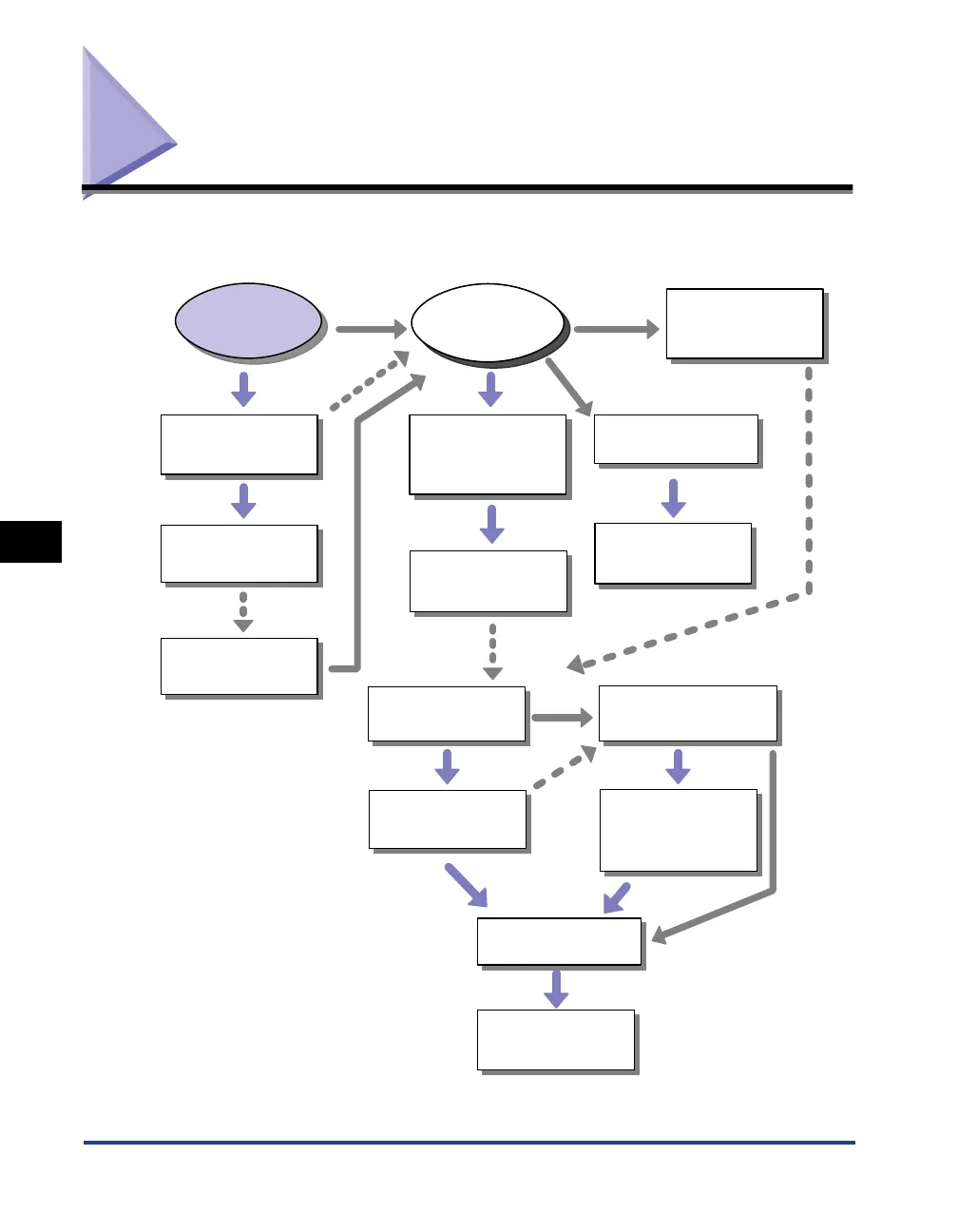
If "USB Class Driver" and "LBP3200 Printer Driver" cannot be installed properly,
follow the procedure below to check problems.
Uninstall the USB class driver.
See "Uninstalling the USB Class
Driver," on p.6-24.
Uninstall the CAPT software
with Uninstaller.
See "Uninstalling the CAPT
Software," on p.3-49.
Uninstall the CAPT software
with Uninstaller.
See "Uninstalling the CAPT
Software," on p.3-49.
Uninstall the CAPT software
with Uninstaller.
See "Uninstalling the CAPT
Software," on p.3-49.
Select the USB port and install
the CAPT software.
See "Installing by Selecting the
USB Port (Windows 98/Me Only),"
on p.6-27.
Delete [Canon LBP3200] from
[Add/Remove Programs] ([Add
or Remove Programs] for
Windows XP).
See "When Uninstallation Fails," on
p.6-23.
Delete [Canon LBP3200] from
[Add/Remove Programs] ([Add
or Remove Programs] for
Windows XP).
See "When Uninstallation Fails," on
p.6-23.
Install the CAPT software
again.
See "Installing the CAPT Software,"
on p.3-4.
Install the CAPT software
again.
See "Installing the CAPT Software,"
on p.3-4.
The [Canon LBP3200] folder is
displayed on the desktop.
[Canon LBP3200] is displayed in
[Add/Remove Programs] ([Add or
Remove Programs] for Windows
XP).
Install the CAPT software
again.
See "Installing the CAPT Software,"
on p.3-4.
Uninstall the USB class driver.
See "Uninstalling the USB Class
Driver," on p.6-24.
Install the CAPT software
again.
See "Installing the CAPT Software,"
on p.3-4.
The [Canon LBP3200]
folder is displayed
on the desktop.
[Canon LBP3200] is displayed in
[Add/Remove Programs]
([Add or Remove Programs]
for Windows XP).
Yes
No
No
(For Windows 2000/XP)
No
(For Windows 98/Me)
Cannot
uninstall.
Cannot
uninstall.
Cannot
install.
Cannot
install.
Cannot
install.
Yes
No
No
Yes
Yes












 To Next Page