Using the Printing Functions
4-21
Printing a Document
4
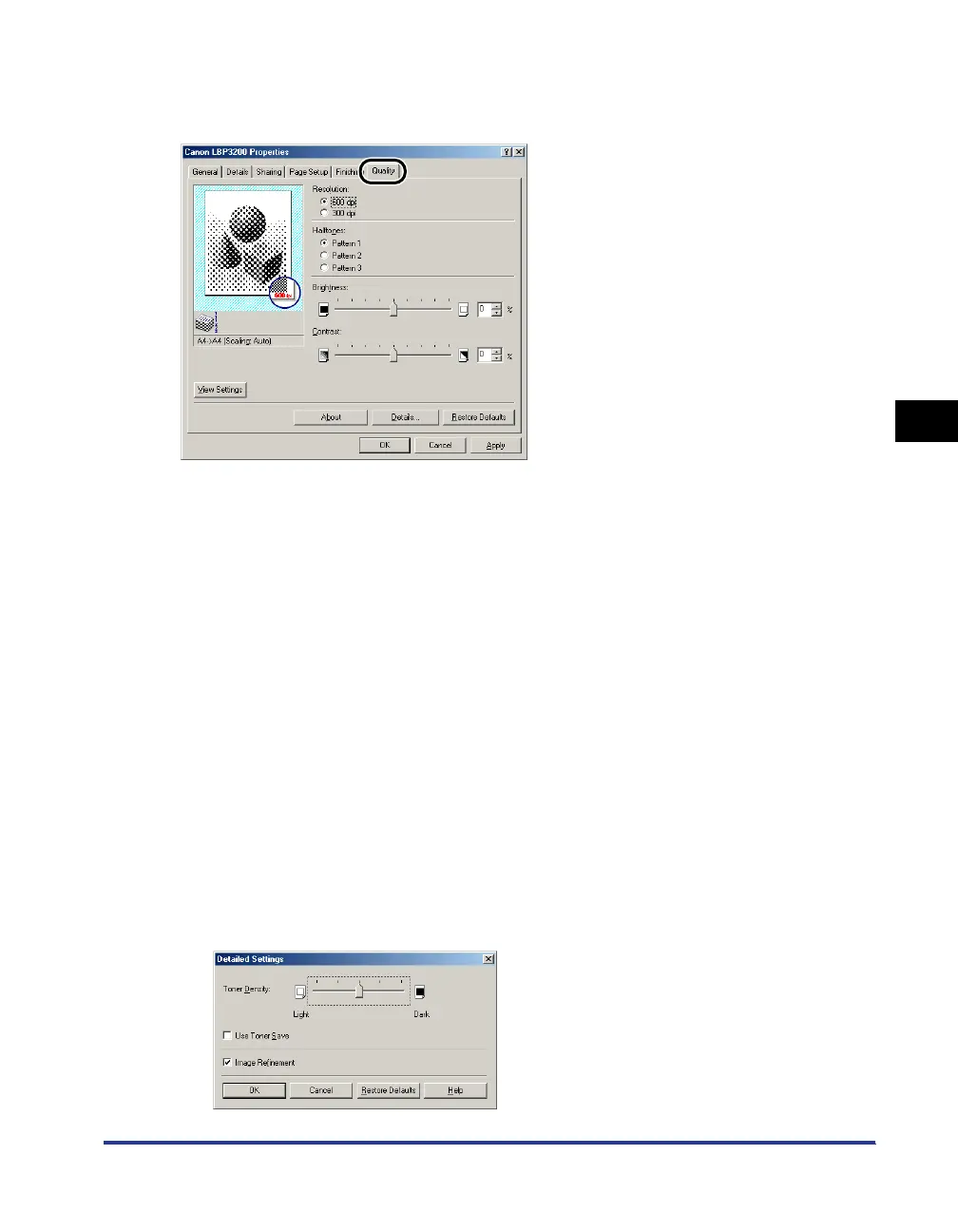
[Quality] Sheet
The [Quality] sheet allows you to specify the following printing preferences.
■ Resolution
Allows you to specify the fineness of images.
Select [600 dpi] or [300 dpi].
■ Halftones
Allows you to select the halftone processing for printing color or gray-scale images.
■ Brightness / Contrast
To specify the settings, click the spin button for [Brightness] or [Contrast]. The settings can
also be specified by dragging the slider rightward and leftward. You can specify from -80
to 80%.
■ Details
The dialog box shown below will appear by clicking [Details].
[Pattern 1] Suitable for printing general documents.
[Pattern 2] Sharpness is applied when printing photographic image.
To print an image of a person or for emphasizing the darkness.
[Pattern 3] Colored letters and thin lines are printed more clearly.












 To Next Page