Using the Printing Functions
4-24
Printing a Document
4
NOTE
For more details on the operations, see the Online Help.
The Online Help can be displayed using the following procedure. Click within the Online
Help to close the displayed Online Help.
- Press the [Tab] key on your keyboard to select an item that you want to display, then
press the [F1] key.
- Right-click an item that you want to display, then click [What's This?] from the pop-up
menu.
- Click [ ] (Help) on the [Titlebar], move the [?]-attached cursor to an item that you
want to display, then click it.
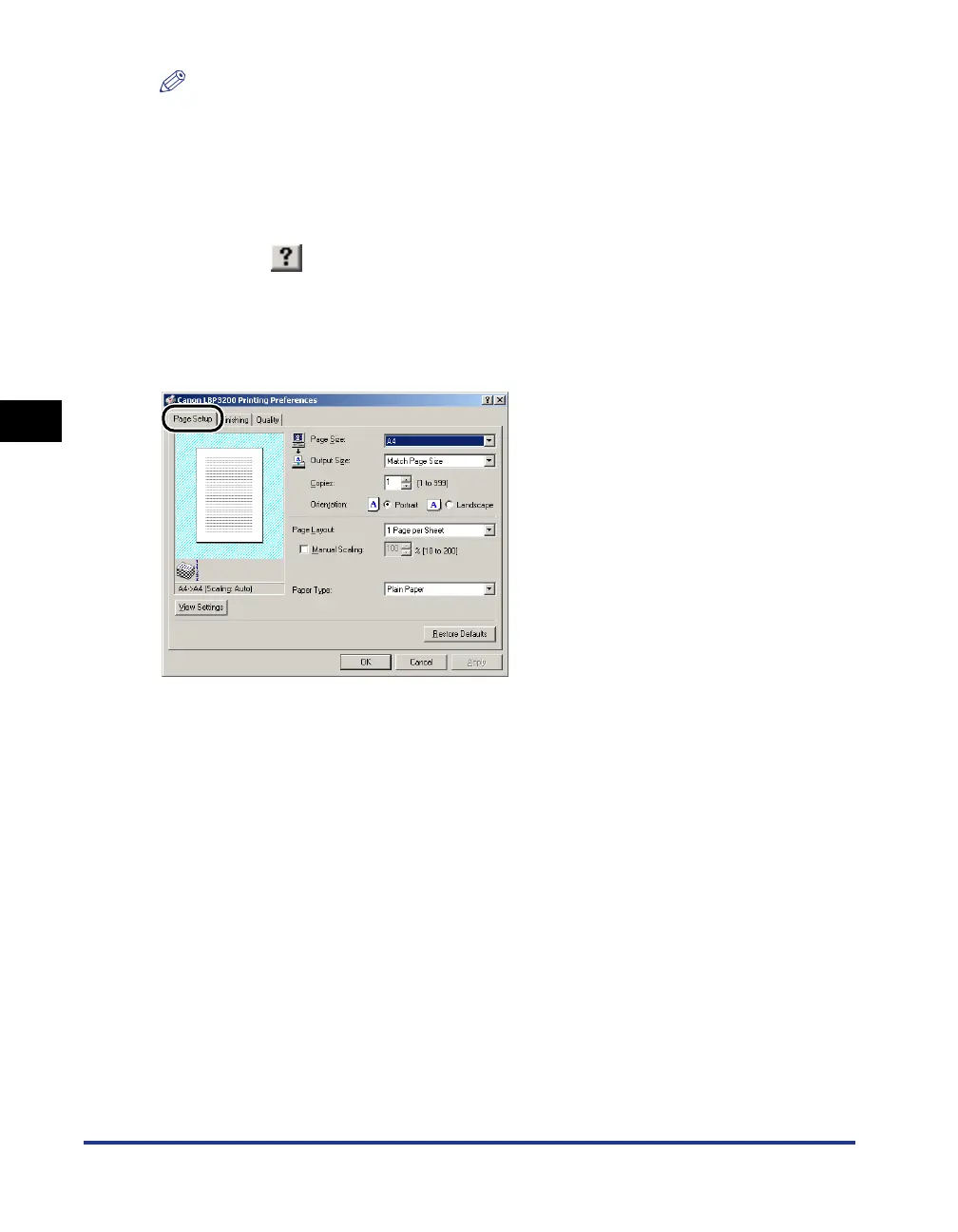
[Page Setup] Sheet
The [Page Setup] sheet allows you to specify the following printing preferences.
■ Page Size
Display the [Page Size] pull-down menu, then select a desired page size.
The page sizes that can be selected are as follows:
• A3 (297.0 mm x 420.0 mm, 11.69 inch x 16.54 inch)
• B4 (257.0 mm x 364.0 mm, 10.12 inch x 14.33 inch)
• A4 (210.0 mm x 297.0 mm, 8.27 inch x 11.69 inch)
• B5 (182.0 mm x 257.0 mm, 7.17 inch x 10.12 inch)
• A5 (148.0 mm x 210.0 mm, 5.83 inch x 8.27 inch)
• Letter (215.9 mm x 279.4 mm, 8.50 inch x 11.00 inch)
• Legal (215.9 mm x 355.6 mm, 8.50 inch x 14.00 inch)
• Executive (184.1 mm x 266.7 mm, 7.25 inch x 10.50 inch)
• Envelope DL (110.0 mm x 220.0 mm, 4.33 inch x 8.66 inch)
• Envelope COM10 (104.9 mm x 241.3 mm, 4.13 inch x 9.50 inch)
• Envelope C5 (162.0 mm x 229.0 mm, 6.38 inch x 9.02 inch)
• Envelope Monarch (98.5 mm x 190.5 mm, 3.88 inch x 7.50 inch)












 To Next Page