Using the Printing Functions
4-44
Printing a Document
4
Viewing the Printer Settings / Restoring the Default
Settings
You can view all the printing preferences that are specified in the [Page Setup],
[Finishing], and [Quality] sheets or restore those default settings at one time.
First make sure that any one of the [Page Setup], [Finishing], or [Quality] sheet is
displayed, then follow the procedure below.
NOTE
Preview will be displayed on each sheet. You can view the print image in Preview.
Viewing the Printer Settings
1
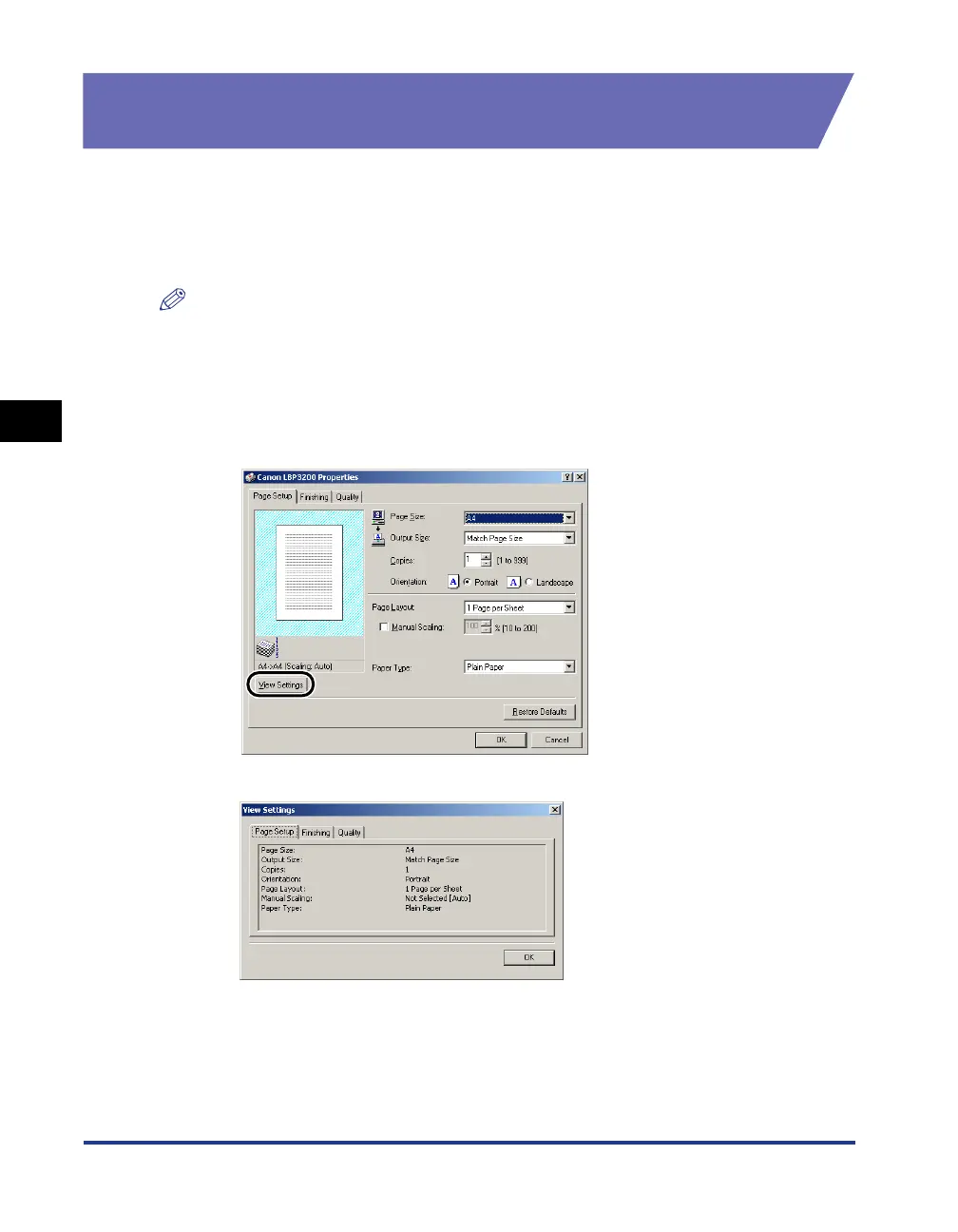
Click [View Settings].
The [View Settings] dialog box will appear.
By clicking the [Page Setup], [Finishing], or [Quality] tab, you can view the print
preferences specified for each sheet.
2
Click [OK].
The previous sheet will re-appear.




 To Next Page