Printing from an Application
4-2
Printing a Document
4
Printing from an Application
After installing the software, now you can perform a print job.
The following instruction describes the procedure for printing from an application,
taking Acrobat Reader included in the accompanying CD-ROM as an example.
1
Set paper in the cassette or manual feed slot.
NOTE
For instructions on printing on plain paper, heavy paper, labels, and
transparencies, see "Printing on Plain Paper / Heavy Paper / Label / Transparency,"
on p. 2-14, for envelopes, see "Printing on Envelope," on p. 2-27, for custom paper,
see "Printing on Custom Paper," on p. 2-40.
2
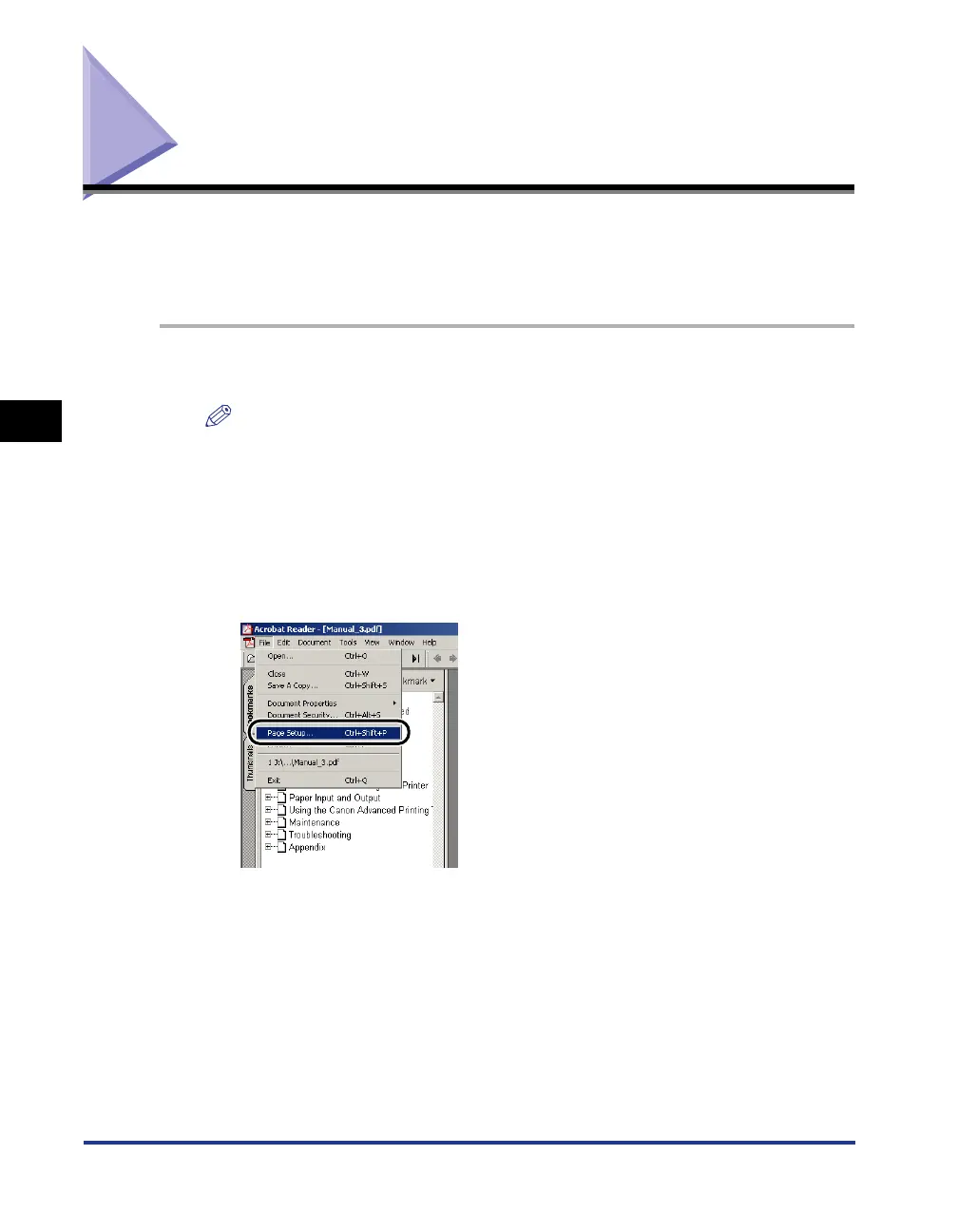
Open a PDF file you want to print with Acrobat Reader, then
select [Page Setup] from the [File] menu.




 To Next Page