Installing the CAPT Software
3-26
Setting Up the Printing Environment
3
5
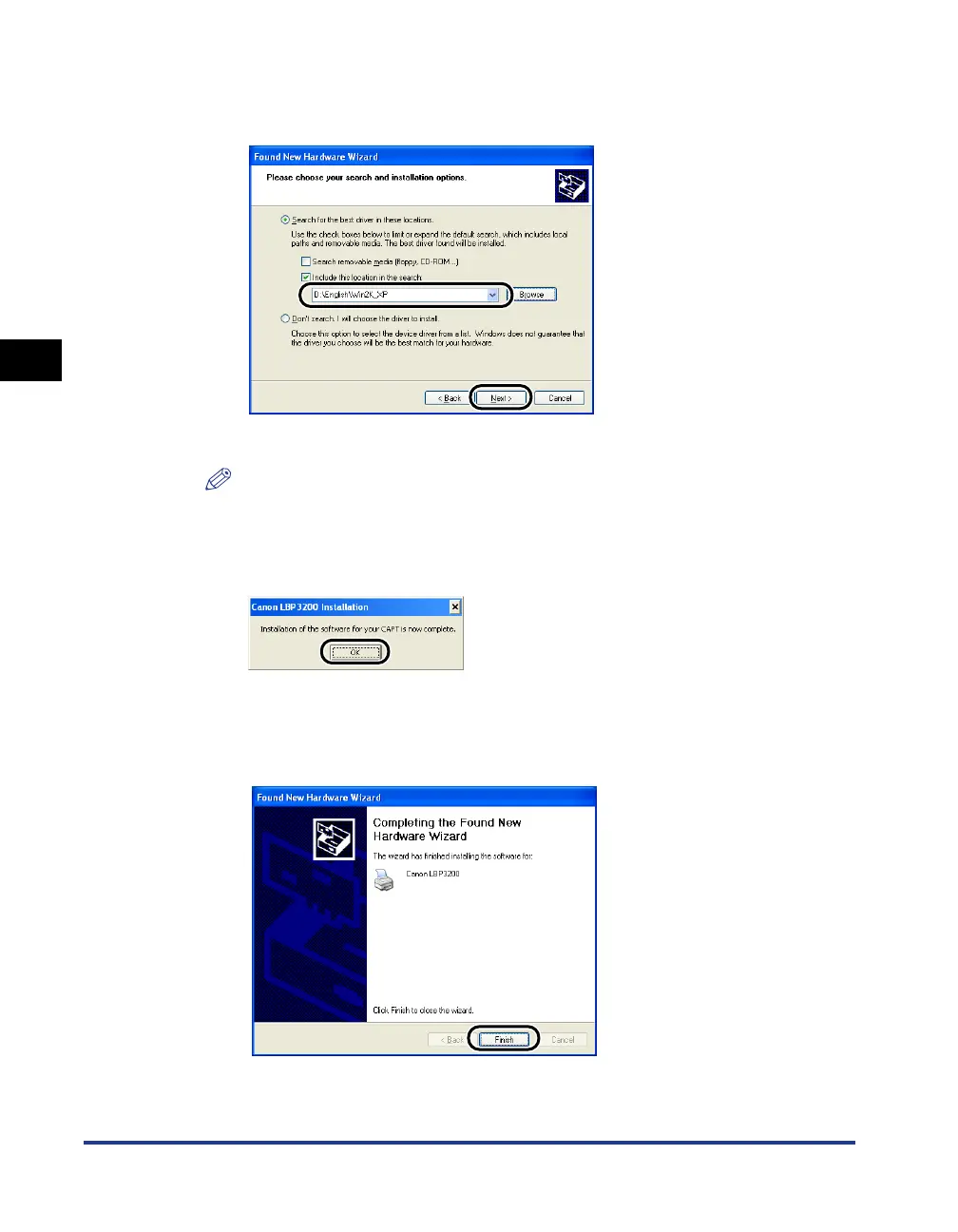
Make sure that the selected folder is displayed in [Include this
location in the search], then click [Next].
The installation process will be displayed.
NOTE
Click [Continue Anyway] if the [Hardware Installation] dialog box is displayed.
6
When the screen shown below appears, click [OK].
The [Found New Hardware Wizard] dialog box will appear.
7
Click [Finish].












 To Next Page