Using the Printer on a Network
3-41
Setting Up the Printing Environment
3
2
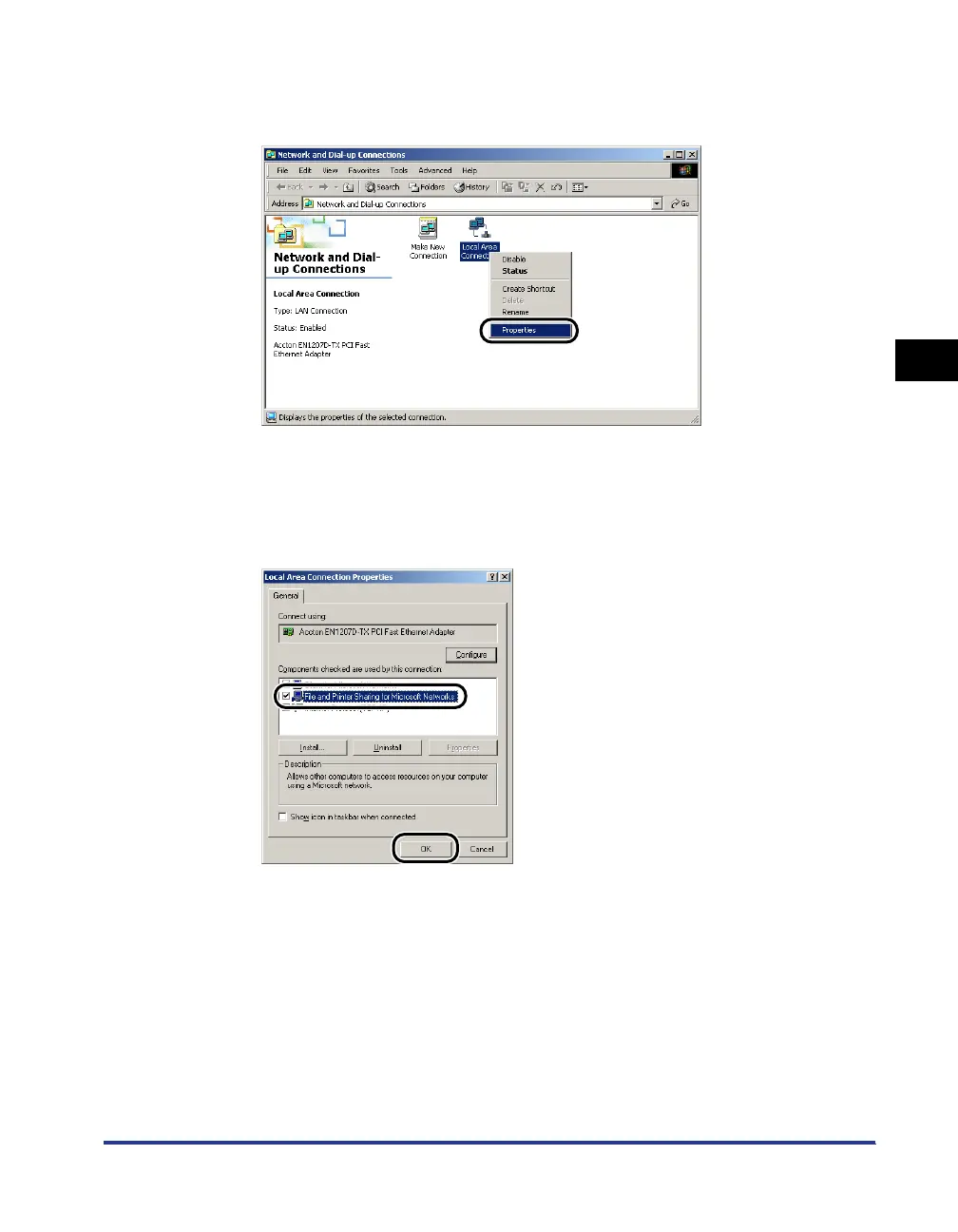
Right-click the [Local Area Connection] icon, then select
[Properties] from the pop-up menu.
The [Local Area Connection Properties] dialog box will appear.
3
Make sure that [File and Printers Sharing for Microsoft
Networks] is selected, then click [OK].




 To Next Page