Printing from an Application
4-4
Printing a Document
4
5
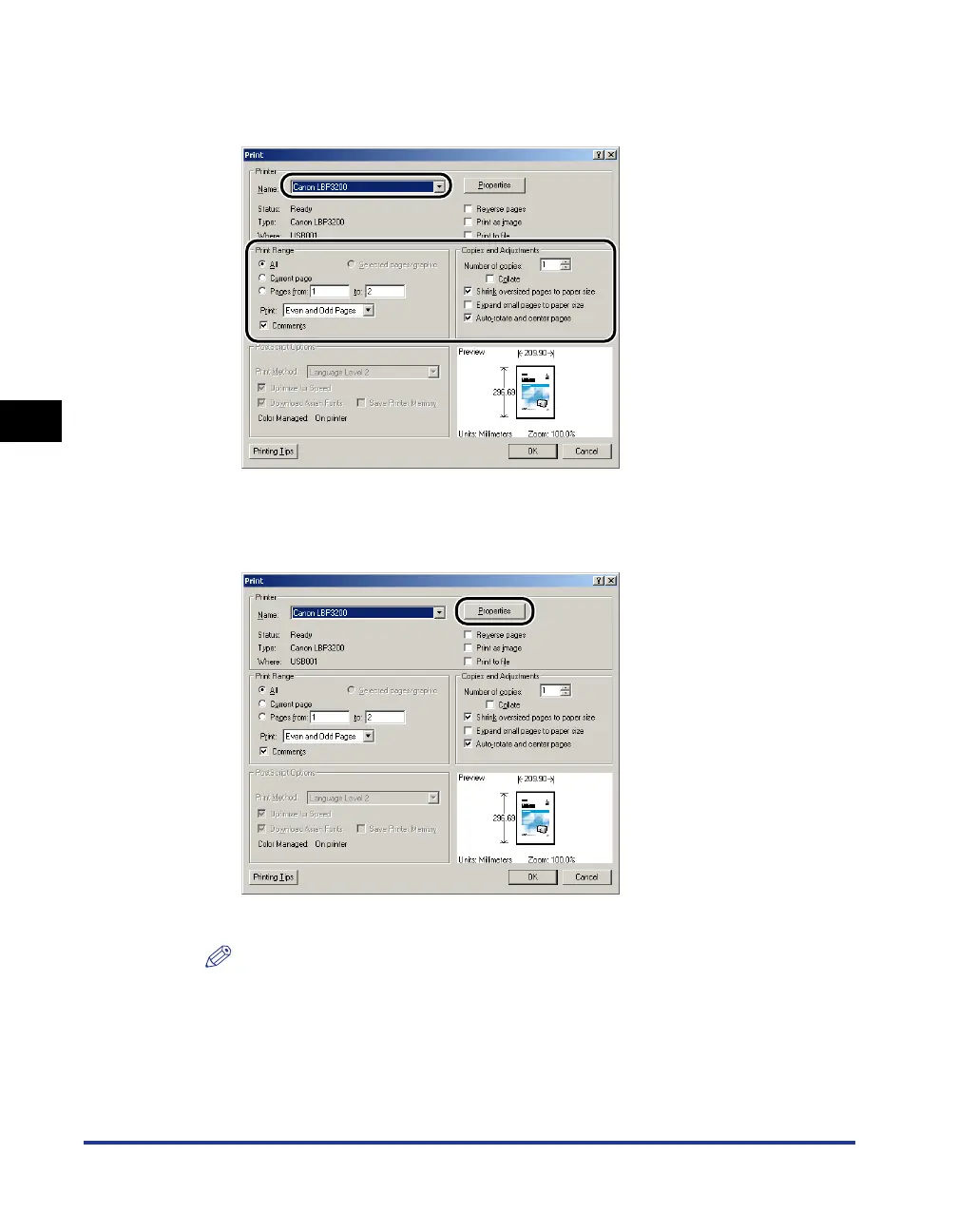
Select [Canon LBP3200] from [Name], then specify printing
preferences.
6
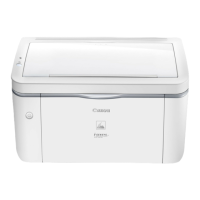
If you specify more detailed printing preferences, click
[Properties].
The [Properties] dialog box for this printer will appear.
NOTE
•
The printer name displayed in this dialog box can be changed in the [Printers]
folder (for Windows XP, the [Printers and Faxes] folder).
•
The procedure for displaying the printer properties dialog box may differ depending
on the application being used.




 To Next Page